

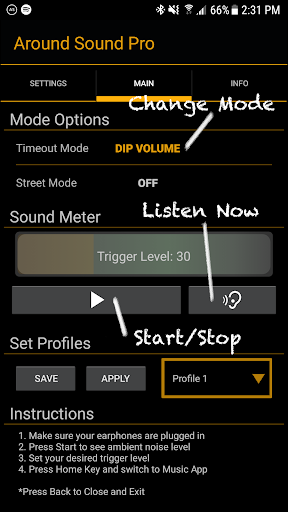
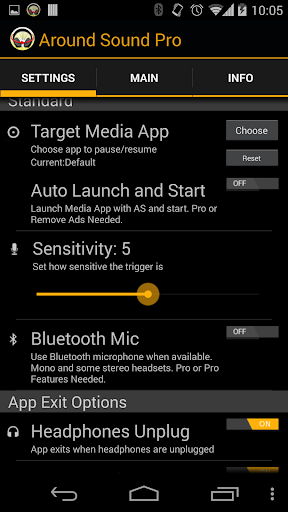
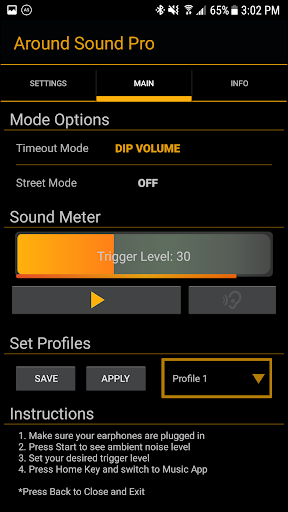
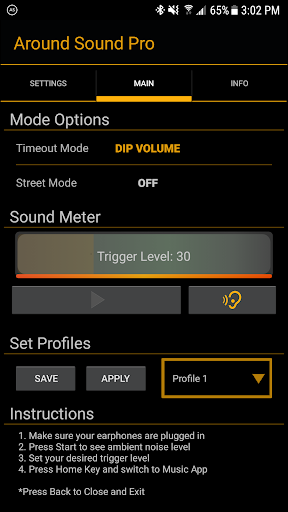
Around Sound Pro allows you to listen to music, watch videos or play games while still being aware of your surroundings.
As seen on:
★Lifehacker★
http://bit.ly/GITDJ1
★evolver.fm Editor's Choice★
★Gizmodo★
http://bit.ly/PnTvQL
What it does:
This app uses your your headset's microphone to listen for loud noises. Then depending on the mode it either pauses or dips the volume of your music or movie then plays back the sound that triggered it. Then returns your music or movie to normal volume or resumes playback.
Bluetooth Mic Option:
Currently only works with mono headsets and some AD2P kind
Where would I use it?
At the office: pause your music automatically when someone is trying to get your attention
At home: Don't miss door slams, children crying, your dog barking, or other warning signs
At the airport: Relax at the gate and have your music pause when the gate announcements start
Anywhere relatively quiet where you want to know if something happens around you
Best to use with:
Sound isolating earbud headphones with mic- These are practically earplugs now, so don't miss out on what's around you.
You can use it with just headphones but be aware the microphone used is now your phone. So leaving it in your pocket wouldn't work so well.
How to use:
Make sure your headset is plugged in. Simply start the app, push Start, see the noise level around you, set the trigger level by using your finger to swipe the meter, hit the home button to access your music, videos or games and enjoy.
Limitations:
-Needs Gingerbread or higher (Android version 2.3, etc)
-You can't be in a really loud environment otherwise the microphone input will be maxed out and there is no way to detect a louder sound.
Compatibility:
Works with most popular music and video players: Make sure to enable headset controls if it's not working at first
Samsung's FM Radio App currently doesn't work (actually crashes the app, sorry)
Permissions Needed:
Phone Calls: Read Phone status (shuts off the audio processing during calls)
Hardware Controls: Audio Settings, Record Audio (to use the microphone, no audio is ever stored)
Bluetooth: For Bluetooth mic feature
Broadcast Sticky: For Bluetooth mic feature
Developed on a Galaxy S7
Around Sound is Superpowered
New Feature: Listen Now
New Feature: Notification controls
Bug fixes








9Apps 4.9