
⭐ Now with Mirroring feature ⭐
CastL Media is a free, fast and easy to use multimedia player able to play slideshow photos and all format videos or IPTV streams in your Android device or big screen tv.
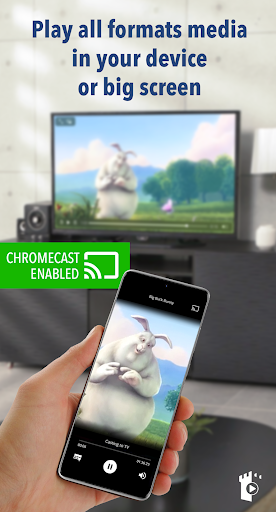
Stream to your Google Chromecast or your Chromecast built-in TV all the videos, photos or IPTV streams you want.
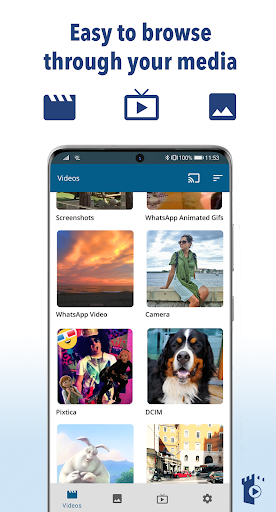
Run the app and navigate through your gallery and play or send to your big screen with a single tap.
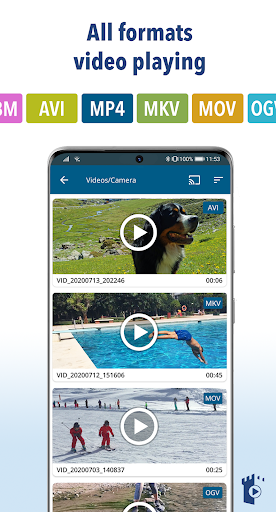
Thanks to its real time transcoding system, CastL Media casts all video formats and codecs, including MKV, MP4, AVI, MOV, Ogg, FLAC, TS, M2TS, Wv and AAC or livestreams and live-tv transmissions IPTV HLS, M3U8, W3U, RSS...
Enjoy your home videos, favorite movies, TV shows and other livestreams or IPTV contents on your big screen. CastL Media supports subtitles, Full HD videos and lets you cast photos, too.
The new "Mirroring" feature allows you to send your device screen to your Chromecast. Enjoy on your big screen all the apps & games of your device.
CastL Media works with Google Chromecast 1, 2, Ultra, TVs with Chromecast built-in and Google Cast / Android TV powered devices.
We do NOT access your identity data, accounts, device id, phone status, gps location or contacts.
CastL Media main features:
⭐ Easy to use contents browsing
⭐ All format video playing
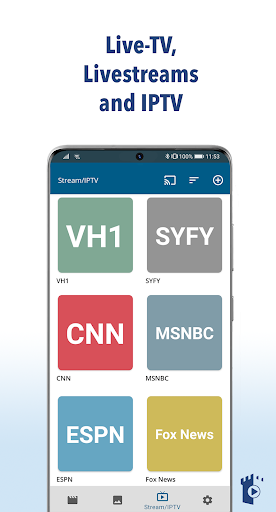
⭐ IPTV, livestreams and live-tv
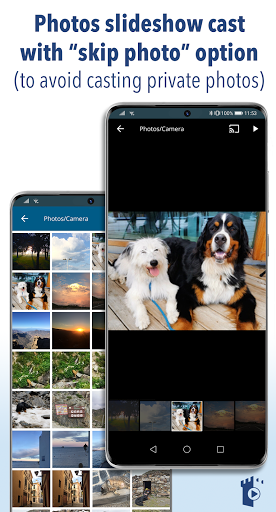
⭐ Photos slideshow cast with “skip photo” option to avoid casting private photos
⭐ Full screen device player
⭐ Mirroring to Chromecast
⭐ Totally for free
⭐ Last technology implementation techniques
⭐ Remote control screen when casting content in big screen
Chromecast built-in in tvs:
You can find Chromecast built-in in Vizio, Sharp, Sony, Toshiba, Philips, Polaroid, Skyworth, and Soniq TVs (more info: https://www.google.com/chromecast/built-in/tv/ )
Disclaimer:
The app does not include videos, photos or links to IPTV streams. CastL Media is a player and only the users are responsible for the contents played in it.
Contact info:
If you have any suggestions or problems using CastL Media, please feel free to contact us at toprocketapps@gmail.com
We will be happy to help you!
📺 New feature: Mirroring! Show in your big screen your device display!
Thanks for using CastL Media! We regularly update our app to fix bugs, improve performance and add new features to help you enjoy your videos, photos and livestreams.




![HD Video Player | All Formats [ Detail ] screenshot 5](https://i.ytimg.com/vi/4fj_NKxCLeg/mqdefault.jpg)






9Apps 4.9













