
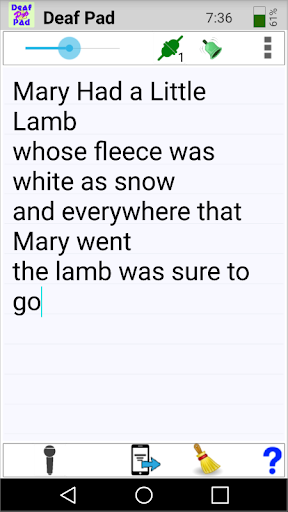
Deaf Pad helps Deaf and hard of hearing people understand speech.
Think of it as a quick and easy note pad that takes advantage of Speech Recognition.
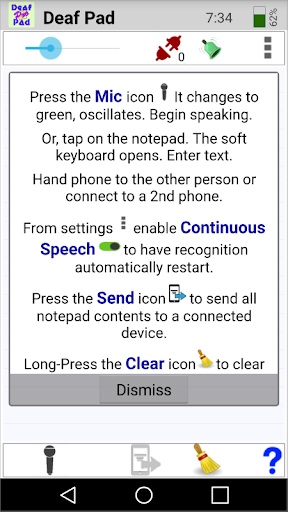
Hearing individuals speak into the microphone. Their speech is transcribed to text and displayed in the note pad. Deaf individuals can use the soft-keypad, if needed, to type their response.
There are Speech Recognition apps included with Android, but Deaf Pad offers several convenient features that make it especially useful:
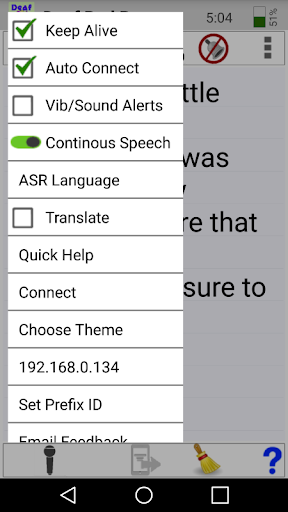
● Simulated Continuous Speech Recognition allows Deaf Pad to follow conversations – you can place the phone on the dinner table and follow the conversation, or have the phone recognize speech during a presentation.
● Several devices can connect via a local Wi-Fi network to allow real-time communication among users. For example, Deaf or hard-of-hearing members of an audience could each have a phone or tablet to receive a real-time transcript from the speaker.
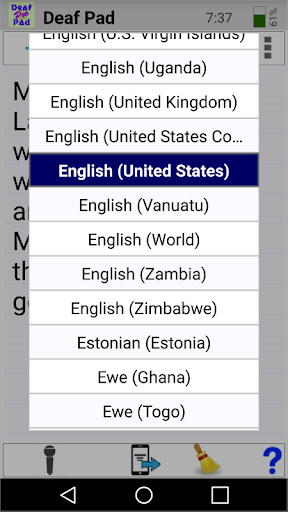
● The Speech Recognition language can be chosen from a menu – it is not limited to the default language of the phone.
● Recognized speech can be translated to a different language.
● Works with or without an Internet connection.
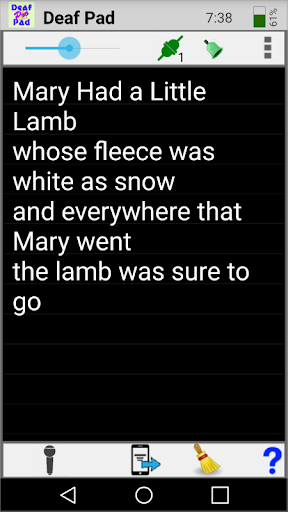
● Deaf Pad supports display themes.
● The note pad text size can be adjusted. Also, the note pad text is saved and restored next time Deaf Pad is run.
● Enabling Keep Alive prevents the phone from turning off unexpectedly.
With Google Play's new Family Library feature you may be able to share a single purchase of Deaf Pad among multiple users.
Deaf Pad works on both phones and tablets. It contains no Ads and no In-App purchases.
Access Quick Help from the menu (upper right, 3 dots) or read the complete help file, with privacy policy, by pressing the blue ? (lower right).
I use Deaf Pad daily to talk with relatives, at the doctor's office, in stores, …
See the free version, Deaf Pad Free, to give it a try.
Supports both portrait and landscape orientations
Select speech recognition language
Optionally translate speech to a second language
Localization for 15 languages
Simulated Continuous Speech Recognition – enhanced
Support for TalkBack Accessibility
Maximum notepad text size is 50% larger. Optionally choose bold text
Connect multiple devices via Local Area Network
Supports Color Themes. Includes Keep Awake. Enable/disable vibration and sound
Quick Help Menu Item and Help File with Privacy Policy








9Apps 4.9