
Speed reading app that supports MANY file formats and Third-party Apps! Highly customizable too!
Fully supported File Type: *.txt, *.pdf, *.epub, *.fb2, *.fb2.zip, *.doc, *.docx, *.htm, *.html, *.zip
Kindle (non-DRM-protected) eBook *.azw, *.azw3 (kf8), *.mobi and *.prc
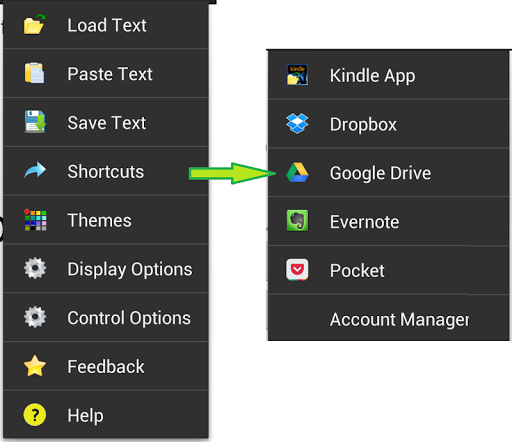
Third Party App Support: Kindle, Dropbox, Google Drive, Evernote Pocket, Flipboard, Feedly, Zite, Pulse, Shrib etc.
Localization Support: English, German, Italian, Czech, French, Spanish, Portuguese, Russian and Turkish
Balto Speed Reading focuses on Paragraphs Parsing, which is optimized to read long texts, webpages and eBooks comfortably, furthermore providing highly customizable features!!
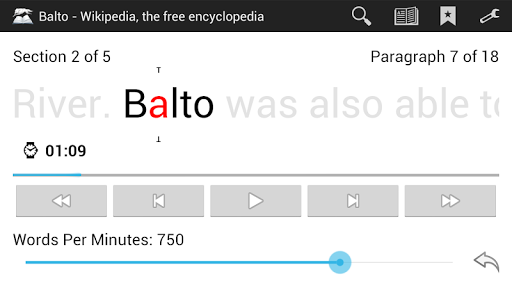
Using the Rapid Serial Visual Presentation (RSVP) method, your reading speed will be enhanced significantly!
===================================================================
Balto Speed Reading is designed and optimized for reading long texts and webpages!
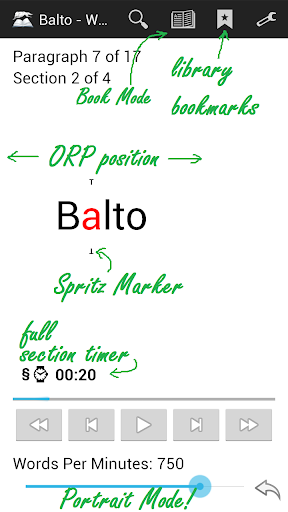
• ORP calculated based on the golden ratio of word length, positioned slightly left of center.
• It features smart parsing of paragraphs and punctuation for the best reading experience.
===================================================================
(☆ Full version features! ☆)
---5 Ways to Load Texts---
• Load from file (*.txt, *.pdf, *.epub, *.htm, *.html, *.fb2, *.fb2.zip, *.doc, *.docx, *.azw, *.azw3, *.mobi, *.prc, *.zip)
(
☆
no page limit!)
• Load directly from Kindle, Dropbox, Google Drive, Evernote and Pocket!
• Share Webpage from Browser, Flipboard, Feedly, Zite, Pulse, Shrib directly (no need copy-and-paste)!
• Paste from Clipboard (in case the file failed to load, try copy and paste the text to app)
• Select All Text and Share to the App
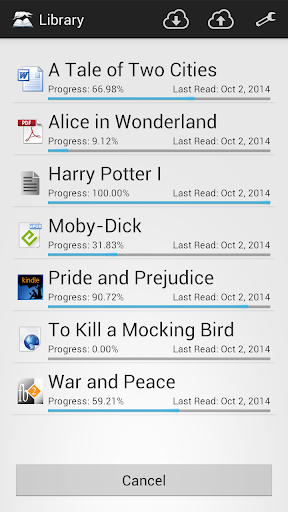
---Library---
• Browse your history easily!
☆
Multiple and Unlimited Bookmarks with Progress and Details!
☆
Sync your bookmarks to the cloud!!
☆
Manage your bookmarks by rename and delete entries.
☆
Enable caching for PDF, ePub and Kindle eBooks for faster loading.
---Dictionary---
☆
Hook up with Wiktionary.org, Wordreference.com or Dictionary.com with various languages supported!
---Very Flexible Navigation Control---
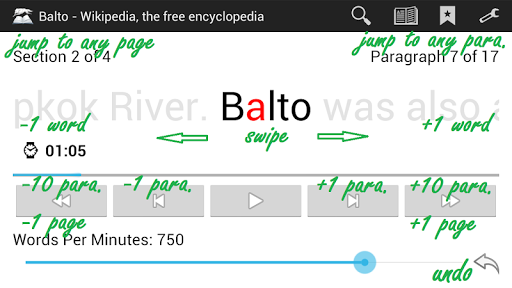
• Tap anywhere to play
• Jump 1 paragraph forward or backward
• Jump 10 paragraphs/1 chapter forward or backward
• Jump word by word forward or backward
• Swipe the text to scroll the sentence
• Preview and Jump to any paragraphs instantly
• Jump to page/chapter (when available)
• Hide all controls, only showing the text!
• Table of Contents
• Night View Mode
☆
Book Mode, switch to traditional reading method
☆
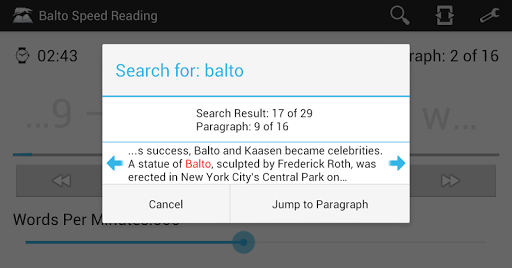
Search words and Jump to paragraph
☆
Save Text for future reading, retaining current reading position!
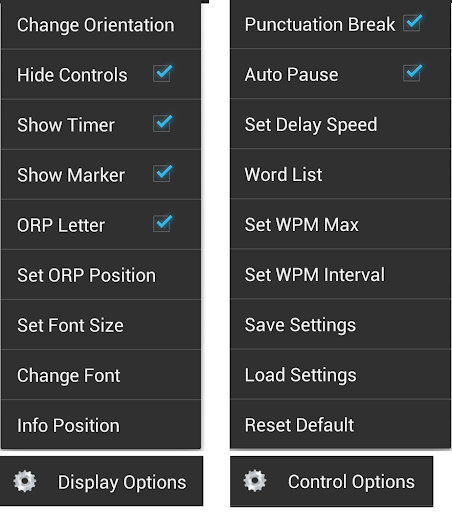
---Display Options and Themes---
☆
Full/Chapter Countdown Timer!
☆
Adjust text position!
☆
Unlimited WPM speed
☆
Portrait Mode
☆
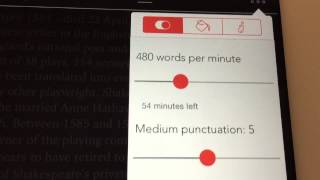
Set Punctuation and Long-word Delays
☆
Long Word Splitting
☆
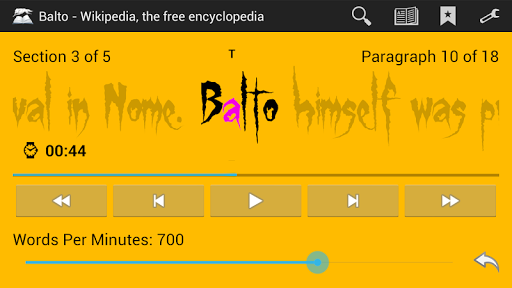
Customize and save your Color Theme
☆
Set Font size and type (Custom Font!)
☆
Word clustering, displaying several words at a time
☆
Customize list of words that should not be split by punctuation
☆
Toggle various options and more!
---NO Ads---
There is no point to put ads in a reading app and distract your focus!!
Follow us on https://www.facebook.com/balto.wolf.studio for latest developments and updates :)
*(2016-09-12)
-Fixed the Help Menu issues for some smartphones.
*(2016-09-05)
-Fixed Android 6.0 File Loading Issues
-Confirmation when exiting app
-Add Halloween Theme
-Other bug fixes








9Apps 4.9