
Thousands of top best android apps on 9Apps! 20,000+ users downloaded 패션게임 쁘띠드레스룸 패키지5 Free - 한복(Hanbok) latest version on 9Apps for free every week! You'll found many people are using it. This hot app was released on 2018-11-09. That’s it! You’re done?
패션게임 쁘띠드레스룸 패키지5 Free(BBDDi DressRoom Package 5 Free Version) - Hanbok : Korean Traditional Clothes, Korean Dress
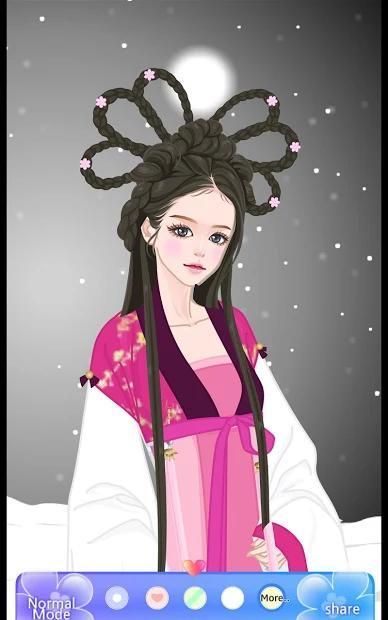
상큼한 패션 로맨스 쁘띠마르샹에서 만든 드레스룸 패키지 다섯번째 앱 프리버전입니다. 패키지5도 패키지2와 마찬가지로 한국의 전통옷인 한복을 주제로 시대별로 한복을 코디할 수 있게 드레스룸이 구성되어 있습니다.
Package5은 총 43개의 드레스룸 컨텐츠로 구성되어 있고 각각의 드레스룸에는 70여개 이상의 옷 아이템들이 있습니다.
프리버전은 43개의 드레스룸 중 5개의 드레스룸을 제한없이 이용할 수 있습니다. 저장, 공유하기 등의 모든 기능은 정식버전과 동일하게 사용할 수 있습니다.
쁘띠 드레스룸의 코디방법은 선택한 옷을 세밀히 조정하고 옷의 깊이값을 직접 조절해서 모델을 코디하는 게임 방식입니다(자동으로 위치에 붙는 방식이 아닙니다). 성격급하신 분들은 많은 인내가 필요합니다^^. 조금 번거러워도 다양한 방식으로 원하는 모양대로 꾸며보실 수 있습니다.
코디방법은 크게 아래와 같습니다.
시작화면에서 모델선택 --> 드레스룸에서 코디하고자 하는 옷선택 --> 스타일룸에서 코디하기 --> 코디한 내용 저장하거나 공유하기
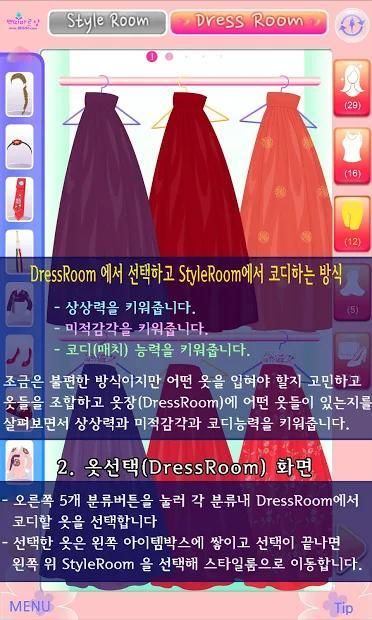
드레스룸(DressRoom) 에서 옷을 미리 선택하고 스타일룸(StyleRoom) 에서 코디하는 방식이 조금은 불편할 수도 있으나 아래와 같은 이점이 있습니다.
- 상상력을 키워줍니다
- 미적감각을 키워줍니다
- 코디(매치) 능력을 키워줍니다
*** 구체적 사용방법 ****
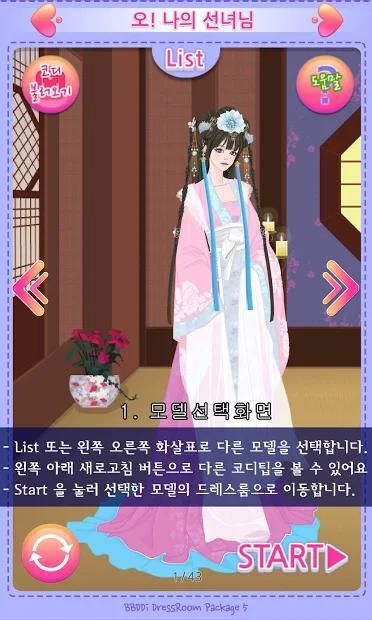
★ 처음 실행을 해서 인트로 화면에서 43개의 모델중 한명을 선택합니다.
★ Start 버튼을 눌러서 드레스룸으로 이동합니다.
★ 드레스룸(DressRoom)에서 분류(헤어,상의,하의,원피스,신발,악세사리)에 따라 이동하면서 코디하고자 하는 옷을 선택하면 ItemBox로 옷이 저장됩니다.(ItemBox를 한번 더 클릭하면 선택한 옷을 삭제할 수 있습니다). 총 20개의 옷을 아이템 박스에 넣을 수 있습니다.
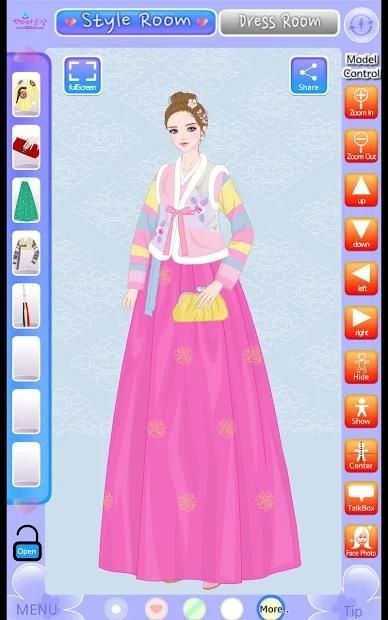
★ 스타일룸(StyleRoom)으로 이동하여 ItemBox 에 있는 옷을 클릭하여 모델에 직접 코디해 볼 수 있습니다.
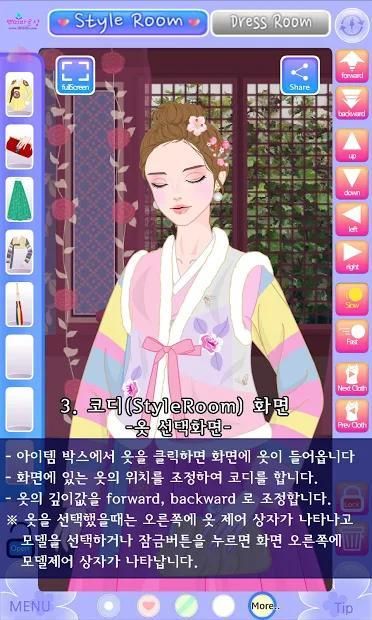
★ 옷을 선택했을때 나오는 오른쪽 옷 제어 버튼을 이용하여 옷들을 세밀이 조정하실 수 있습니다. 그리고 옷의 깊이값을 바꿀 수 있습니다.
★ 모델을 선택했을 때 나오는 모델 제어 버튼을 이용하여 모델의 위치나 크기 등을 변경할 수 있습니다.
★ 모델을 쉽게 이동하거나 확대 축소하려면 왼쪽 잠그기 버튼을 이용하여 코디기능을 잠근 후에 드래그하면 옷은 드래그 되지 않고 모델만 이동하고 확대/축소 할 수 있습니다.
★ 메뉴에서 배경불러오기를 이용하여 갤러리의 사진이나 카메라로 직접 사진을 찍어서 사진 이미지를 배경으로 가져올 수 있습니다. 아래쪽에 제공되는 패턴으로 배경을 바꿀 수 있고 more.. 버튼으로 총 43개의 배경을 바꾸어 볼 수 있습니다.
★ 모델 제어 버튼에서 풍선말을 클릭하여 풍선말을 삽입하여 입력할 수 있습니다.
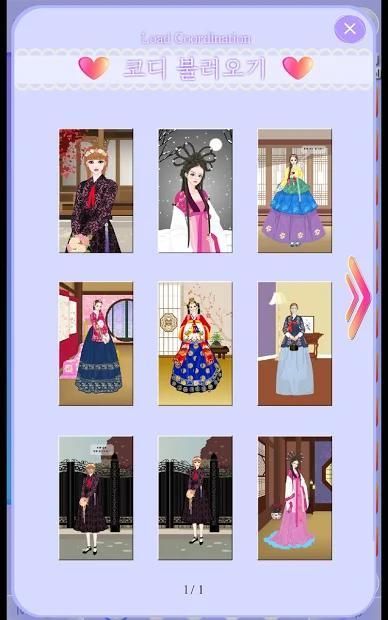
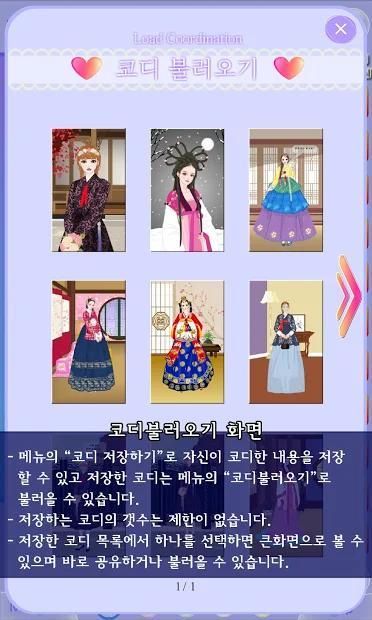
★ 코디한 내용은 메뉴의 코디 저장하기를 이용하여 저장하고 코디 불러오기를 통해 불러올 수 있습니다.
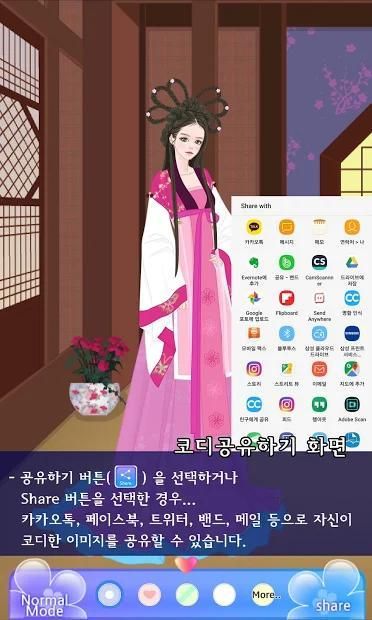
★ 코디한 내용은 공유하기(Share)로 카톡(Kakao Talk)이나 밴드(Band), 페이스북(facebook), 트위터(Tweeter), 카카오스토리(Kakao Story), 메일(Mail) 등에 공유할 수 있습니다.(코디 불러오기 화면에서도 공유하기를 이용할 수 있습니다)
그외 구체적 기능
1. 드레스룸(DressRoom)에서 작은 아이템 선택을 위해 아이템을 확대하여 선택할 수 있습니다.(핑거줌으로 확대한 후 선택할 수 있습니다)
2. 드레스룸(DressRoom)에서 아이템 박스에 총 20개까지 옷 아이템을 넣을 수 있습니다. 옷이 든 아이템 박스를 클릭하면 선택한 옷을 취소합니다
3. 스타일룸(StyleRoom)의 배경패턴을 바꾸어 볼 수 있습니다. more.. 를 클릭하여 43개의 제공된 배경을 불러올 수 있습니다.
4. 자신의 갤러리에 저장된 사진을 불러와서 배경으로 설정할 수 있습니다. 또한 사진을 바로 찍어서 배경으로 지정할 수 있습니다.
5. 불러온 배경을 확대하거나 축소, 이동, 90도 회전, 알파값(투명도) 조절 등의 편집을 할 수 있습니다.
6. 모델만 감출 수 있습니다. 자신의 사진을 모델과 비슷하게 찍어서 모델을 감추고 자신의 사진에 옷을 입혀 볼 수도 있겠죠^^
7. 스타일룸(StyleRoom)에 배치된 아이템은 드래그해서 이동할 수 있고 또한 화살표키로 천천히 또는 빠르게 움직일 수 있습니다.
8. forward, backward 버튼을 이용하여 옷의 깊이값을 바꿀 수 있습니다.
9. 모델에 입혀진 옷 아이템을 선택하기가 힘든 경우가 있어서 이전 옷, 또는 다음 옷 버튼을 이용하여 입혀진 옷을 하나씩 선택할 수 있습니다.
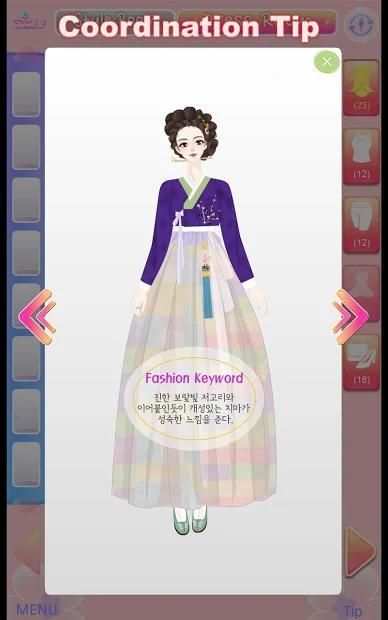
10. tip 으로 모델에 입혀진 샘플 5가지를 확인해 볼 수 있습니다. 핑거줌 가능합니다(드래그는 안됩니다)
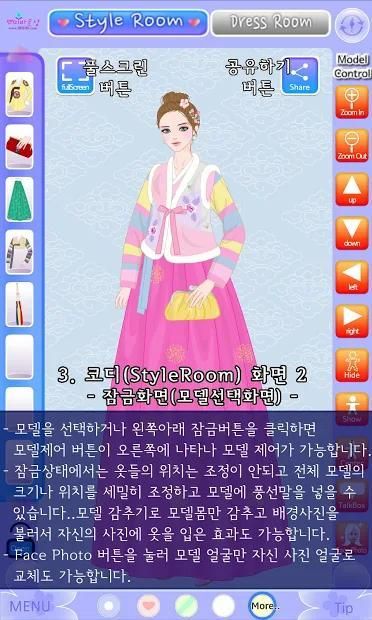
11. 모델 잠금기능을 제공합니다. 모델잠금을 한 경우 옷을 하나씩 선택하거나 이동할 수 없습니다. 모델 잠금 후 모델을 확대하거나 드래그로 이동하시면 됩니다
12. 모델잠금이나 모델선택화면에서 풍선말기능을 제공합니다. 풍선말에 글을 입력하여 모델옆에 풍선말을 배치할 수 있습니다. 풍선말의 모서리 부분을 드래그하면 풍선말의 말꼬리 방향도 조절할 수 있습니다.
13. 스타일룸에서 모델을 확대해 볼 수 있습니다.(3배까지 확대 가능)
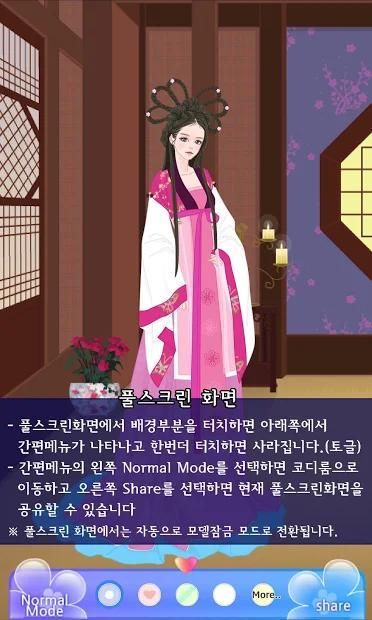
14. 스타일룸에서 전체화면으로 다른 도구들은 제외하고 모델만 볼 수 있는 기능을 제공합니다. 전체화면시에는 자동으로 모델잠금으로 처리됩니다.
15. 가끔씩 옷을 잘못 드래그 한경우 바로 이전 위치로 이동할 수 있습니다.(Undo 기능. 한번만 제공됩니다)
16. 저장기능을 제공합니다. 저장갯수는 제한이 없습니다. 자신이 코디한 내용을 메뉴- 코디저장하기로 저장한 후 언제든지 코디불러오기로 불러올 수 있습니다.
17. 이미지 공유기능을 제공합니다. 메뉴를 클릭해서 나오는 메뉴에서 Share My Coordination (마이코디 공유하기) 를 선택하시면 페이스북이나 트위터, 카카오톡이나 지메일등에 내가 꾸민 이미지를 공유하실 수 있습니다
18. 입혔던 옷들은 다음에 다시 앱을 실행해서 옷을 선택하는 경우 이전에 입혔던 위치를 기억해서 해당 위치에 옷이 붙도록 구현하였습니다.
패키지5 프리버전에서 제공되는 코디의 제목은 아래와 같습니다.
1 오! 나의 선녀님
2 설날 한복!
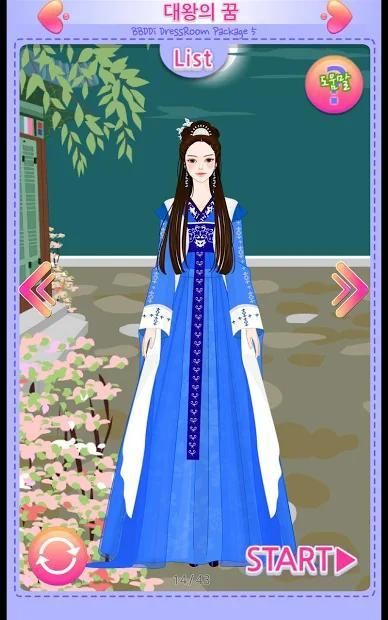
3 대왕의 꿈
4 달빛 한가위
5 고구려시대 복식(주몽)
그외 (부르지 못한 이름,구가의 서,빛나는 그대,드라마한복,Historical Play,달을 사랑한… , 아름다운 궁중한복, 조선시대 궁중의상, 조선시대 궁중의상2, 다시 사랑할 그대, 왕후의 연회, 장옥정 사랑에살다.., 나비를 꿈꾸다, 꽃과 한복, 개화기여인, 전통한복, 韓服[한복], 한가위 맞아, 한가위 이야기, 한가위에, New Year's day!, 겨울한복, 반가운 설, 소녀:), 고궁(古宮) 나들이, Lovely Hanbok, 감성한복, 그대와 나 하나되는 그날…, 퓨전한복, 퓨전한복2, Fusion Hanbok, 생활한복, Modernized Hanbok, 일상의 맵시, Lovely Hanok Fashion, Hanbok Dress, Orientalism Life, Hanbok Girl) 등은 정식버전에서 사용하실 수 있습니다.
관복,도포, 두루마기, 마고자, 저고리, 치마저고리,적삼, 갓, 족두리, 노리개, 비녀, 용잠, 첩지, 고쟁이, 속곳, 화관 등 한복의 다양한 형태의 장신구와 옷들을 살펴보세요~
어릴적 놀던 추억의 종이인형 옷입히기 놀이를 생각하며 한층 세련되고 다양한 기능의 쁘띠드레스룸으로 당신의 패션 스타일을 코디해 보세요~
페이스북(http://www.facebook.com/bbddistyle), 트위터(http://twitter.com/bbddistyle), 네이버블로그(https://blog.naver.com/bbddistyle) 에 오시면 주기적으로 업데이트 되는 빠숑을 보실 수 있어요
----
개발자 연락처 :
서울시 금천구 서부샛길 606 대성디폴리스 A동 30층 쁘띠마르샹 Tel.02-7424-6477
Fashion Game Petit Dress Room Package 5 Free (BBDDi DressRoom Package 5 Free Version) - Hanbok: Korean Traditional Clothes, Korean Dress
Fresh Fashion Romance The 5th app-free version of Dress Room Package made by Petit Palace. Package 5 As in package 2, dress room is made up to be able to coordinate Hanbok with the theme of Hanbok which is Korean traditional clothes.
Package5 consists of 43 dress room contents. Each dress room has more than 70 clothes items.
The free version has unlimited access to 5 dressing rooms out of 43 dressing rooms. You can use the same functionality as the full version, including saving and sharing.
The coordination method of the petit dress room is a game method of coordinating the model by adjusting the selected clothes carefully and adjusting the depth value of the clothes directly (not the automatic positioning method). People who are in urgent need of patience ^^. Even if it's a bit cumbersome, you can decorate it in any way you want.
The coordination method is as follows.
Select a model from the start screen -> Select the clothes you want to coordinate in the dressroom -> Coordinate in the style room -> Save or share the coordination
The way you pre-select your clothes in the DressRoom and coordinate them in the StyleRoom can be a little uncomfortable, but it has the following benefits.
- Raise your imagination.
- Raise aesthetic sense.
- Develops coordination skills
*** How to use concrete ****
★ Run for the first time and select one of 43 models on the intro screen.
★ Press the Start button to go to the dress room.
★ In DressRoom, you can move clothes according to the classification (hair, top, bottom, dress, shoes, accessories) and select the clothes to be coordinated. ItemBox saves clothes. can). A total of 20 clothes can be put in the item box.
★ Go to the Style Room (StyleRoom) and click on the clothes in the ItemBox to try to coordinate them directly with the model.
★ You can fine-tune clothes by using the right clothes control button when you select clothes. And you can change the depth value of clothes.
★ When you select a model, you can change the model's position and size using the model control button.
★ If you want to easily move or zoom in the model, you can use the left lock button to lock the coordination function and then drag to move the model and zoom in and out without dragging the clothes.
★ You can import a photo image as a background by taking a picture directly from a gallery or a camera using Background Import from the menu. You can change the background with the pattern provided at the bottom and change the background with 43 more with the more .. button.
★ You can insert balloons by clicking balloons on model control button.
★ Coordinated contents can be saved using menu Save as Coordinate and recalled through coordination import.
★ Coordinated contents can be shared with Kakao Talk, Band, Facebook, Tweeter, Kakao Story, Mail and so on. (You can also use Share from the Coordinate Import screen)
Other specific functions
1. In the DressRoom, you can zoom in and select items for a small item selection (you can zoom in on the Finger Zoom to select it)
2. In DressRoom you can put up to 20 clothes items in the item box. Click on the items box to remove the selected clothes
3. You can change the background pattern of StyleRoom. You can click on more .. to bring up the 43 supplied backgrounds.
4. You can import photos stored in your own gallery and set them as a background. You can also take a picture and set it as a background.
5. You can enlarge, collapse, move, rotate 90 degrees, and adjust the alpha value (transparency) of the loaded background.
6. Only models can be hidden. You can take pictures of yourself like a model so you can hide your models and clothe your own photos ^^
7. Items placed in the StyleRoom can be dragged and moved, and can also be moved slowly or quickly with the arrow keys.
8. Use the forward and backward buttons to change the depth of clothing.
9. It is sometimes difficult to choose clothes items worn on the model, so you can choose clothes one by one from the previous clothes or the next clothes button.
10. You can check out 5 samples on the model as tip. Finger zoom possible (do not drag)
11. Provide model locking function. If you lock the model, you can not select or move the clothes one by one. After locking the model, you can zoom in or move the model by dragging
12. Provide balloon function on model lock or model selection screen. You can place a balloon next to your model by typing in a balloon. You can also adjust the direction of the tail of the balloon horse by dragging the corner of the balloon horse.
13. Enlarge the model in the style room (up to 3 times magnification)
14. In Style Room, full-screen provides the ability to view models only, except for other tools. Full screen is automatically treated as model lock.
15. If you accidentally drag your clothes occasionally, you can move to the previous location (Undo function, only once)
16. Provide storage function. There is no limit to the number of storage. You can save your coordinated contents as menu-coordinated save and call up at any time as Coordinate Load.
17. Provide image sharing function. If you click on the menu and select Share My Coordination from the menu that appears, you can share your favorite images on Facebook, Twitter, KakaoTalk or Gmail.
18. The clothes that you put on are the next time you run your app and select your clothes, you will remember where you put your clothes before you put clothes on them.
The title of the coordination that is offered in package 5 free version is as follows.
1 Oh! My fiancee
2 New Year's Hanbok!
The Dream of the Three Great Kings
4 Moonlight Han Gai
5 Goguryeo costume (Jumong)
Other (Korean name, Kooka's Book, Shining Beauty, Drama Hanbok, Historical Play, Love the moon ..., Beautiful Court Hanbok, Joseon Dynasty Costume, Chosun Dynasty Costume 2, Love you again, New Year's Day !, Winter Hanbok, Happy New Year, Girl :), Palace (Hanbok), Hanbok, Hangwi, Koryo) Outing, Lovely Hanbok, Emotional Hanbok, the day when I and you become one ... , Fusion Hanbok, Fusion Hanbok, Fusion Hanbok, Modernized Hanbok, Lovely Hanok Fashion, Hanbok Dress, Orientalism Life, Hanbok Girl) are available in the full version.
Look at various types of ornaments and clothes of Hanbok including Hanbok, Dye, Doraimugi, Magoja, Chogori, Chima jogori, Red, Red,
Dress up a paper doll with memories of childhood. Coordinate your fashion style with more fashionable and versatile petit dress room.
If you visit Facebook (http://www.facebook.com/bbddistyle), Twitter (http://twitter.com/bbddistyle), Naver blog (https://blog.naver.com/bbddistyle) You can see Pachon.
상큼한 패션로맨스 쁘띠마르샹에서 만든 5번째 패키지 무료앱입니다. 두번째 버전 한복을 업데이트 요청하시는 분들이 많아 새롭게 구성한 한복 버전을 선보입니다. 총 42개의 드레스룸 중 무료버전은 5개의 드레스룸을 이용할 수 있습니다. 감사합니다







9Apps 4.9














