

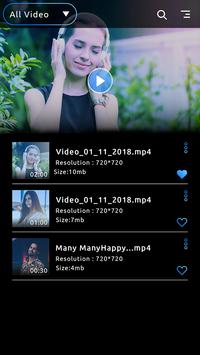


XX Video Player – HD Video Player application gives to you high quality video.
This application simple to use. Easy to control volume, brightness, and playing the
video song. XX Video Player – HD Video Player application is very useful app.
Features:
-Automatically play your selected video.
-High quality video.
-All video supported.
-Volume, next and previous video, play, pause button available.
-Size functionality available.
-Multiple video features.
How to use:
-Search the XX video player &HD video player 2019 in play store.
-Download this application.
-Update this app.
-Main page will be open in your mobile phone.
-Click on sort button and video is sort by file ,date , duration , and size.
-You also contain in ascending and descending order.
-Choice is yours.
-Click on search button and type your videos name.
-You search video is automatically show on top.
-You can also add your favourite video.
-Click on heart shape button.
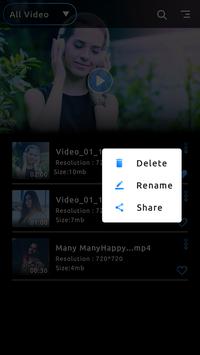
-You also delete, rename, and share your video.
-Select your favourite video in video list.
-Your selected video will be automatically play in your phone.
-If you change your video brightness click on brightness button.
-Change the brightness if you need.
-Select the sound button.
-Video will be mute.
-Select audio track button and you select the disable option video sound is off.
-Click on crop button.
-Your video will be crop in horizontal, vertical,or full size.
-You change your videos speed.
-Select the minus button your video will be slow.
-Select the plus button your video will be fast.
-Select the rotate button.
-If the rotate button is on your video will be rotate.
-If the rotate button lock your video will be normal size.
-You can also change the next and previous song.
-Share your video with your friend and family members on social world.






9Apps 4.9














