



"Sebuah kebiasaan kecil dapat membuat perubahan yang besar."
Dasar untuk mempelajari sebuah bahasa adalah dengan menghafal kosakatanya. Sementara, dasar untuk menghafal adalah dengan mengulang secara terus menerus. Anda dapat menghafal dan terus mengulangnya hingga sempurna. Bahkan untuk orang yang sudah mahir berbahasa Inggris pun harus selalu berlatih agar dapat menguasainya secara utuh.
■■ Keistimewaan WordBit ■■
●1. Kaya akan beragam konten
Kosakata berdasarkan tingkatan A1-C1 dan untuk persiapan ujian TOEFL, IELTS, dsb.
Aplikasi ini menyediakan lebih dari 10.000 kosakata dengan contoh kalimat dari berbagai situasi, baik percakapan dalam hubungan percintaan, percakapan sederhana, hingga percakapan untuk bisnis, secara gratis.
●2. Beragam mode latihan
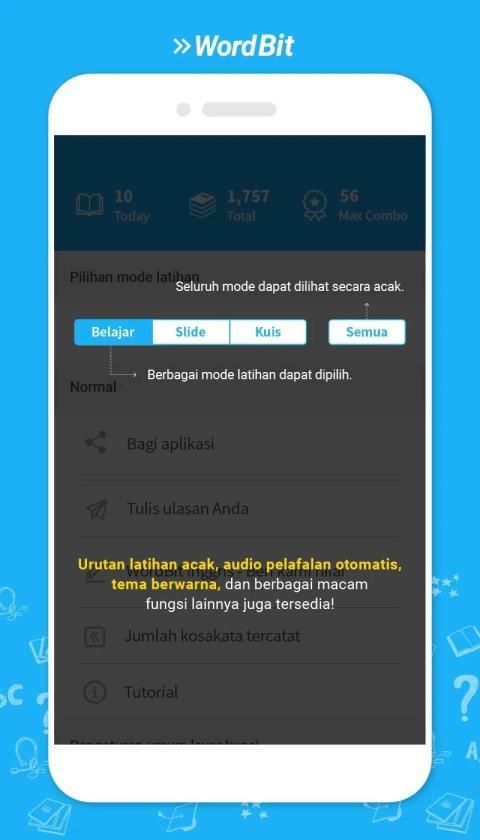
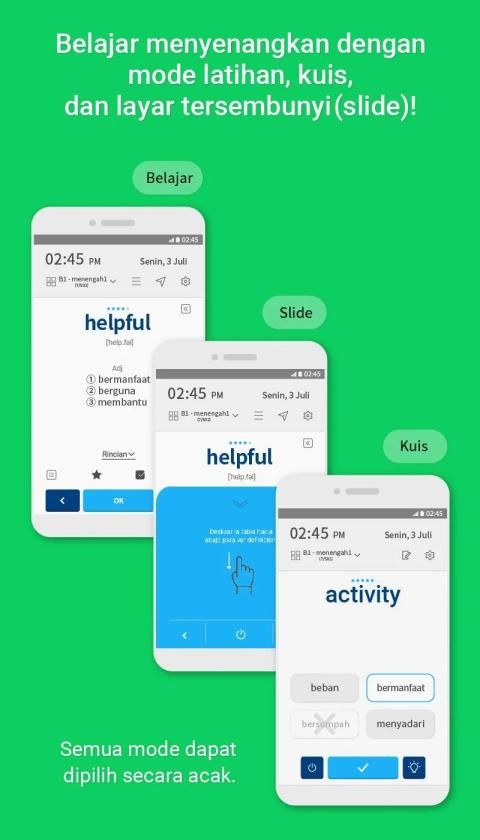
Belajar bahasa Inggris dengan menyenangkan melalui berbagai mode latihan, seperti flashcard, layar tersembunyi (slide), dan kuis.
●3. Fitur pelafalan kosakata
Berlatih dengan mendengarkan pelafalan kata yang tepat
●4. Fitur pendukung
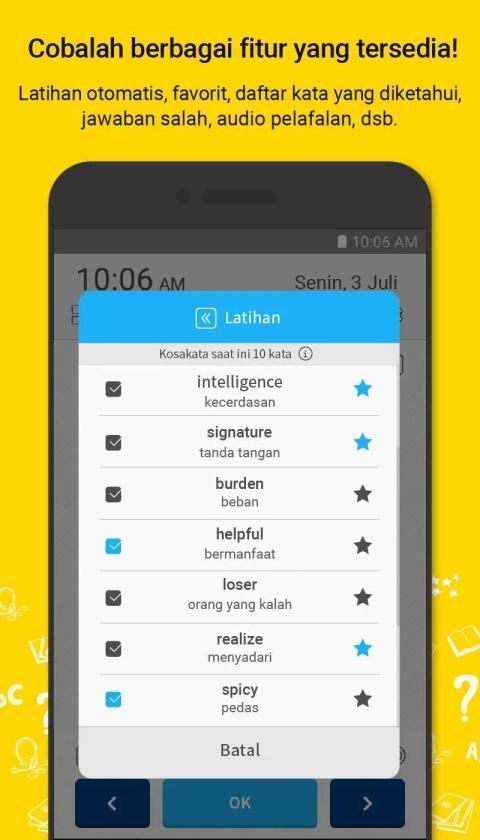
- Fitur latihan
- Audio pelafalan otomatis
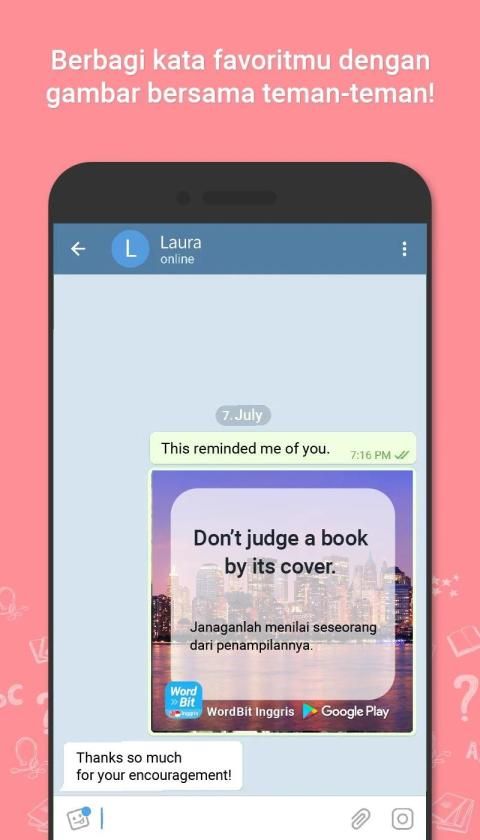
- Berbagi kalimat inspiratif dengan latar gambar menarik bersama teman-teman
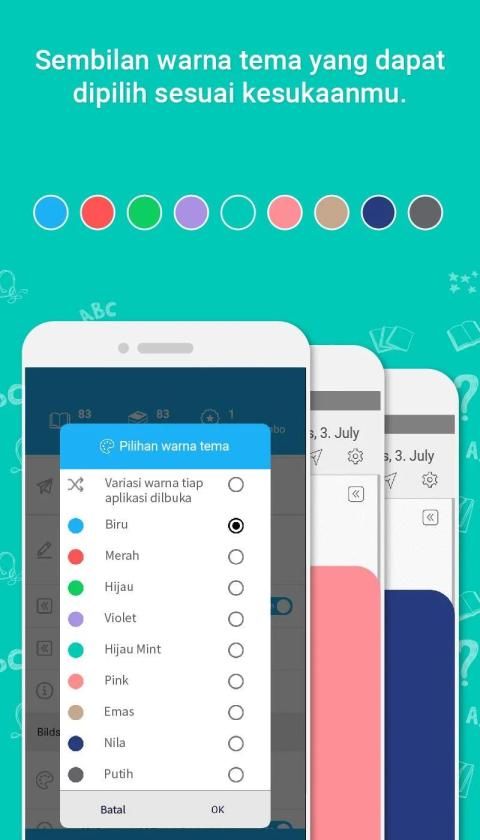
- 9 warna tema cantik
●5. Pengaturan sesuai preferensi Anda
① Fitur marka favorit
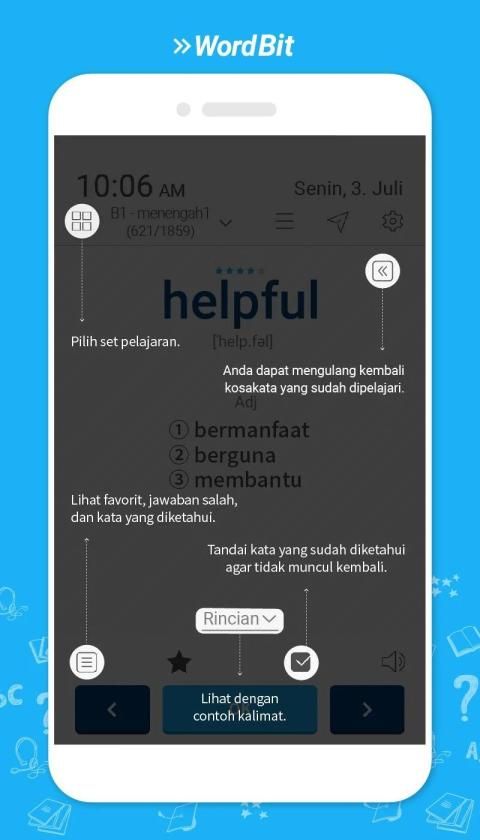
② Fitur untuk menyembunyikan kata yang sudah diketahui
③ Catatan otomatis untuk jawaban kuis yang salah
-------------------------------------------
■■ Konten tersedia ■■
● Kosakata berdasarkan tingkatan
A1 - Dasar 1 (502)
A2 - Dasar 2 (1,040)
B1 - Madya 1 (1,825)
B2 - Madya 2 (2,173)
C1 - Lanjutan (1,387)
● Kosakata untuk ujian
IELTS (4,137)
TOEFL (2,278)
● Percakapan
Sederhana (498)
Dasar (888)
Percintaan (249)
Percakapan sehari-hari (453)
Bisnis (898)
Perjalanan (100)
-------------------------------------------
※ Tips menggunakan WordBIt
(1) Meskipun audio pelafalan disediakan dari web, kami menyarankan Anda untuk mengubah pengaturan ke TTS (text-to-speech) built-in yang terpasang dalam ponsel Anda. (Dapat diubah di layar Pengaturan)
(2) Cara belajar bahasa Inggris menggunakan layar kunci
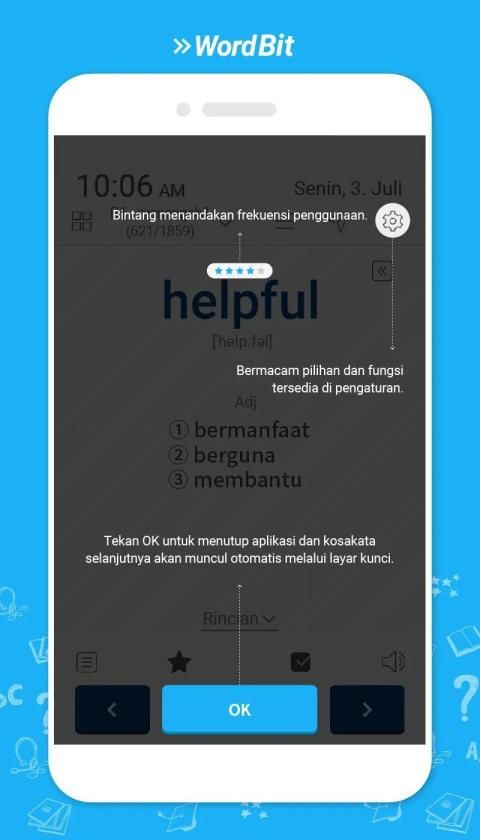
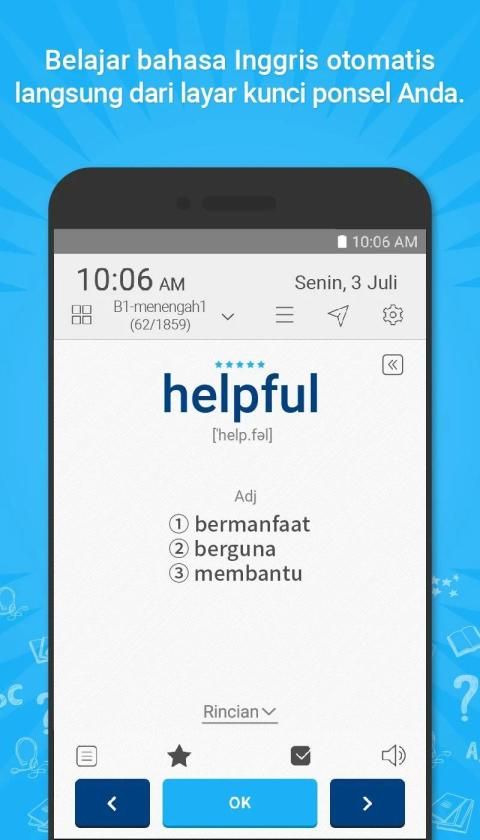
Klik ikon WordBit Inggris setelah aplikasi terinstal, kemudian fungsi belajar melalui layar kunci akan aktif secara otomatis.
Tekan tombol "OK" di bawah layar untuk membuka kunci.
※ Cara menonaktifkan fitur layar kunci (sementara)
=> Anda dapat menonaktifkan sementara fitur layar kunci melalui menu 'Pengaturan' (di tombol kanan atas).
[Functionality Description]
(1) After you download and start the app, learning mode would be automatically activated.
- This app is designed for learning English automatically. Therefore, every time you turn on your phone the app would be activated and this enables you to learn English.
(2) If you wish to temporarily deactivate the app from automatic study mode, you can do so by adjusting the [Settings} of the app.
(3) For certain smartphone OS (Huawei, Xiaomi, Oppo etc.) the app could be automatically shut down. In this case, you can access and adjust your device's settings (ex. save power, power manager) to solve the shutdown problem. If you have any further questions about how to use it, please feel free to contact us.
contact@wordbit.net
"A small habit can make big changes."
The basis for learning a language is to memorize the vocabulary. Meanwhile, the basis for memorization is to repeat continuously. You can memorize and keep repeating it to perfection. Even for people who are proficient in English, they must always practice in order to master it in its entirety.
■■ WordBit privileges ■■
● 1. Rich in various content
Vocabulary based on A1-C1 level and for preparation for TOEFL, IELTS, etc.
This application provides more than 10,000 vocabulary with sample sentences from a variety of situations, both conversations in love relationships, simple conversations, to business conversations, for free.
● 2. Various training modes
Learn English with fun through various training modes, such as flashcards, hidden screens (slides), and quizzes.
● 3. Vocabulary pronunciation feature
Practice by listening to the correct pronunciation of the word
● 4. Support features
- Exercise feature
- Automatic pronunciation audio
- Share inspirational sentences with attractive picture backgrounds with friends
- 9 beautiful theme colors
● 5. Settings according to your preferences
① Favorite markers feature
② Feature to hide known words
③ Automatic notes for incorrect quiz answers
-------------------------------------------
■■ Content available ■■
● Vocabulary by level
A1 - Base 1 (502)
A2 - Base 2 (1,040)
B1 - Madya 1 (1,825)
B2 - Middle 2 (2,173)
C1 - Continuation (1,387)
● Vocabulary for exams
IELTS (4,137)
TOEFL (2,278)
● Conversation
Simple (498)
Base (888)
Romance (249)
Daily conversation (453)
Business (898)
Travel (100)
-------------------------------------------
※ Tips on using WordBIt
(1) Even though audio pronunciation is provided from the web, we recommend that you change the settings to the built-in text-to-speech (TTS) installed in your mobile. (Can be changed in the Settings screen)
(2) How to learn English using the lock screen
Click the WordBit English icon after the application is installed, then the learning function through the lock screen will be activated automatically.
Press the "OK" button below the screen to unlock.
※ How to disable the lock screen feature (temporary)
=> You can temporarily disable the lock screen feature via the 'Settings' menu (in the top right button).
[Functionality Description]
(1) After you download and start the app, learning mode would be automatically activated.
- This app is designed for learning English automatically. Therefore, every time you turn on your phone the app will be activated and this enables you to learn English.
(2) If you wish to temporarily deactivate the app from automatic study mode, you can do it by adjusting the [Settings} of the app.
(3) For certain smartphones OS (Huawei, Xiaomi, Oppo etc.) the app could be automatically shut down. In this case, you can access and adjust your device's settings (ex. Save power, power manager) to solve the shutdown problem. If you have any further questions about how to use it, please feel free to contact us.
contact@wordbit.net
[2018.02.21 update]








9Apps 4.9













