

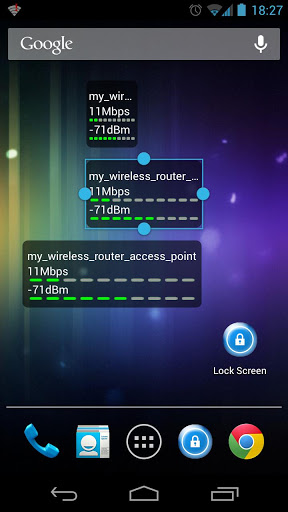
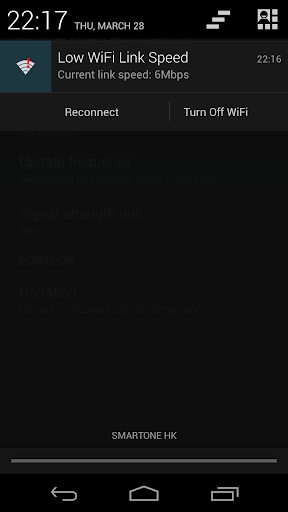
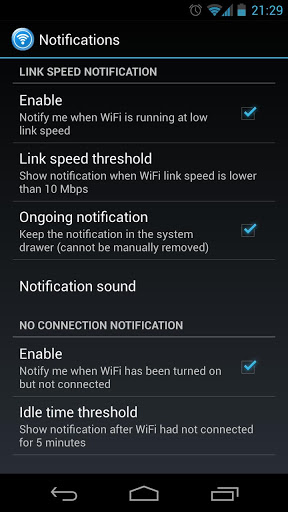
WiFi Status Widget (WiFi Link Speed Monitor) provides real-time WiFi speed data and shows notifications about the WiFi status. It alerts you via the system notifications when you trap in a low-speed WiFi connection (WiFi link speed drops to a certain level) or when there is no WiFi connection (WiFi is scanning for a hotspot and wasting battery).
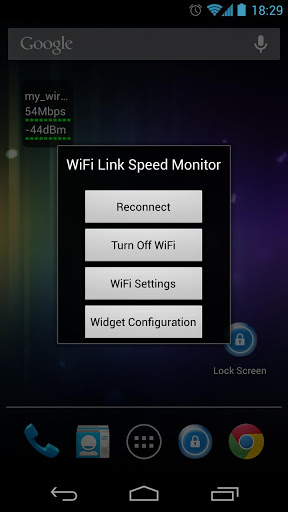
To get started, select this widget "WiFi Status Widget" from the Launcher --> Widget list, and then place this widget on your home screen. Tap on the widget to change the settings.
* A high resolution widget showing 3 lines of WiFi information and Two graphical indicators: the name of the access point (SSID), the link speed (the connection speed between your Android device and the wireless router), and the signal strength (aka signal quality).
* User-settable notifications when the WiFi link speed drops to a certain level or WiFi has been turned on but cannot find a connection.
* Actionable notifications: Reconnect or Turn-off WiFi from notifications - no need to open the app (require Android 4.1 ).
* The widget can be resized (require Android 3.1 )
* The widget can be placed on the lock screen, take a glance at the WiFi status even before unlocking your device (require Android 4.2 )
* Widget will not update when the phone/tablet is sleeping (this is an intended behavior to save battery).
** If you have problems after installing the update to this app, try remove the widget and then add it back.
If you experience very low WiFi link speed (e.g.
Please give feedback to YHdevLAB@gmail.com. Thanks to your supports.
If you encounter problems after installing the update to this app, try remove the widget and then add it back.
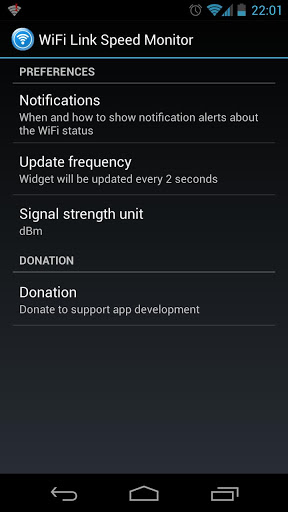
To use the new features, Tap on the widget and then tap on "Widget Configuration".
Version 1.5.0
* Add: No connection notification (WiFi turned on but cannot find a connection)
* Add: Actionable notifications: Reconnect or Turn-off WiFi from the notifications (require Android 4.1 )
* Add: Notification sound
* Add: User-settable update frequency of the widget
* Bug fixes & improvements










9Apps 4.9













