
This article is about hot apps for android. 20,000+ users downloaded Wi-Fi, Sync,... Scheduler latest version on 9Apps for free every week! You can find this multifunction app on 9Apps easily. This hot app was released on 2013-03-30. However, has been a fashionable app for a long time.
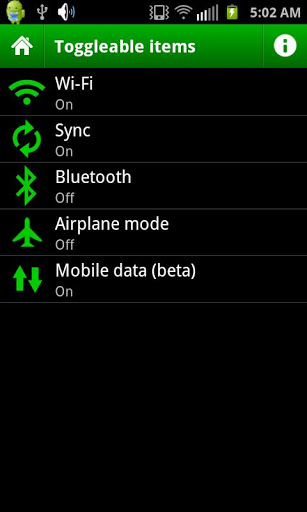
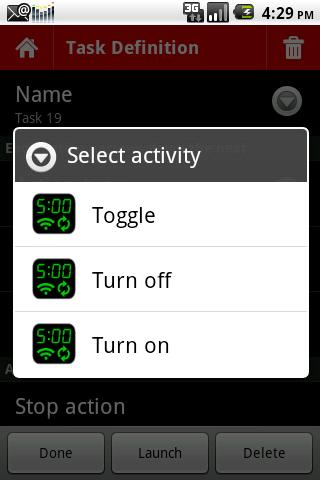
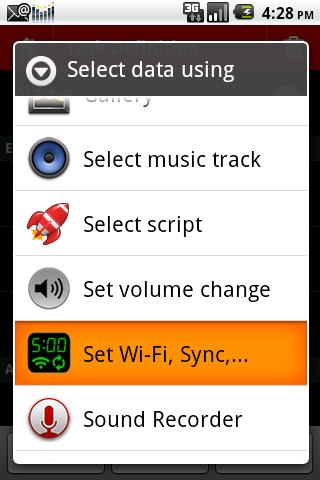
Use with TaskBomb to schedule turning on and off WiFi, sync and bluetooth This TaskBomb addon allows you to schedule turning on and off WiFi, Sync, Bluetooth, and airplane mode. Using TaskBomb you can integrate these behaviors with whatever else you want to schedule. For example:quot;Switch off WiFi and Sync when I set my morning alarm and go to bed; turn them back on 30 seconds before my morning alarm goes off.quot;Since TaskBomb uses relative scheduling, you can add as many actions as you want and it doesn39;t mean any more work for you when it comes time to set your alarm, even if you wake up a different time everyday.Switching off wireless overnight is an easy way to conserve energy. The plan is to eventually add more functions such as 3G and 4G.Requires the TaskBomb app, available free in the Android Market:http:androidideas.orgtaskbombgoogleplaySee the website for tons of info, help, and tutorials:http:androidideas.orgtaskbombTaskBomb is an automation app sometimes called quot;task schedulerquot;, quot;job schedulerquot;, quot;batch processorquot;, etc. that allows you to schedule apps and actions to automatically run. It39;s similar in function to the cron command on Linux and somewhat like an alarm clock you can set alarms and snooze actions. TaskBomb aims to be small and simple, and leverage the power of the apps you have on your phone.One of TaskBomb39;s greatest assets is its unique and flexible scheduling system that allows you to create modular, reusable schedules that can be run at any time, attached to alarms, or added to other schedules.This addon is basically a little app, but you dont run the app itself. Once you install this addon, it will appear as a choice in the Data field of a task definition.You use the Toggleable itemsquot; menu to choose which item to set, then use the tasks Activity to select whether turn the item on, off, or toggle it.



9Apps 4.9














