

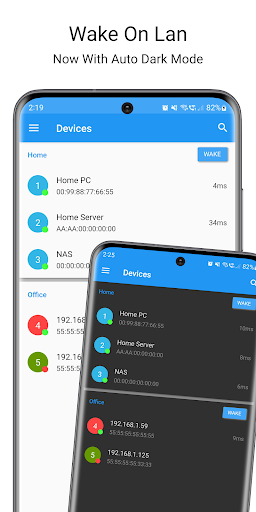
Easily wake up computers from your phone/tablet!
* For this app to work, you need to make sure that your computer and network is set up for and supports Wake On Lan / WOL *
Automation
------------------------------
Automate waking up your computers by sending an intent broadcast from apps such as Llama and Tasker!
In the latest version there is now support for Tasker plugins to make it even easier to automatically wake devices.
Instructions on how to do this are available in the latest version of the app under the help section.
Quick Feature List
------------------------------
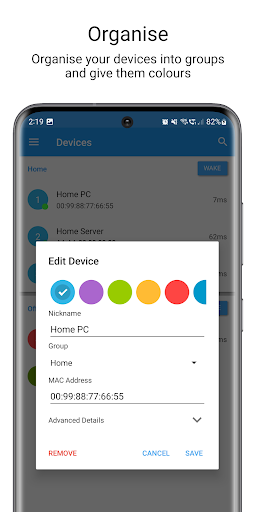
* Groups
* Network Search (Find devices on your network and add them to your list. No more finding out MAC addresses etc!)
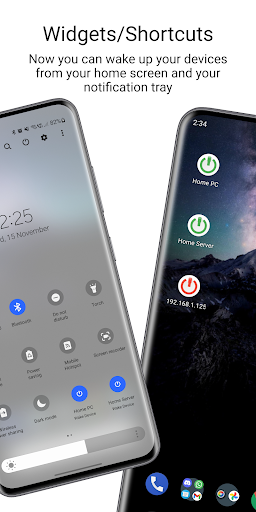
* One touch wakeup widget for both devices and groups (A widget with online status is coming soon)
* Tasker plugin
* Intent Broadcast support (See instructions inside app help section for details on this)
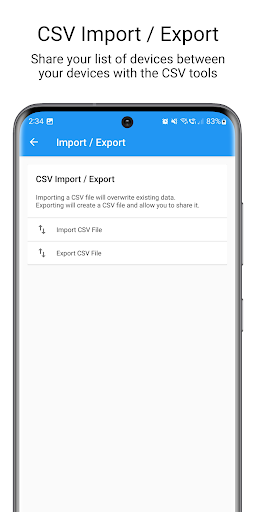
* CSV Import/Export - So you can share your list of devices easily!
* Material Design (Taking suggestions on this!)
* Auto-Refreshing Device Online Status (Using both ports and ping)
* Supports Wake On Lan(WoL) and Wake On Wan(WoW)
* SecureOn
For WoW, just set the broadcast address to be the remote IP address of the device. This may require some extra setup on the remote network to make sure that the wakeup packets actually arrive on the remote device.
If you're trying to wake up a device that is connected via WiFi it may not work, there's not many WiFi cards that support the WOL standard. WOL works best via an ethernet connection. Some devices such as laptops may not support WOL very well or at all. Some might only work when they are in sleep mode, and others might allow you to turn it on when it is powered off.
Permission Details
---------------------------------
Photos/Media/Files/USB Storage - This is used for reading/writing CSV files to your internal storage so that you can copy your list of devices to other devices easily.
Network/WiFi - This is so that the app can actually send the magic packets to wake up your devices. It is also used in the network search screen and for pinging devices to see if they are online.
Supported Languages
---------------------------------
English
Italian - Davide Salvatore
Vietnamese - Altra Nine
Dutch - Ackuna website
Russian - Павел Монахов
German - sendyourmessageto & ngdeinhardt (Don't know their real names)
Spanish - Martín Sánchez Rastrilla, Álvaro Sillero Sánchez and others!
French - Raphael & 3 other people!
Japanese - Tag & Toeshoe1
Portuguese (Brazil) - Danilo & Cássio
Slovak - jurajov
Czech
Polish
Korean
If you want to help translate Wake On Lan into your language please visit: http://translate.mr-webb.co.uk
If your language isn't on the website, please email me and I'll add it!
If you have any suggestions for Wake On Lan, please drop me an email and I'll see what I can do!
~ This update should resolve widget issues introduced with the recent updates. (Mostly reverted to the old way of handling widgets as it seems way more stable)
~ Adds a new message to device search to show when the app is unable to obtain a devices MAC address automatically. If this happens you need to enter the MAC address manually. (Android 14 updates stopped it working properly)
~ Fixes ping service not running on main list if widget pings are disabled
~ More crash fixes









9Apps 4.9














