
Volume Ace icon

Volume Ace

3.7.1 for Android
4.0 | 1,000,000+ Installs | Reviews

BrainCrash Soft

Description of Volume Ace

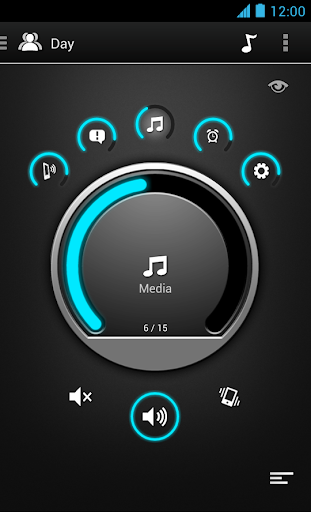
Volume Ace is a Volume Manager that allow you to fast and easily control your device volume levels. You can create profiles and switch or select them straight from the widgets or schedule profiles to apply automatically.
Features
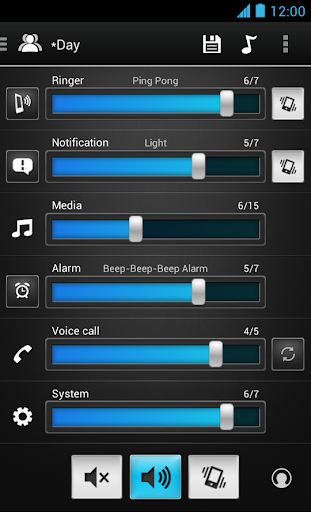
• Volume control for: Ringer, Notifications, Media, Alarm, Voice Calls and System (Some devices may have certain volumes tied together).
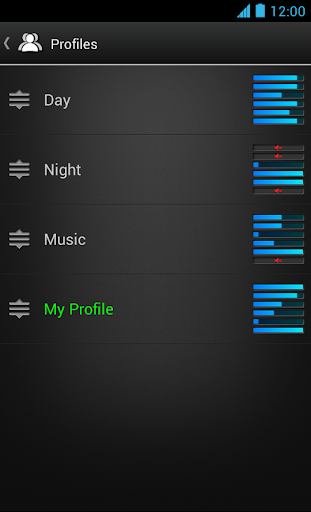
• Profiles: Create your own profile. Each profile can save his own Ringtone, Notification and Alarm tone.
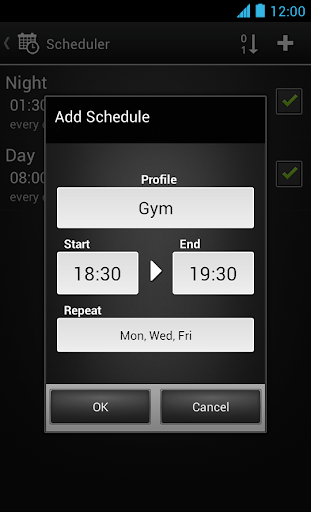
• Scheduler: Schedule profiles to apply automatically at the time and day you choose.
• Volume Locker: Prevent ringer and/or media volume to be changed outside the app.
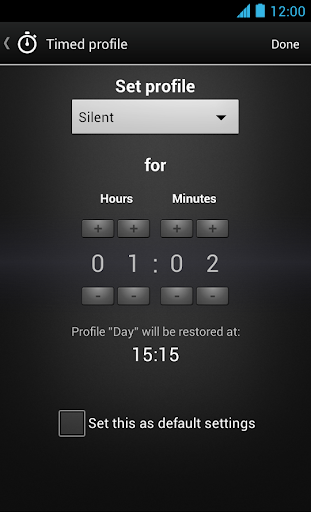
• Timer: Set a profile temporarily for x hours and minutes. Useful for meetings, movies etc. so you don't forget to turn off the "silent" profile.
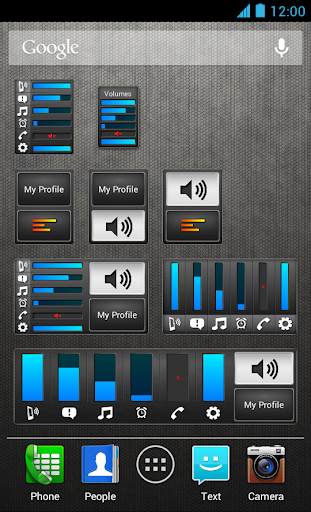
• Several Widgets of various sizes.
• Tone picker (Ringtone, Notification and Alarm).
• Cycle profiles by tapping widget (Supported only by widgets with "levels")
• Customizable colors.
• Bluetooth volume
* Tablets aren't fully supported.
** App functionality may vary based on Android version in use.


Information

  • Category:
    Music & Audio
  • Latest Version:
    3.7.1
  • Updated:
    2020-10-04
  • File size:
    3.2MB
  • Requirements:
    Android 4.1 or later
  • Developer:
    BrainCrash Soft
  • ID:
    it.braincrash.volumeacefree
  • Available on:
Reviews
  • avatar
    Good software for controlling Volume Control.
    2020-11-15 05:14
  • avatar
    Bug fixed so working perfectly again. Great app for control of all sounds on mobile in one easy to use program. Better control than the built in Android one. Highly recommended.
    2020-10-15 03:28
  • avatar
    Constantly losing Home Screen Shortcut Icons! Even worse after update!!! Has nothing to do with my stock Galaxy Note 4. The same problem happens on my Son's brand new Galaxy too. No custom launcher.
    2020-10-12 02:38
  • avatar
    I have used this app on my last 4 phones and wife's 3 phones and it was a solid 5 stars, but now on my latest phone (Samsung Galaxy Note 20 Ultra) it just doesn't work. It changes the ring and notification tones, doesn't always follow the schedule or change the volume level. I finally had to remove it and try to find something else. I'm sure the problem is new phone / app interface glitches but I hope they fix them soon because I want to go back to using this app.
    2020-09-16 07:30
  • avatar
    At last! A widget with indicators AND profiles AND timed profiles (for meetings) AND schedules!
    2020-09-08 02:27
  • avatar
    Works great my alarm goes off every day and I can use any ringtone for notifications, ringtones ect. Great app get it now!
    2020-08-05 11:30