Voice Recorder and Editor icon

Voice Recorder and Editor

1.2 for Android
4.0 | 10,000+ Installs | Reviews

Smart apps - Free tools

⚠️ You need 9Apps App to install .XAPK File. How to install XAPK?

Description of Voice Recorder and Editor

Voice Recorder is the best audio recorder apps to record your important moments everyday.
You can reliably record
free your meetings, personal notes, speeches, lectures, songs.
It is so fun, simple easy to use. It is the best choice to recorder sound in
business meeting, a lecture, an interview ,music & raw sound.
Features:
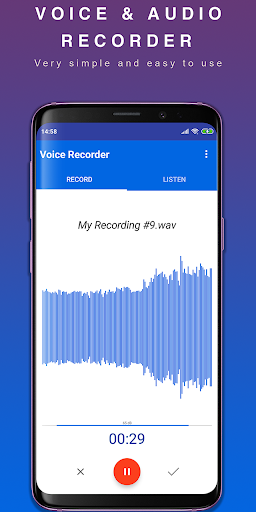
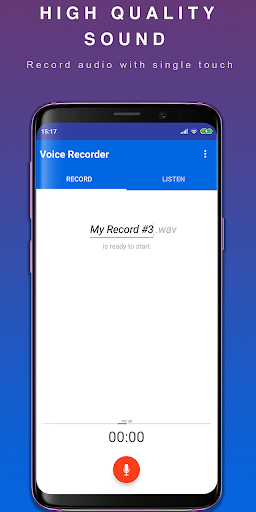
- Record high-quality audio
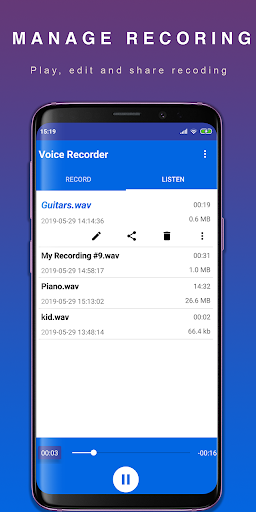
- Beautiful material design so easy to record audio
- Support wav, m4a and others format
- Rename your record
- Save your recording file and share
it to social network like: facebook, email, dropbox, whatsapp, sms, mms, etc.
- Recording voice in background with service
- You can pause/resume recording
- Pause recording during call
- Put phone in silence mode during recorder voice
- Manage your recording list
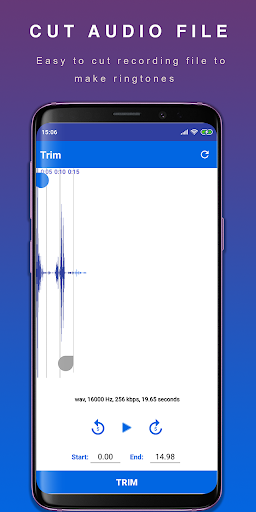
- Trim, cut audio file after record and set as ringtones
Voice Recorder and Editor 2019 is free for all device
The features listed above are available for free.
Please contact us at email developer if you have any questions or suggestions.

What's New with Voice Recorder and Editor 1.2

- Fix notification bug
- Fix ads position

Information

  • Category:
    Tools
  • Latest Version:
    1.2
  • Updated:
    2019-08-25
  • File size:
    4.2MB
  • Requirements:
    Android 4.2 or later
  • Developer:
    Smart apps - Free tools
  • ID:
    com.easyaudio.bestrecorder.voicerecorder
  • Available on:
Reviews
  • avatar
    The worst application I have ever seen
    2020-10-11 04:50
  • avatar
    Does not even record audio
    2020-09-21 04:50
  • avatar
    It's not to bad. It's very confusing, though. It asks to use your storage, but not your microphone, then it gives the appearance of having all the permissions it needs, then you try to record, and it tells you it can't use your microphone, and that's only 'cause it never asked! It makes you do it manually! Also, you spelled pause wrong. I'm mostly disappointed 'cause I thought it was going to be better at editing. I think it can be useful to others, but it's not the app for me.
    2020-04-13 04:20
  • avatar
    Very easy to use and great clarity!
    2019-09-23 04:00
  • avatar
    It could be a little more convenient but the recording quality is good. I would enjoy this app more if it recorded when the screen was off or while I went about using other apps. I'm hardly ever using one app at a time.
    2019-08-28 04:05
  • avatar
    Recorded a clip in m4a format at 44.1kHz, but when going to trim the audio, it plays back at 22kHz, making the recording unrecognizable (low growl sound) and impossible to trim accurately. (Wav format works, but not m4a.) Less important, but when going to trim, should also automatically stop playing the recording that was clicked on (rather than requiring a manual pause) so that the trim playback doesn't play simultaneously with the original recording.
    2019-08-25 11:36