Unlock Clock - A Digital Wellbeing Experiment icon

Unlock Clock - A Digital Wellbeing Experiment

7df1c17 for Android
3.5 | 100,000+ Installs | Reviews

Google Creative Lab

Description of Unlock Clock - A Digital Wellbeing Experiment

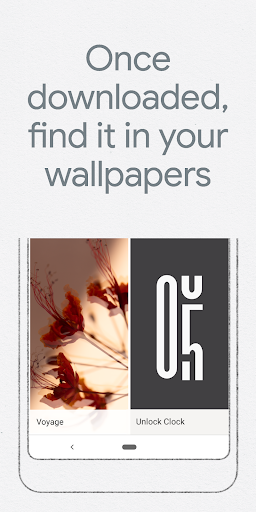
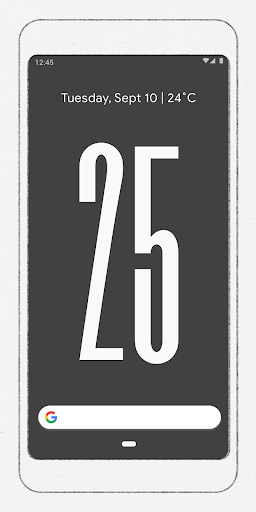
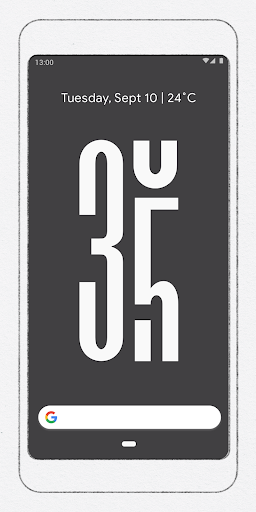
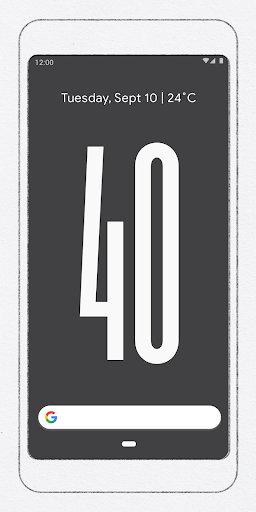
Unlock Clock helps you consider your tech usage, by counting and displaying the number of times you unlock your phone in a day. Once downloaded, you can find it under Live Wallpapers in your wallpaper chooser.
Unlock Clock is part of Digital Wellbeing Experiments, a platform to share ideas and tools that help people find a better balance with technology. Try the experiments and create your own at g.co/digitalwellbeingexperiments


Information

  • Category:
    Tools
  • Latest Version:
    7df1c17
  • Updated:
    2019-10-23
  • File size:
    1.9MB
  • Requirements:
    Android 8.0 or later
  • Developer:
    Google Creative Lab
  • ID:
    com.digitalwellbeingexperiments.unlockclock
  • Available on:
Reviews
  • avatar
    Best in one plus 7t, Only error when suddenly went to homesreen after landscape only app it crashes. Same problem of OnePlus with YouTube.
    2020-10-08 02:01
  • avatar
    Works, but lacks customization: 1- Wish I could have a either instead of the phone wallpaper. 2- Let me change to black background color.
    2020-09-23 09:04
  • avatar
    Issues : The timer resets to 00:00:00 if the device is switched off and turned on. Improvements: Can provide statistics of usage over days. Presently it simply resets to 00 at 12am
    2020-08-17 12:09
  • avatar
    This is a very good idea, still I would like an widget, where in still I can see my no. of unlocks on my screen, than as a wallpaper, where a live wallpaper may reduce system performance.
    2020-06-01 12:10
  • avatar
    I love this app it's minimal and stylish, but I would have loved it even more if it's would have been black, the grey background doesn't go well as a theme.
    2020-05-09 09:53
  • avatar
    The concept seemed nice, but I could not find a way to open the app. There is no button here on the play store to open it and I could not find the app anywhere. I am currently using a Samsung S10. Hope the fix this problem soon.
    2020-03-01 12:28