UGV Driver Assistant - video recorder (DVR) with additional driver-assistance modules
* Warning! You still have to keep your eyes on the road regardless of using this app or not.
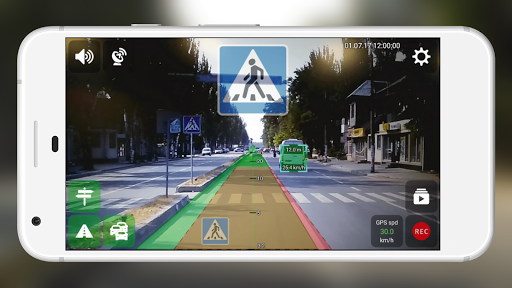
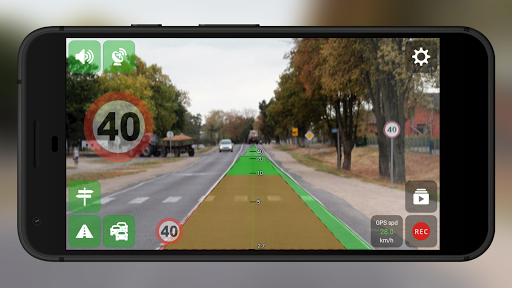
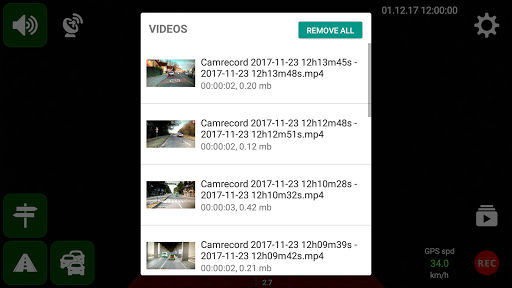
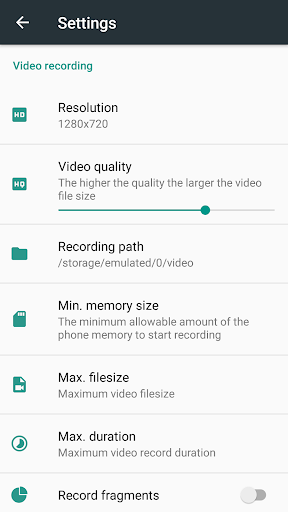
- Video recorder (video recording using the rear camera, background recording, subtitles (date, time, speed, location), augmented reality, fragment recording, temporary auto-pause recording when camera doesn't detect motion)
- Distance control (vehicles, pedestrians detection and warnings of dangerous approach to them)
- Road sign notifications, speed limit warnings
- Vehicle trajectory control (road edge detection and warnings in case of deviation from the road)
How to use
1. The recommended device specifications to use all features: CPU 8 Cores 2.0 GHz, 2 GB Memory (RAM)
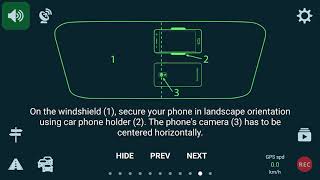
2. Using car smartphone mount, attach your device to the windshield of your car
3. Start the app and adjust the position of the smartphone so that there is no "Camera position is incorrect"
4. Set the camera (smartphone) height and the width of your car
5. Start recording by pressing the REC button and activate the driving assistance modules you need
* If video recording isn't smooth then try to disable the driver-assistance modules and the augmented reality option (your device may not have enough resources)
Feedback/Support Email address: feedback.ugvdriver@gmail.com (report bugs, request features) - please use it for any questions instead of reviews







9Apps 4.9