Type S LED icon

Type S LED

2.26.0 for Android
3.4 | 100,000+ Installs | Reviews

ADC Solutions USA, LLC

⚠️ You need 9Apps App to install .XAPK File. How to install XAPK?

Description of Type S LED

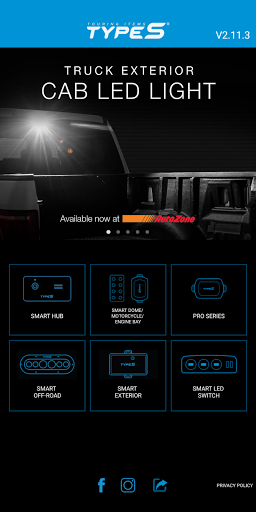
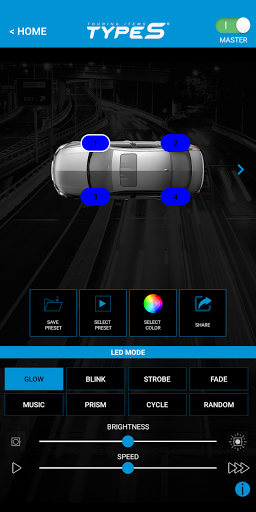
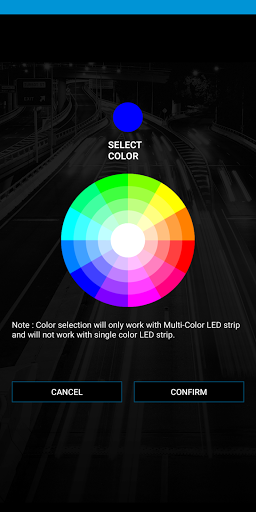
The Type S LED App allows you to control and customize your Type S Smart Lighting products for automotive and home personalization. Select from 49 colors and unique lighting modes including strobe, music, fade and more. Create and save up to 10 presets for special occasions, set brightness and light effect speed to your preference. Type S LED requires Bluetooth 4.0 and up.
EASY INSTALLATION!
• Power by using 12V plug or Hardwire
• Flexible/bendable light strip with 3M™ self-adhesive tape
• Light strips are water resistant
• LED strips can be cut to fit
Here are the Type S Smart Plug & Glow™ Lighting products available
Smart Plug & Glow™ Lighting Series:
• 48" Smart Lighting Deluxe Kit
• 24” Smart LED Starter Kit
• 4PC Smart Micro Light Kit
• 72” Smart Trim Lighting Kit (Available Late October 2016 at AutoZone)
• 7” Smart Panel Light Kit (Available Late October 2016 at AutoZone)
• Smart LED Dome Light Kit
Smart Off-Road Lighting Series
• 8" Smart Light Bar Kit (Available Late October 2016)
• 4" Smart Work Light Kit (Available Late October 2016)
• 3" Smart Running Light Kit (Available Late October 2016)
• 6" Smart Running Light Kit (Available Late October 2016)
Smart Exterior Kit
• 72" Smart Exterior Lighting Kit (Available Late October 2016)

What's New with Type S LED 2.26.0

1. Added LC VIDEO LIGHT

Information

  • Category:
    Lifestyle
  • Latest Version:
    2.26.0
  • Updated:
    2022-11-15
  • File size:
    16.8MB
  • Requirements:
    Android 4.3 or later
  • Developer:
    ADC Solutions USA, LLC
  • ID:
    com.types
  • Available on:
Reviews
  • avatar
    It won't let me install this app on my phone at all anyone with advice plz so I can get my lights working
    2020-11-24 08:30
  • avatar
    Smart Hub: Had them on my Charger' floor then transfer them to my Van's ceiling center console for the kids. They do not turn on at all anymore. They used to work. I'm not the only one. They won't turn on at all. Tried with bluetooth off before opening the app and fail.
    2020-11-23 12:53
  • avatar
    Look the way to make it connect is to turn off your Bluetooth before you open the app so it asks you to turn on the Bluetooth and i should connect i had issues at first but i figured it out... only thing is its kinda slow but my car looks amazing
    2020-11-03 11:18
  • avatar
    This is a horrible product. It will not download on my phone at all. Went and downloaded on a iPhone and it downloaded but will not connect. Waste of money and time
    2020-11-02 11:20
  • avatar
    Too bad the zero star is not an option. Does not connect. The company is selling them with no concerns of fixing the issues. DO NOT PURCHASE. Horrible purchase, waste of time and money.
    2020-10-31 12:36
  • avatar
    This sucks You connect to it once and it works great but if you want to connect to them again you have to reinstall until the reconnect
    2020-10-26 05:16