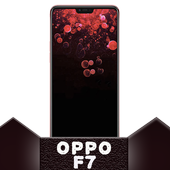


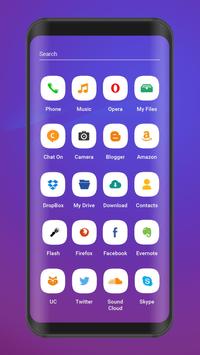
Oppo F7 / Oppo F5
Themes support following launchers:
1. Suma Launcher (Android Oreo 8.0 Look like also Android P 9.0)
2. ADW Launcher.
3. Lucid Launcher.
4. TSFLauncher
a. Nova Launcher.
b. Next Launcher.
c. Line Launcher.
To set this theme , please follow the following steps:
※ Open Oppo F7 / Oppo F5 Theme (icon pack).
※ Tap on Apply Theme item. you will saw a list of launchers.
※ Select your choice of Launcher on which you want to apply this
theme.
※ Then Apply the Theme. wait for almost 15 Seconds to apply the theme.
To change Wallpapers and Lock Screen Backgrounds , please follow the following steps:
~ Open Oppo F7 / Oppo F5
Theme.
~ Tap on Wallpapers Item.
~ Select any wallpaper either by SET AS WALLPAPER or click on tick mark.
~ Choose Set As Lock Screen and Home Screen or both.
This Beautiful theme can be run on both smartphone phones & tablets.
This theme will be install to Oppo F5 youth / R11s Plus / A77 / Oppo A1 / Oppo R15 Pro / A71 / oppo A83 /
and other series also.
*This app is not affiliated with or endorsed by Oppo mobiles.
*This app is not affiliated with or endorsed by Android authorities.

9Apps 4.9