

9Apps services for free Android apps. 20,000+ users downloaded Simple Subtitle Editor Creator Translator latest version on 9Apps for free every week! The application is severely widely use. This hot app was released on 2017-05-27. Don’t be hesitate, download and install it on your mobile phone now!
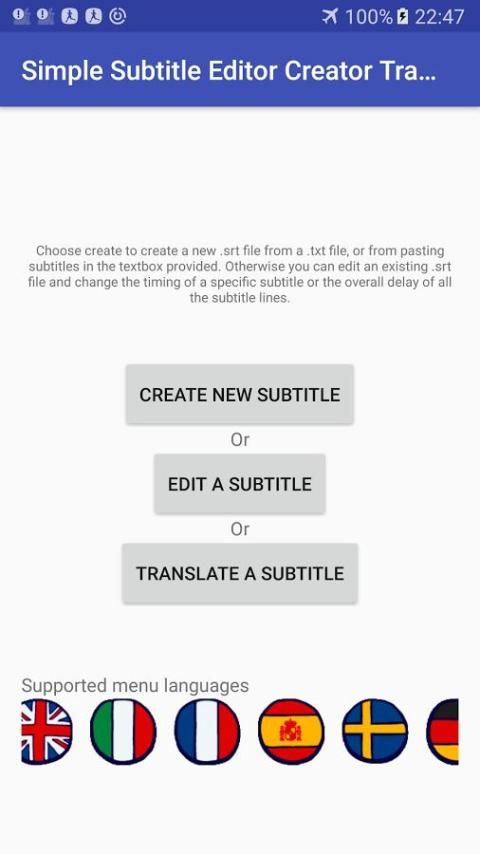
Simple subtitle creator, editor and translator.
Supported menu languages: English, Italian, french, Spanish, Swedish,
german, portuguese, hellenic
Unable to open or save a file:
-Go to settings, application manager - manage applications, find the
application, check its permissions and make sure it has access to
external storage.
Have you ever wanted to create your own subtitles for a movie?
Or make subtitle-format lyrics for a song?
Add proper subtitles to your uploaded video for all dialogues or
non-audible parts?
Or simply text out anything said during a video you made?
Or maybe you prefer a mobile app for easy and fast editing
of existing subtitles on-the-go?
Or translate an existing subtitle to a different language?
Then this is the app for you!!!
What this application DOES:
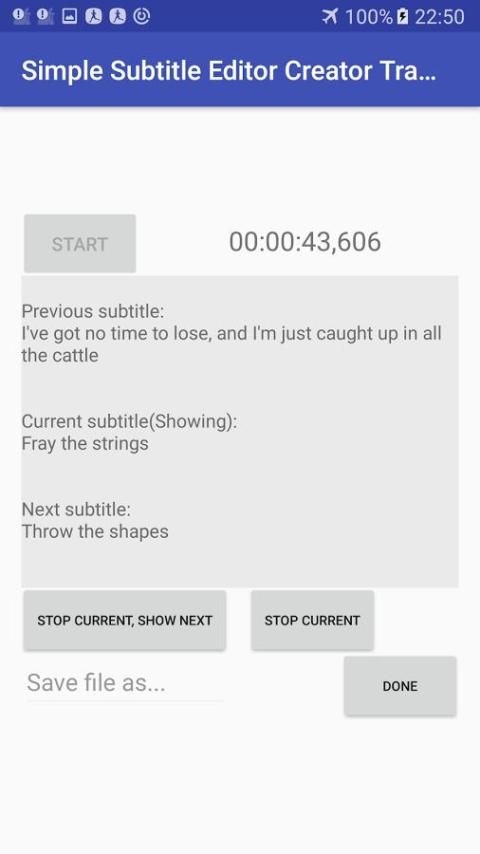
1) Create: create a new subtitle by
a)provide a .txt file containing the text needed and/or
edit / paste at the given field the text you want subtitled.
b)Time the appearance and disappearance time of
every sub with 1 tap while the content is being
played back (by ANY internal/external audio/video playback
application)
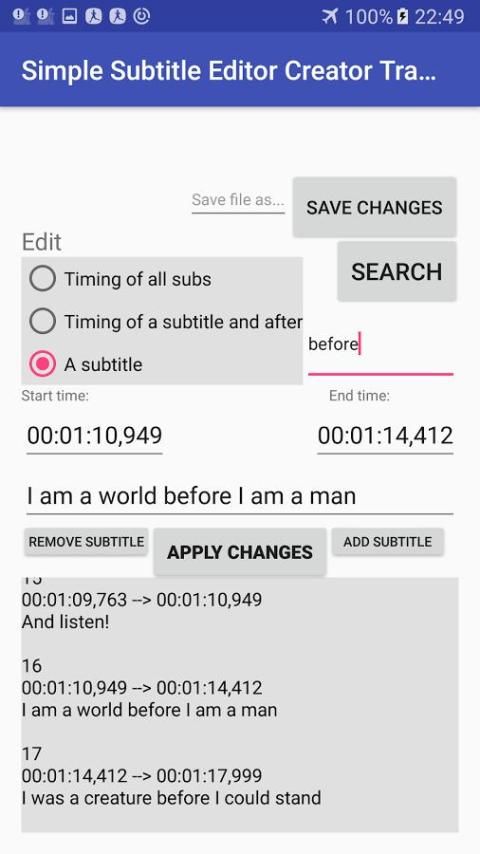
2)Edit: Edit an existing subtitle
a)+/- time offset for all the subtitles
b)+/- time offset for all subtitles after and including a
specified sub
c)edit start time, end time or text of a specified sub
d)remove specified subtitle
e)add a new subtitle after a specified subtitle
3)Translate:
a)Provide an existing .srt file. Copy the entire text using
the dedicated button, or select and copy the part you need
b)Paste the text as-is to any translator. Copy the translated
text and paste it in the
field provided using the specified buttons or manually.
Save file and you are done!
c)If the text is too long, it is possible that online
translators can't translate it in one go.If that is
the case, you can also copy character sets of under
5000 characters to translate it in parts! No need to
select text, just tap the appropriate buttons!
What this application does NOT do:
1)This application does NOT provide a video playback preview interface
to check your subtitles' correct timing. It simply produces .srt files,
which you can then load to any video player such as vlc or mx player
for synchronized view.
2)This application does NOT contain translating software or a
translating service. It simply allows you to do a 4-tap translation:
1-one tap copy all text, 2-paste it to your favorite translator
3-copy the translated text
from your translator, 4-one tap paste.
FAQ - Common errors:
Why does this application need access to external storage?
-The application needs to load .txt/.srt files and save .srt files.
No other operations are performed in external storage or your personal
data and all other file types are filtered out.
Why does this application need access to the internet?
-The application needs internet access only for serving ads. Ads
are only meant to be visible during app use, and not interfere
with its usability. If you find that ads interfere with application's
usability, i apologize, and ask that you mail me your problem along with
your device model and your android version so i can fix it asap. Ty <3
-Error1: The .srt file you loaded for translation contains erroneous
subtitles. For example it may contain empty subtitles. Open the subtitle
you want to translate in edit mode and Save it as... This operation should
remove blank (empty) subtitles.
Try again to translate the newly saved file. If the problem persists
try a different .srt file and please mail me the problem along with
the subtitle that caused it.Thanks!
For additional information, errors, requests or questions, please visit
FB page! Ty ty!
Check permissions on load.



9Apps 4.9














