Stitch It! - Screenshot Editor icon

Stitch It! - Screenshot Editor

2.0.54 for Android
3.8 | 100,000+ Installs | Reviews

Thirty Seven, Inc.

⚠️ You need 9Apps App to install .XAPK File. How to install XAPK?

Description of Stitch It! - Screenshot Editor

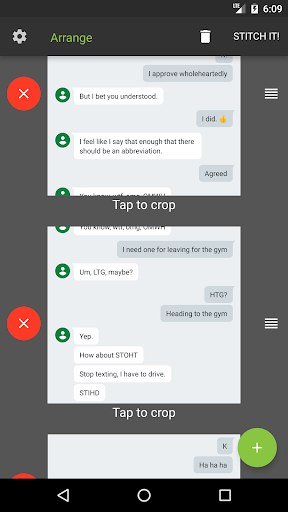
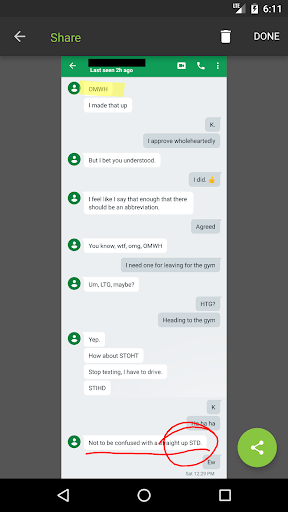
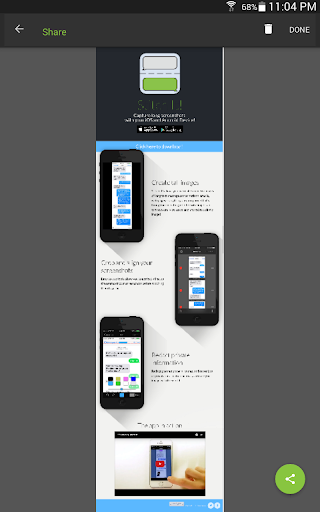
Stitch It! allows you to create one seamless image of a text message conversation so that you can share it via WhatsApp, email, Facebook, Twitter, Reddit, Tumblr, or anywhere else in the series of tubes that is the webernet machine.
The steps are easy:
- TAKE screenshots of your text message
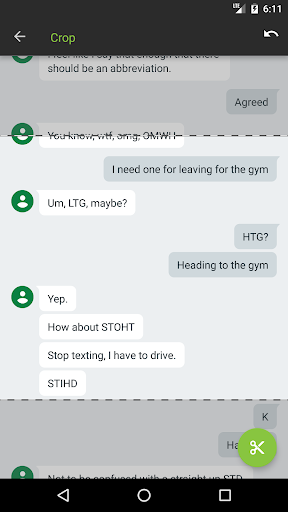
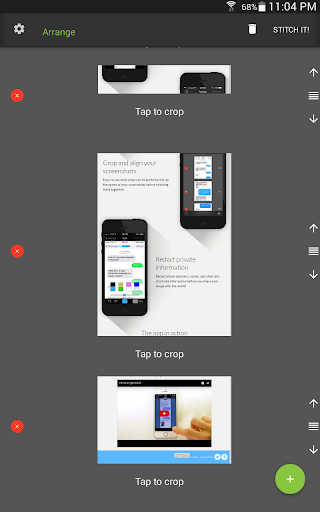
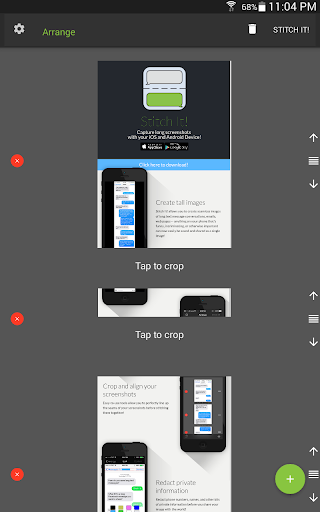
- CROP screenshots together into one seamless image
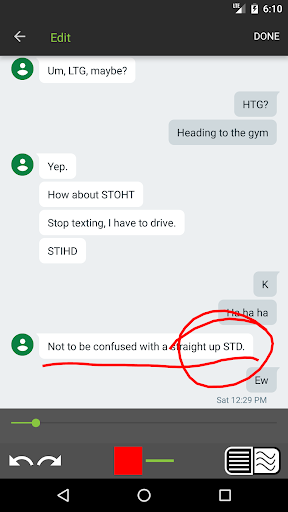
- EDIT out any private information on the redact page
- SHARE with the world using our many sharing options!
Features:
- Stitch the seams together easily using our transparent overlay crop tool
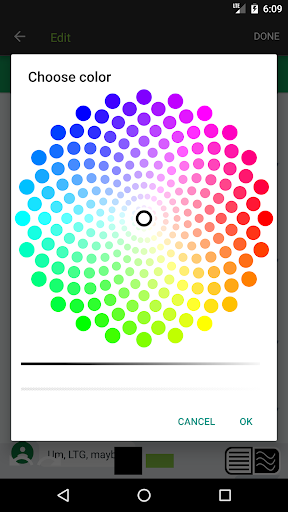
- Two redact "ink" styles: freeform and locked-in horizontal
- Automatically saves every Stitch It! image to your photo library
- Upload your image directly to an unlisted URL on imgur.com
- Sharing through WhatsApp, email, text message, Reddit, or any app that utilizes your photo library
- All sound FX made with Jacob's mouth! Cameron added a 'disable' feature.
Supported Languages:
- Spanish
- Arabic
- French
- Hindi
- Italian
- Japanese
- Korean
- Malay
- Portuguese
- Russian
- Traditional Chinese
- Simplified Chinese
Let us know what you'd like to see in our first update!
- The Stitch It! team

Information

  • Category:
    Tools
  • Latest Version:
    2.0.54
  • Updated:
    2020-03-03
  • File size:
    3.9MB
  • Requirements:
    Android 7.0 or later
  • Developer:
    Thirty Seven, Inc.
  • ID:
    com.luckybunnyllc.stitchit
  • Available on:
Reviews
  • avatar
    Please as a user, i will like to be able to move the selected images to exact location i want from left to right and vice versa, but i can only move it up and down, is there any way modifications can be made to be able to do proper adjustment and the eraser is too big doesn't give a range of sizes just incase we don't want the big one.
    2020-09-22 04:57
  • avatar
    Adds a white fade effect to the stitch. What's the point of stitching it together if it doesn't look seemless?
    2020-09-15 07:19
  • avatar
    quick to use and keeps great quality when combining several images. I had the paid version but since I switched away from iOS I don't have it on my current device. I'd buy again if I needed it more but I don't use it frequently enough for it to be needed. either way it's great to have and very useful
    2020-09-06 02:47
  • avatar
    Great, but minor glitch.... When I try to edit it and put a white line, it stays in the correct place. But after I save it, the white line always goes to the centre and obstructs the middle text (also it doesn't white out what I want it to do). Also, why do you have to put your logo at the bottom? It obstructs my text.
    2020-09-03 11:57
  • avatar
    in latest version upper image is not being shown. how to send you pictures? there is a bug in the screen size show also, pressing redo twice seems to fix the issue but redo the images changes... provide email in feed back so we could send bug reports
    2020-08-29 02:38
  • avatar
    "Watermark can be removed with Pro upgrade." Bye bye. Tip: Know your competitors in the market.
    2020-08-23 09:23