Splashtop Business icon

Splashtop Business

3.5.8.20 for Android
4.8 | 100,000+ Installs | Reviews

Splashtop

Description of Splashtop Business

Easily provide secure remote access and support across your organization. Work from anywhere with remote desktop access to your powerful office computer from a laptop or mobile device. And IT & helpdesk teams have all the features they need to manage remote support for their entire organization.
Why Splashtop
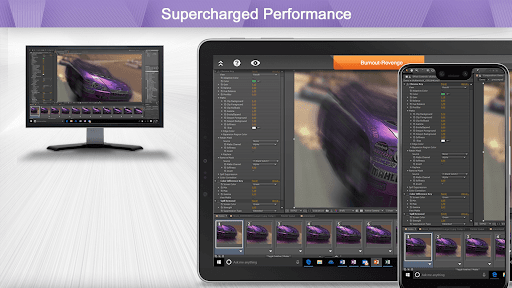
- Anytime unattended access with 4k streaming
- Simple on-demand support across all platforms
- Security you can trust to enable users to work from home
- Live support when you need it
Experience Splashtop Today – Start a Free Trial
1. Download the business app on the devices/computers you would like to connect from
2. Sign up for a free trial and create a Splashtop account
3. Download the streamer (splashtop.com/streamer) on the computer you would like to connect to
4. That’s it! Login and start your session!
*For attended access, please have your end-user download the Splashtop SOS App to their computer or mobile device.
Key Features:
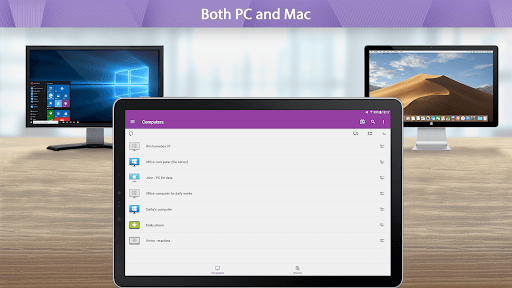
- Broad Device Support – iOS, Android, Windows, Mac, & Linux
- Cross-Platform
- File Transfer
- Multi-to-Multi Monitor
- Remote Print
- Chat
- User Management*
- Group View*
- Remote reboot and reconnect*
- Unattended Remote Control*
- Attended Remote Access and Remote Control*
- Session Recording*
- SSO**
- Remote Device Management**
*SOS and Enterprise
**Enterprise
Splashtop Products – Pick the product that is right for you!
- Splashtop Business Access (splashtop.com/business) - Unattended desktop remote access for individuals and businesses to control computers from anywhere
- Splashtop SOS (splashtop.com/sos)– Attended and unattended remote access and support for IT and Helpdesk teams
- Splashtop Enterprise (splashtop.com/enterprise) – Attended and unattended remote access and support with SSO/SAML integration, remote device management, and more!

What's New with Splashtop Business 3.5.8.20

* Bug fixes

Information

  • Category:
    Business
  • Latest Version:
    3.5.8.20
  • Updated:
    2023-11-28
  • File size:
    33.0MB
  • Requirements:
    Android 4.0 or later
  • Developer:
    Splashtop
  • ID:
    com.splashtop.remote.business
  • Available on:
Reviews
  • avatar
    I switched to Splashtop from Teamviewer. It works as well or better at 1/6 the cost. Fast response and easy to setup. Super easy to setup customers for remote access. Highly recommended.
    2020-10-21 09:32
  • avatar
    Extremely useful, works perfectly
    2020-10-11 11:41
  • avatar
    One thing I like about splastop is price reasonable, not keep putting up like (log me in) became unaffordable for one computer only.
    2020-10-07 10:32
  • avatar
    I have been emailing you guys and you still havent made any improvement to the app. I need zoom feature to zoom in to my mouse cursor or at least add it as an option. Also the onscreen CTRl+ALT menu takes up a lot of the screen. You still havent made any changes or add any new options. I'm keeping this rating at 1 star.
    2020-09-15 03:55
  • avatar
    DONT BUY IT !!! Was Good in Trial period. I bought Full version $ 60. They cut my computers. I Bought a Business version $ 100. They Cut my Tablet. Asking to Buy a Tablet version. What next ? How much you need More Money, to make sure that gonna work like on the beginning ?
    2020-09-13 10:36
  • avatar
    After update can't login, saying unable to reach Splashtop servers! It was working before update. EDIT: Development team fixed problem of not being able to connect to server. Another problem is that video and audio goes out of sync when I'm connected to client. Same is when I connect via Android device (S10+) or when I connect via another PC workstation. Internet speeds are not an issue, it is solely up to Splashtop. Btw, that problem is not present in Team viewer.
    2020-08-15 10:35