

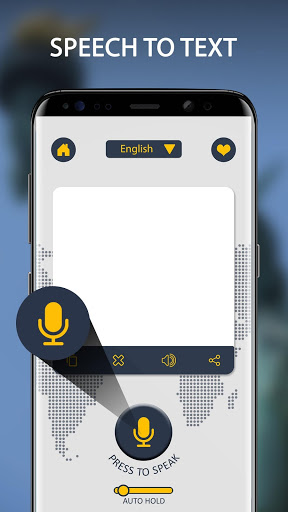
Speech to text application brings you a very unique and distinctive feature of voice typing and voice notes. Speech to text converts your speech in to text, making voice notes and voice typing easy.This application has created ease for you to get text of whatever you speak, now you just need to press a button and speak whatever you want to and just in fractions of second get text of your speech. Voice to text converter application uses highly optimized voice recognition, which converts audio into text. Voice to text is not limited to single language but it supports multiple languages such, English, Spanish, Arabic, French, Italian, Urdu, Hindi, German, Chinese and many more.
Speech to text will make your life easy write short or long text through voice typing in all the languages. this is the best voice typing apps that give you the exactly same text that you will dictate to it. Speech to text - voice typing app provides you various features, now you can make voice notes and save the text files for edit share or to use them later.
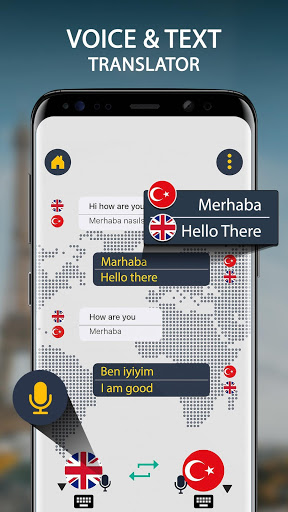
Speech to text - Voice notes is also equipped with speech to text translator, now you can translate through voice or text in various languages, just speak and translate whatever you want to just in fractions of second. you just have to select your language and a target language in which you want to translate the text or your voice. Speech to text translator in equipped with both voice translator and text translator.
Voice to text - voice typing will give you best user experience with maximum functionality, the voice typing and voice notes have never been this easy to make, Voice to text - voice typing is assisted with several languages so that you can make voice notes in you native or first language.
Voice to text - audio converter uses voice recognition to convert audio into text, now making notes, messaging
etc has been made easy moreover translate any text or voice in various languages. Speech notes feature of this voice typing app also helps in writing a voice sms, you can now easily send sms by voice through voice to text converter
Features:
• Supports Multiple Languages
• Speech to text
• Text to speech-TTS
•
Voice & Text Translator
• Audio to text converter
•
Speak and translate
•
Conversation translator
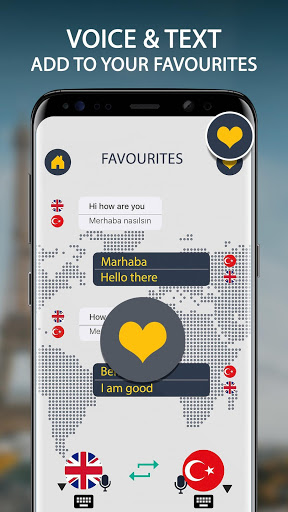
• Keep track of your history
• Easy mic modes
• Copy, Share & Listen
• Edit text
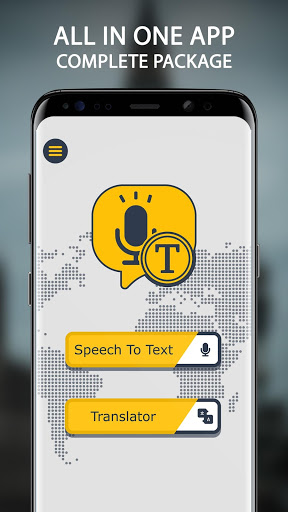
The Voice & Text translator is brought to you in a new perspective, it as simple as a conversation, Language Translator for all language is a multi language translator/ traductor to translate voice and text in multiple languages. You can now translate your conversation in any language just by speaking or else you can use text translator to translate your text in multiple languages. Now you can translate all your conversation with this conversation translator. Speak and translate is a complete package app that has speech to text with translator, translate now with speak and translate app.
Download this multi-function application now and save your time by voice typing, you just have to speak and this application will type it automatically.
Minor Bug Fixes











9Apps 4.9















