


Control almost ANY music player by swipe's!
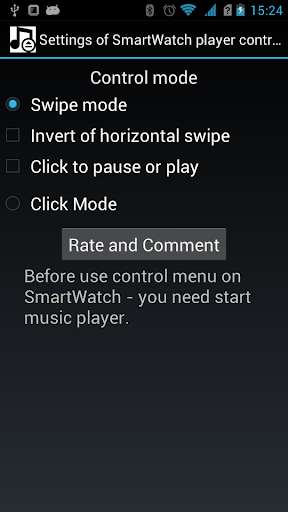
Have two control mode:
1) "Swipe mode".
Swipe from right to left - next track, from left to right - previous track. Have inverse mode!
Swipe from up to down or from down to up - to decrease or increase the music volume.
Click to pause or resume music play (can be off this feature in options menu).
2) Click mode - just click on screen buttons to select next/previous track, increase/decrease music volume or play/pause.
Have small problem, if you have more than one music player and bugs on SmartWatch 2, but in next release it will be fixed.
Before use control menu on SmartWatch - you need start music player.
LiveWare™ extension for SmartWatch
Added click mode (control by clicks, not swipes).
Added horizontal swipe mode.
Added music volume control.
New design.






9Apps 4.9














