
Slite icon

Slite

2.7.44 for Android
3.8 | 10,000+ Installs | Reviews

Slite, Inc.

⚠️ You need 9Apps App to install .XAPK File. How to install XAPK?

Description of Slite

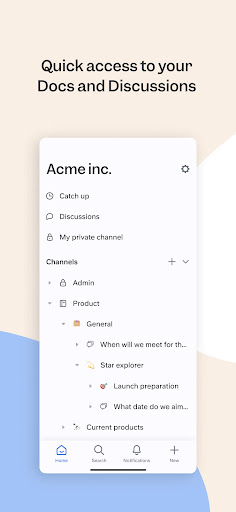
With Slite's mobile app you can access trusted company information on the go.
Powered by AI, Slite’s knowledge base enables growing teams to instantly get the answers they need - without even searching. From onboarding guides to all hands notes, your company docs are centralized, organized, and always up-to-date. Replace all-in-one workspaces with a tool built for company knowledge and see it scale with your team. Join more than 200,000 companies that use Slite as their single source of truth today.
In this version you can:
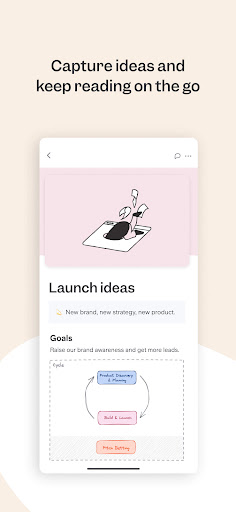
Capture your ideas on the fly
* write and format docs exactly like you would on the desktop app with checklists, bullet notes, headers and tables.
* Slite Android also supports embeds, images, videos, code blocks, and more.
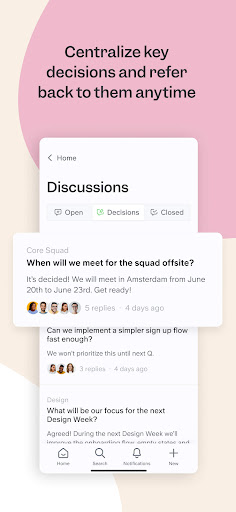
Check in and move projects forward, even on the move
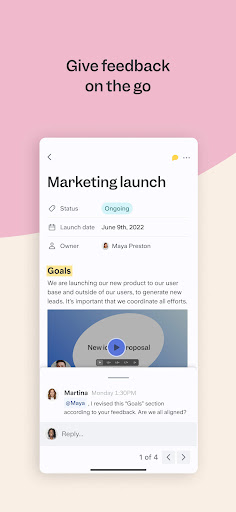
* write and edit docs together
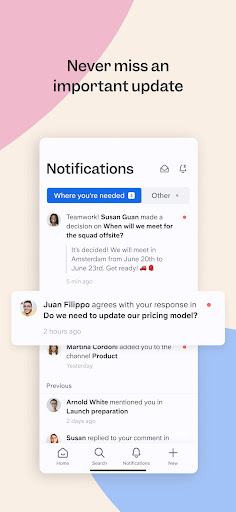
* comment on team docs and get notified when your team members need you
Get your answers
* find exactly what you need with the quick searchYou can download the desktop app via our website, www.slite.com to stay in the loop across devices.
You can help us polish the app by reporting them to us at support@slite.com.

What's New with Slite 2.7.44

Diagrams and formulas display are now fully supported.
The latest version also contains bug fixes and performance improvements.

Information

  • Category:
    Productivity
  • Latest Version:
    2.7.44
  • Updated:
    2023-10-19
  • File size:
    43.1MB
  • Requirements:
    Android 5.1 or later
  • Developer:
    Slite, Inc.
  • ID:
    com.slite.mobile
  • Available on:
Reviews
  • avatar
    Doesn't have autocorrect, unable to type with Swype. Constantly crashes. Unimpressed but stuck with it since my group chose it.
    2020-08-18 04:33
  • avatar
    Hi Slite team, I believe you've been doing an amazing job with the browser and Mac-based version of Slite. Dark Mode is awesome, though I had no idea it existed until I looked it up online. Telling the user about the Dark Mode icon will help. Making the app faster in loading and pulling up documents will be wonderful. The Android app will be great if it's as smooth and easy to use as the browser/Mac versions. I like using Apple Notes on Mac because it's quick to load and pull up new notes.
    2020-08-01 04:48
  • avatar
    There's issues when I try to log-in, no message indicating some information is wrong, if it's the case at least.
    2020-07-28 11:00
  • avatar
    Unable to sign in on mobile using email sign in. Not giving access to contacts with Google.
    2020-06-21 08:00
  • avatar
    Keyboard experience is horrible. Feels really broken. A word only appears on screen after it has been fully typed and followed by a space. Awful, and too bad since the three web app as used from a computer is amazing.
    2020-05-28 09:26
  • avatar
    Edit:Dark mode added!. try to close the experience gap between desktop and mobile. Thanks for the hard work!
    2020-05-14 01:47