
Screen On Call icon

Screen On Call

2.1.0 for Android
3.0 | 50,000+ Installs | Reviews

VORLAN Group, Inc.

Description of Screen On Call

Keeps screen ON while you are in call.
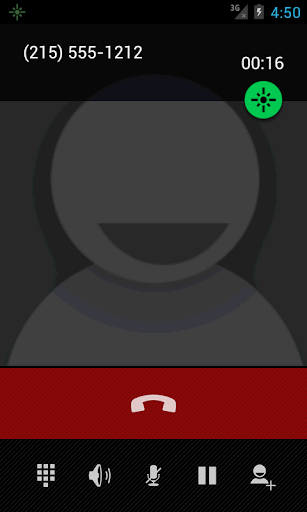
"Screen on Call" is keeping screen turned on during phone call. It might come handy when you need to continue to use phone pad to punch more numbers.
Main features:
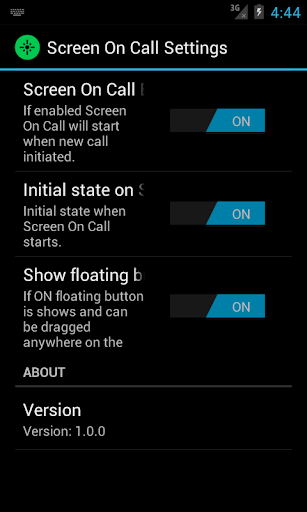
• Floating button, which toggles feature to keep screen turned on, can be placed anywhere on the screen to prevent it from covering other controls;
• Floating button can be turned off;
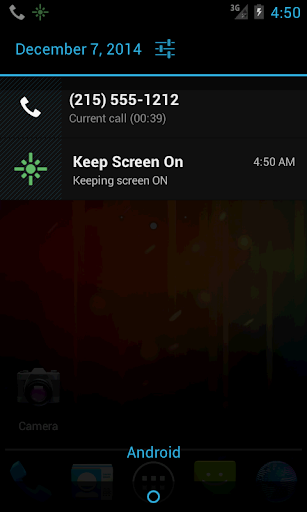
• Toggle feature to keep screen turned on can be done from notification panel;
• Configurable option is to keep screen ON when call starts;
• This app is activated only during phone call;
• Floating button position memorized for Portrait and Landscape modes separately;
• Proximity sensor is active and when phone is close to your ear, screen will be turned off;
Permissions explained:
• [read phone status and identity] – required to react on call in progress to activate;
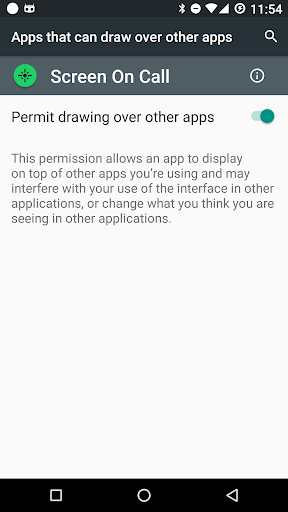
• [draw over other apps] – required to display floating button;
Please start app after installing to complete set of permissions, mentioned above
Please note users of Android 6.0 and above:
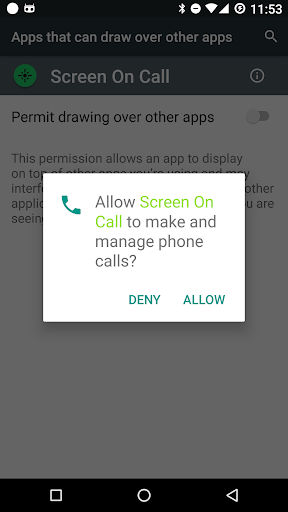
Please grant permissions when prompted on Android Marshmallow and above. The following permissions will be requested:
• To make and manage Calls - without this permissions, Screen on Call will not receive any notification of incoming or placed call;
• Permit drawing over other apps - Enable it, so Screen on Call will be able to display floating button and keep screen awake during a call.

What's New with Screen On Call 2.1.0

Fixed minor error;
New option to show popup text when mode is changed to ON or OFF;

Information

  • Category:
    Tools
  • Latest Version:
    2.1.0
  • Updated:
    2017-09-30
  • File size:
    518.1KB
  • Requirements:
    Android 2.1 or later
  • Developer:
    VORLAN Group, Inc.
  • ID:
    com.vorlan.screenoncall.free
  • Available on:
Reviews
  • avatar
    Screen still off during call. Not working
    2020-10-09 10:38
  • avatar
    I have all settings on. No floating thing no nothing to indicate app is even installed. Several calls have been made and answered, and nothing. Please advise.
    2020-10-03 11:49
  • avatar
    Works perfectly! Screen still dims if the phone is placed close to the ear, but not if it's in a holder or on a table.
    2020-10-03 01:24
  • avatar
    Thank you! Finally an app that keeps your screen on while on a call using speaker phone. Works great!!
    2020-09-17 09:10
  • avatar
    I've been fighting with the screen dimming in calls making it such a pain to use the keypad to go through menus. This app is awesome, just what I needed. There's no need to keep an icon on any of the main screens because it automatically shows up as soon as you start a call. Not sure if there's any ads or not in it because with adguard running I never see ads from anything at all so even if there are they're probably being blocked.
    2020-09-13 06:43
  • avatar
    Needed just this app to make muting/u muting my phone on samsung easier. Didn't have this problem on my Pixel
    2020-09-09 07:36