

Download the official version of India apps from 9apps now. 20,000+ users downloaded Screen Recorder latest version on 9Apps for free every week! When you click, the app will start downloading and wait till it completes installation you can start play. This hot app was released on 2018-11-20. 9Apps has thousands of apps and updated daily!
You want to record video call to record funny moments. We want to introduce to you the latest video call recording app with easy, fast and no root.
Before starting screen recording, you should make some settings
Video resolution: 240p, 360p, 480p, 540p, 720p, 1080p
Video quality: 1Mbps, 1.5Mbps, 2Mbps, 3Mbps, 4Mbps, 5Mbps, 8Mbps, 12Mbps
Allow recording with audio
The location where the video is saved
Screen video recording mode: standard, basic
Hide window recording screen while screen recording with facecam
Shake to stop screen recording with internal audio
Countdown before recording
Hide screen recording icon on the screen
Continue to record the screen when the screen is off
Stop recording when a call comes in
Draw while recording screen
Features of the recording app on screen
1. Screen recorder with audio
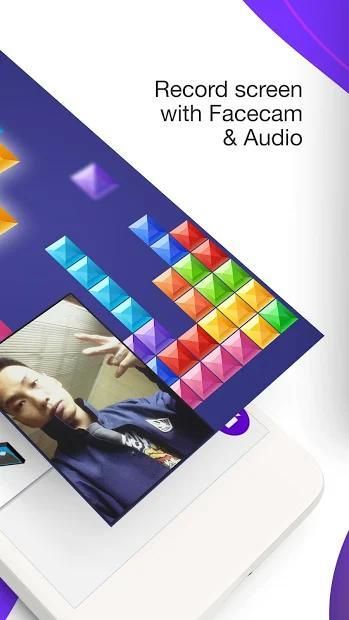
- Record gameplay on your phone with Faces and Audio
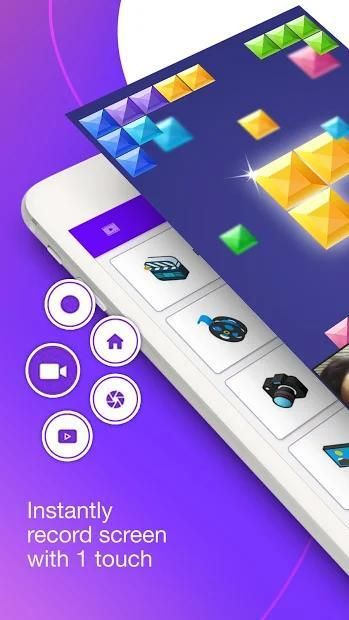
- The floating key on the screen for recording more conveniently
- Record games while you play in the notification bar
- Pause/resume internal voice screen recorder
- Countdown before game recorder with facecam
- Drawing while the screen is rotated
- Shake to stop video call recorder with audio
2. Screenshot video capture
- Take screenshot with screenshot button on screen
- Take a screenshot on the notification bar
- Screenshot capture recorder without the power button
3. Edit the video
- Crop video
- Delete the middle part of the video
- Add music to video
- Add captions to videos
- Fast slow video
- Rotate video
- Video transplant
4. Screen shot editor
- Mosaic
- Crop photo
- Draw on the picture
- Merge photo
Highlights of video recording app of mobile screen
★ Screen recorder with facecam with just one touch
★ Screen recorder with sound and microphone
★ Video screen recorder the with vivid sound
★ Record games on your phone and take a screenshot with the floating key on the screen
★ Record screen and audio and take a screenshot on the notification bar
★ No time limit for recorder screen recorder
★ Screen recorder and video editor no root
★ User-friendly interface of recording screen app, easy to screen camera recorder
★ Small capacity of app to record videos on screen, fast loading
★ Free video call recorder app
Free, but not limited when recording the screen, you will certainly be satisfied when using game screen recorder with facecam, sure you will be satisfied when using. Download and experience the game recording app now!
Please rate 5* a video recording that will record while you re playing games to support the developer!
Version New
+ Improved features screen recorder
+ Fix some bug




9Apps 4.9













