Screen Filter for Eye Protect icon

Screen Filter for Eye Protect

14.8.0.8 for Android
4.5 | 10,000+ Installs | Reviews

skyarmy

Description of Screen Filter for Eye Protect

Your eyes will be protected from blue light.
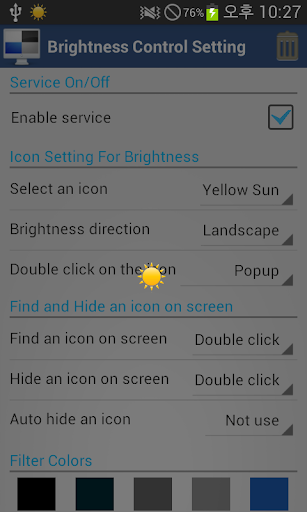
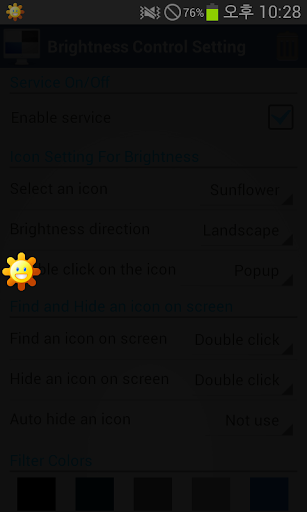
1. Select floating an icon
- Yellow icon
- Blue icon
- Red icon
- Sunflower icon
- Long sun
2. Brightness Direction
- Landscape
- Portrait
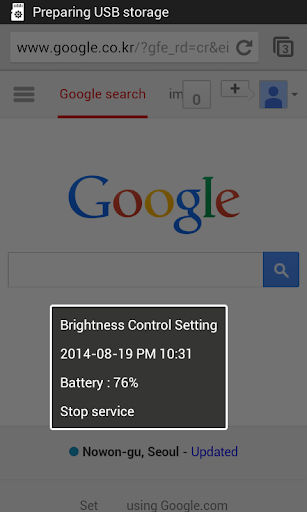
3. Double click on the icon
- Stop service
- Pause service
- Popup
- Flash
4. Find and hide icon on screen
- Double or triple clicking, floating icon is toggled.
- Auto hide an icon (1,2,3 sec later)
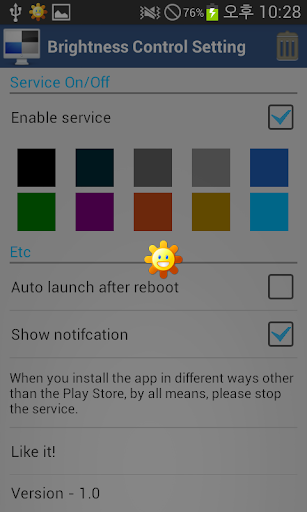
5. Filter Colors
- Select various colors
6. Auto launch after reboot
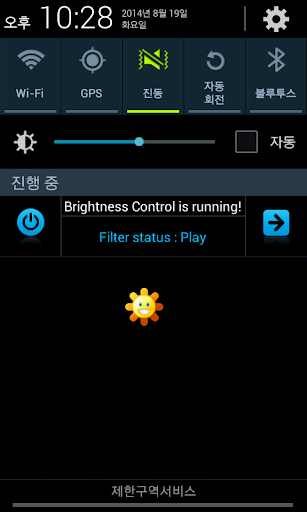
7. Show notification
- Stop service
- Pause service
- Go home

What's New with Screen Filter for Eye Protect 14.8.0.8

Ver 14.8.0.8
- Google Policy
Ver 14.8.0.7
- Added option whether to use icons
- Added filter colors

Information

  • Category:
    Tools
  • Latest Version:
    14.8.0.8
  • Updated:
    2016-10-27
  • File size:
    2.5MB
  • Requirements:
    Android 2.3 or later
  • Developer:
    skyarmy
  • ID:
    com.skyarmy.screenfilter
  • Available on:
Reviews
  • avatar
    Super
    2020-04-08 01:57
  • avatar
    best
    2019-01-09 03:23
  • avatar
    Very useful app.Thanks
    2017-12-01 04:37
  • avatar
    I like the UI, its original and unique in style as well as settings adore the floating adjustment just a simple swipe to dim**pick an icon..but its slow to react notifies its running but as soon as you open another app it stops and the toggle sun disappears despite the setting. Maybe adding a permission might help? Will try again after the next update.hopefully more stable x
    2017-11-09 02:34
  • avatar
    Awesome App.
    2017-04-13 01:33
  • avatar
    Awesome, simply awesome! Try it to know it. Thanks to the Developer(s)!
    2016-11-24 04:38