
Scary Clock Widget icon

Scary Clock Widget

Jammy for Android
3.6 | 5,000+ Installs | Reviews

Sunrise Solutions

Description of Scary Clock Widget

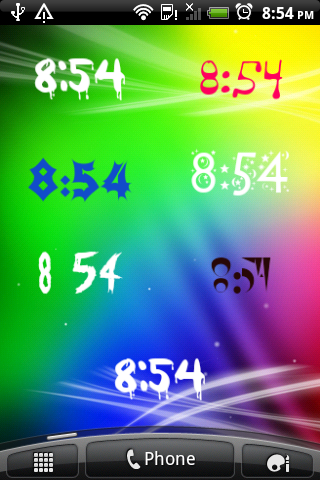
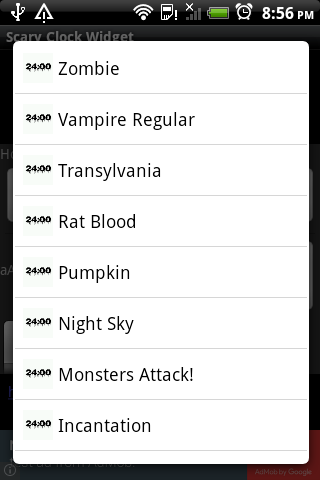
- 10 different scary fonts to choose from, any colour you like
- Launch any 2 applications or internet bookmarks by clicking on the widget - configurable
- Display multiple widgets, which show Local and/or any other time zone
-
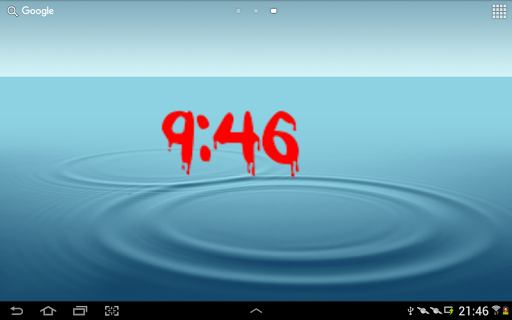
Display digital clock time
- Display remaining battery life
- Optimised to minimise battery usage
Official product of Sunrise Solutions made in London 2016
Permissions requested by application:
Network communication- used for application licensing only
Read browsers history and bookmarks - for retrieving a list of bookmarks, so launch shortcuts can be created only

Information

  • Category:
    Personalization
  • Latest Version:
    Jammy
  • Updated:
    2016-02-28
  • File size:
    1.4MB
  • Requirements:
    Android 2.1 or later
  • Developer:
    Sunrise Solutions
  • ID:
    com.sunrisesol.android.scaryclocklibrary
  • Available on:
Reviews
  • avatar
    Help!!! I open the widgets section on my homescreen. Then I tap on scary clock widget. Then it opens up 2 options. 1 is fir a 2x1 row. The other is for a 4x1 row. NEITHER OF THESE OPTIONS WORKS!!! I press on the selected row (I've tried both numerous times) & I see the icon wiggle for just a quick second. Then.... nothing. Please help!! And I'll change your rating once I can use the clock!! Pinky promisr!!!
    2019-10-07 02:25
  • avatar
    Not bad looks good only problem is have to touch widget to update time on homescreen otherwise displays wrong time😕
    2018-09-30 10:36
  • avatar
    No use. The time doesn't change unless you click on it
    2018-07-31 11:46
  • avatar
    I like this app. However the date and battery options do not work. Pease fix!
    2018-02-08 07:01
  • avatar
    ***** ☻
    2016-11-09 06:33