

Scanner pro is a free Android app that allows users to scan, store and share documents in PDF format over smartphones, tablets, and computers. Scanner pro features a mobile scanner that works by using a camera function within the app.
With Scanner pro, any documents you see in real world can be digitized and saved right away with your mobile phone. Just take a photo, and Scanner pro take care of the rest.
- Scan any kind of document in seconds.
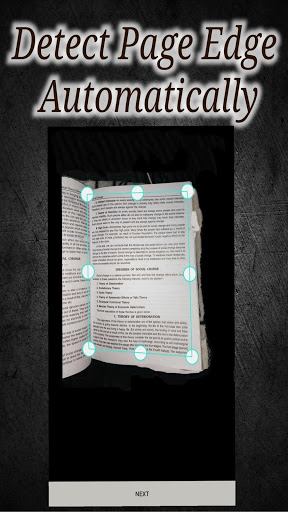
- Scan multi-page documents
- Auto-crop scanned photos
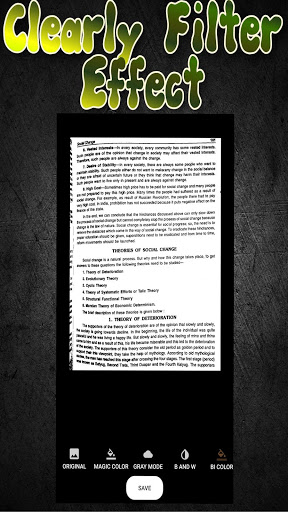
- Smart-enhance the scan results
- Several Enhance Modes available
- Save scan results to system album
- Create PDF files for scans
Following docs can be scanned :
- Receipt, Manual, Bill
- Business card, Membership card, VIP card
- Agreement, PPT and Whiteboard
- Note, Memo, Script, Letter
- Book, Magazine, Newspaper, Poster, Coupon
scanner - pdfcreater - 2020 - scanner - app
Process to scan document : -
1. First open the scanner app then there are two options which are select from camera and from album, it depends on your situation from which you want to select photo.
2. After that crop as you want and apply filter to make photo actual scanned and you can save photo as jpg or you can save it as a pdf depends on you.
3. After save you can find your document in internal storage, picture, scanner pro folder
or you can share image through app
New Feature Added, Now Multiple images can be converted into one pdf
Process to convert:- 1. open drawer than click on Multiple image to pdf
2. select images and convert them into pdf
3. if you want to delete particular image click on image you can preview that image and can be deleted







9Apps 4.9


![CR PRO vs CR PRO + [IMPORTANT DIFFERENCES EXPLAINED FAST] screenshot 3](https://i.ytimg.com/vi/bSdOnRBtno4/mqdefault.jpg)















