
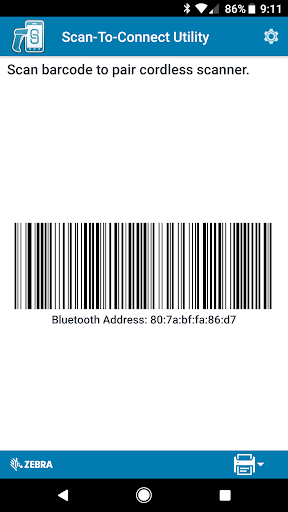
The Scan-To-Connect (STC) Utility enables a Zebra Bluetooth scanner to pair to a phone or tablet in one simple step, without having to modify your app.
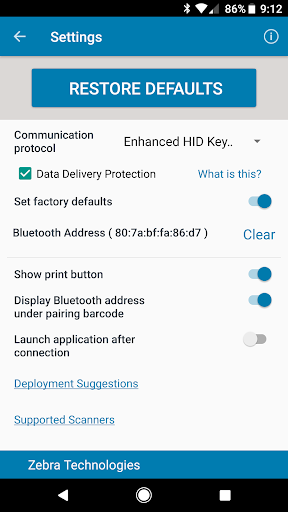
Unlike standard HID keyboard, the STC Utility supports enhanced HID keyboard, which assures your data is received by your phone or tablet. If corrupted, it will be retransmitted. If lost, you get an error beep to rescan item.
The STC Utility also has a virtual keyboard to manually enter data for items that are not bar coded, or if the bar code is unreadable (ie. Damaged).
Additional functionality includes:
1. View the host’s Bluetooth MAC address
2. Print a pairing barcode
3. Launch an application after completing the pairing process
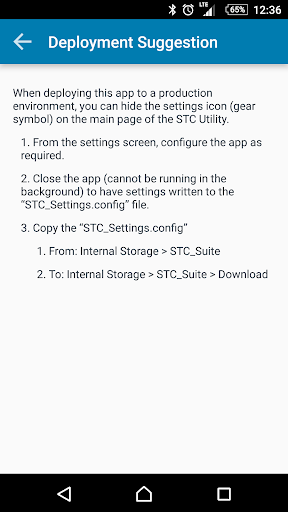
4. Hide “Settings” button when deploying to production environments
For more information go to www.Zebra.com/scantoconnect
For Windows, Android and iOS app developers, the source code for the pairing functionality of Scan-To-Connect is available for integration into your application at www.Zebra.com/scannersdk.
1. Added support for Android 13 and Android SDK API level 33.
2. Add BLE STC (Scan-To-Connect) paring for non-English languages.






9Apps 4.9














