
Ad-free password-protected notepad that's safe, fast and easy to use!
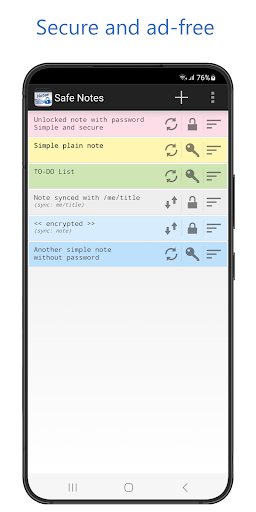
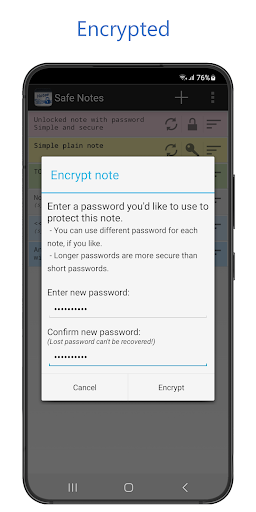
✔ Encrypt individual notes and to-do lists with password.
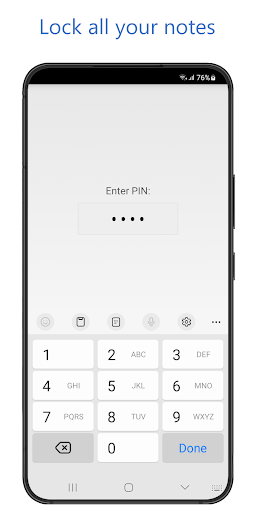
✔ Lock the app with the PIN.
✔ Copy text from your phone to your computer (through web sync).
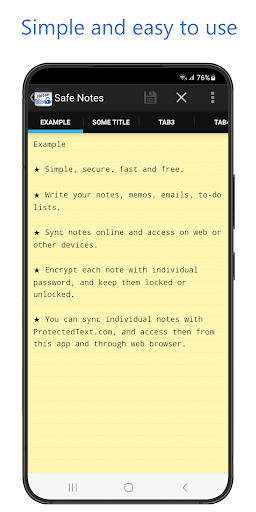
✔ Write colorful notes, memos, emails, to-do lists.
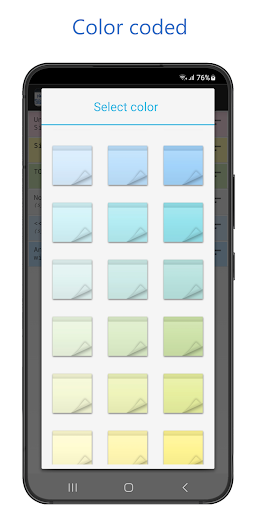
✔ Custom note colors / fonts / text size / sorting order / etc.
✔ Taking notes with Safe Notes is as easy as it gets.
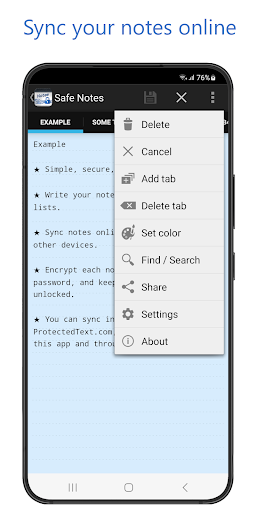
✔ You can sync individual notes with our ProtectedText.com service, and access them through this app and through a web browser.
✔ Safe Notes provide ultimate security - you don't have to trust us, or any other third-party to be completely secure (read more under FAQ at www.protectedtext.com).
✔ Unlimited text size (up to ~250 000 characters per note)
✔ Search function, etc.
✔ Safe Notes is a simple and safe password encrypted notepad!
--- How it works ---
★ When an individual note is locked, the password is permanently removed from your smartphone, and the note can't be decrypted without your password. You don't have to trust us, or any other third-party, since your password isn't stored anywhere.
★ You can sync individual notes online to ProtectedText.com and access them with a web browser. No registration or email address is needed. A note can be stored under any URL you'd like to use, e.g. yourname/sometitle, and then accessed through the app or online at ProtectedText.com/yourname/sometitle
The first user to use a specific URL owns it (by knowing the password that was used to encrypt the note on that URL).
★ The password never leaves your device, not even when notes are being synced online. Syncing notes with ProtectedText.com only stores encrypted text.
★ We can't decrypt your notes even if we wanted to. That gives you the ultimate security, but it also means that a lost password can never be recovered.
★ You can modify the same note on multiple devices, and when you sync notes, you'll be informed if there is a possibility that a note will be overridden by changes made in the meantime.
★ Deleting synced notes from your smartphone doesn't remove the online copy, so you can recover it later. But you can also permanently delete notes stored at ProtectedText.com website.
★ Notes can be shared online with friends by giving them the password to access your note at ProtectedText.com
★ This is the official app for the open source and non-profit service www.ProtectedText.com. Read more on: https://www.protectedtext.com/
Safe Notes is a simple and secure password protected notepad for all your notes, memos, messages, emails and to-do lists.
NOTE:
-- Note about changing your phone:
Our app does not make an automatic backup of your notes anywhere, including Google Cloud system, since most of our users wouldn't consider that to be a secure and responsible thing to do. This also means that in order to transfer your notes from your old phone to your new phone - you might have to transfer your notes manually, which can be done simply by uploading them to our ProtectedText.com service, and then downloading them to your new phone (and optionally delete them from ProtectedText.com). In some cases, Google might automatically transfer all installed app data from old phone to new ones (encrypted content is copied as is, not decrypted).
-- Note about losing your phone:
We respect your privacy, so we would never store copies of your notes anywhere behind your back. This also means that if you lose your phone, you'll lose notes stored on that phone as well. That's why it's recommended to keep your notes in sync with our ProtectedText.com online service.
-- Note about technical details:
Both Safe Notes app and ProtectedText.com website use AES algorithm for encrypting/decrypting the content, together will 'salts' and other known good practices to achieve exceptional security; and SHA512 algorithm for hashing. On top of that, all data is only provided through SSL.
Major improvements and bug fixes.






9Apps 4.9













