SWIFI | Auto Switch Best WiFi icon

SWIFI | Auto Switch Best WiFi

1.4 for Android
3.3 | 500,000+ Installs | Reviews

rayes

Description of SWIFI | Auto Switch Best WiFi

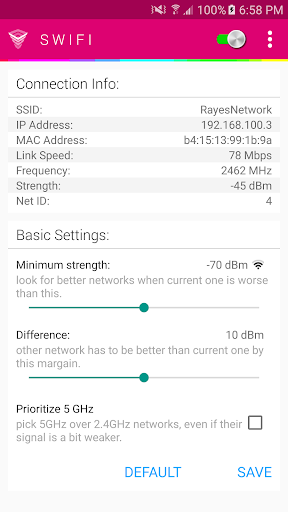
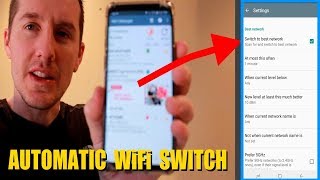
while you're moving around, you get further from a network and closer to another one. swifi automatically switches you to the closer network.
----------- FAQ -----------
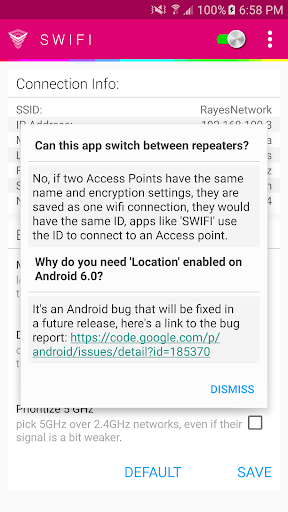
Can this app switch between repeaters?
No, if two Access Points have the same name and encryption settings, they are saved as one wifi connection, they would have the same ID, apps like 'SWIFI' use the ID to connect to an Access point.
Why do you need 'Location' enabled on Android 6.0?
It's an Android bug that will be fixed in a future release, but in the meantime, you have to enable Location for SWIFI to work. I know this is annoying, sorry :| https://code.google.com/p/android/issues/detail?id=185370
Does this app consume a lot of battery?
No, it barely consumes any battery, it only runs when you have a signal that is weaker than your 'Minimum Strength'.

What's New with SWIFI | Auto Switch Best WiFi 1.4

Version 1.4:
- Support for Android 6.0
- 'Minimum Strength' decreased to 55 dBm.
- added MAC Address in connection info.
Version 1.3:
- the option to prioritize 5 GHz networks.
- small design fixes.
Version 1.2:
- stability improvements.
Version 1.1:
- fixes for some connection issues.
- design adjustments for tablets.
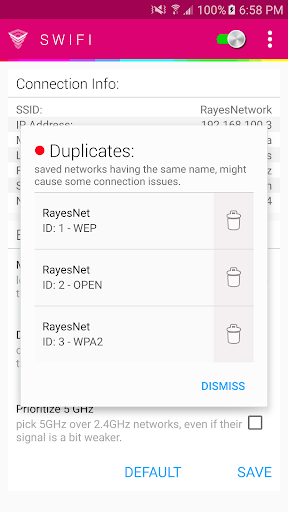
- the ability to remove duplicates.

Information

  • Category:
    Tools
  • Latest Version:
    1.4
  • Updated:
    2016-03-16
  • File size:
    1.0MB
  • Requirements:
    Android 4.0.3 or later
  • Developer:
    rayes
  • ID:
    com.seah0rse.swififree
  • Available on:
Reviews
  • avatar
    Worked well on my old HTC, now with s10+ it also works after disabling "WiFi scan throttling" in developer settings. Great simple app.
    2020-10-13 01:57
  • avatar
    Initially thought app didn't work in the background on my phone (S9+, Android 10), then saw Dan Schmidt's comment on 7/27/2020. Turning off "WiFi scan throttling" indeed did the trick (I was able to leave my power settings on Optimized but not adaptive -- I didn't need to completely disable power management). Would be 5 stars if the app worked without this kind of fiddling.
    2020-09-24 04:12
  • avatar
    Had to change settings and then great! Had to change the power level at which app looked for stronger signal(minimum strength). Once this was set to -60dBm and the difference was set to 10 the app works brilliantly in my home. With the original/default settings the app would not switch to a stronger signal. We have a router and two powerline wifi extenders. It all seams to work seamlessly now.
    2020-09-05 01:46
  • avatar
    It's helpful. I like it. I can give an idea: it can have a "don't connect to networks" feature.
    2020-08-27 11:48
  • avatar
    Can't really tell any difference between this thing on and off. In either case, switching take quite some time, leaving you with no internet for few seconds
    2020-08-09 03:38
  • avatar
    This does not auto connect. Whats the point if I still need to open the app so it can change to stronger WiFi. And yes all settings correct.
    2020-07-16 06:58