

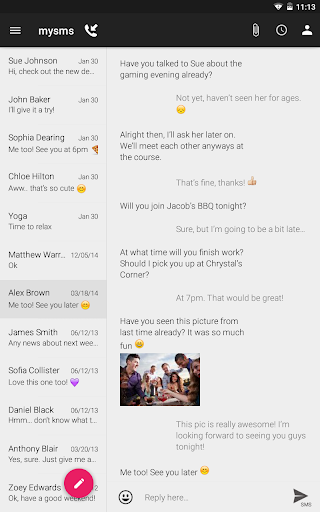

MYSMS TABLET - TABLET SMS & TABLET TEXTING!
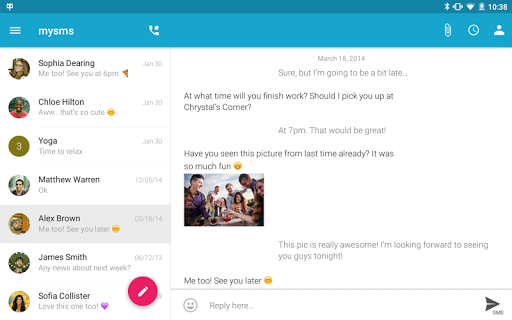
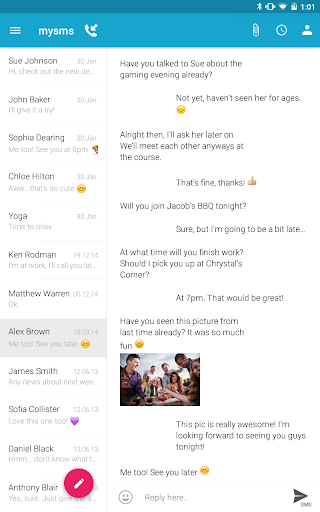
Leave your phone in your pocket and send/receive SMS text messages on your tablet. Your SMS inbox is synced with your phone.
Your benefits with mysms Tablet Texting App:
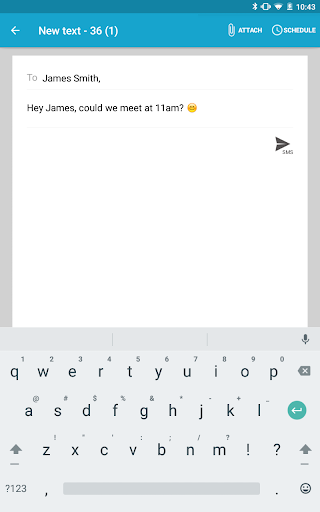
- Send and receive text messages on your tablet
- Automatically sync SMS and MMS between your smartphone, tablet and computer (pc & mac)
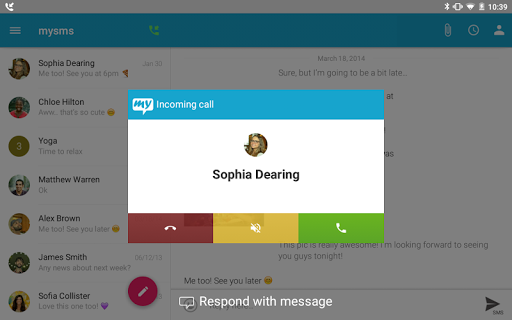
- Answer, dismiss, mute or dial a call on your tablet (note that you still need to talk on your phone)*
- Free texting / SMS to other mysms users
*** PLEASE NOTE: This app is not self-contained.To be able to use mysms tablet, you have to have mysms installed on your Android smartphone. ***
IT’S THAT EASY:
1) Install mysms on your Android smartphone and register:
http://play.google.com/store/apps/details?id=com.mysms.android.sms
2) Start the mysms Tablet Texting App and log in using your number and password.
***** ANDROIDCOMMUNITY.COM: “mysms Tablet will allow you to sync all text messages between your smartphone, tablet and computer. You can also send an unlimited amount of free messages to other mysms users”
MYSMS TABLET FEATURES:
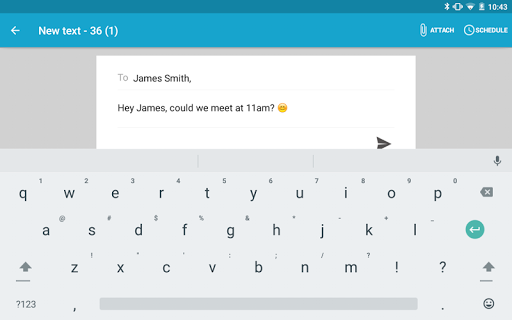
- Tablet texting: Send text messages / SMS on your tablet
- Receive text messages directly on your tablet
- Sync SMS text messages between smartphone, tablet and computer (pc & mac)
- Sync messages and calls between two smartphones (-> download mysms mirror)
- Unlimited free texts to other mysms users
- Remote SMS: Send SMS text messages online on your tablet via your mobile carrier
- Phone calls: Answer, dismiss, mute or dial a call on your tablet*
- Call logs: Display the history of your missed calls, incoming calls and outgoing calls
- Notifications on incoming messages on your tablet
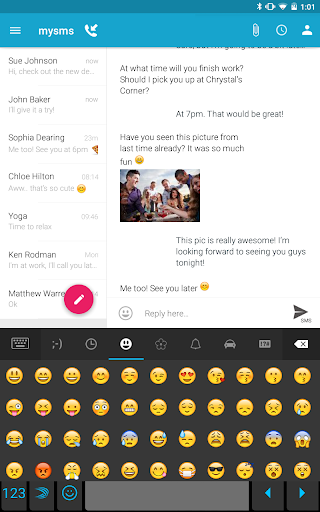
- Multimedia: Send pictures and files
- No new number: mysms uses your existing phone number
- SMS backup
- MMS Sync
- Save texts to Evernote*
This application is your text messenger or messaging app on your tablet. No more annoying typing on your smartphone! Download mysms on your tablet and phone and start texting from your tablet. mysms uses your existing mobile number, contacts and SMS text messages from your mobile phone.
mysms is not only a great SMS texting app, you can even make voice calls on your tablet (Bluetooth headset required). Dial on your tablet, talk on your phone.*
Connect mysms with Evernote, Dropbox, Google Drive or Email. Forward your messages to Evernote, Dropbox and Google Drive or save your SMS and MMS in your email account. mysms serves as an SMS backup and archive.
* This is a Premium feature
We’d love to hear from you! Do you have a suggestion, question or comment? Just contact us at http://support.mysms.com. We’re trying to reply within 24 hours during weekdays.
You can also reach us on Facebook at http://facebook.com/mysms, Twitter @mysms and Google http://gplus.to/mysms.









9Apps 4.9













