


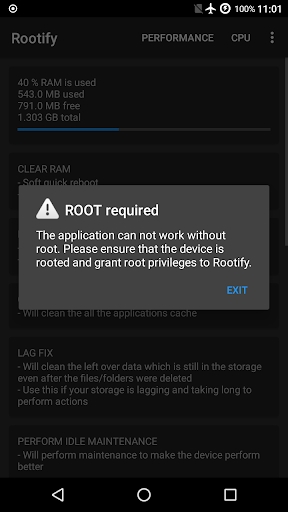
Note: root access and busybox required, this app will not root your phone
Get all the excellent root function on finger tips.
Features:
1. device performance enhancement
2. CPU management
3. power menu
4. system details
5. build.prop viewer
6. simplified terminal
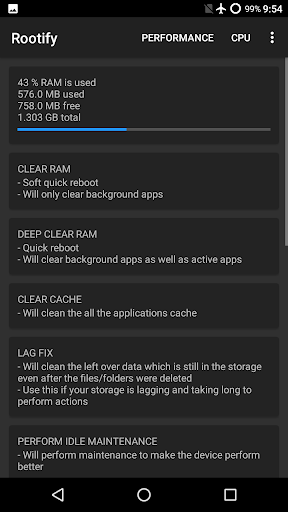
PERFORMANCE tab
1. RAM Usage - see how much ram is being used by the system and the apps
2. Clear RAM - clear RAM being used by background app which is not necessary
3. Deep Clear RAM - will kill all background and foreground running applications
4. Clear Cache - does cache data take away your storage, then use this to clear cache
5. Lag Fix - is your storage lagging and taking too much time to perform basic function, then use this feature to improve the performance of the storage
6. Delete Empty Folders - are the empty folders irritating you? Then use this feature to delete all the empty folders with multiple options
7. Maintenance - has your device become slow and having bugs like memory leaks, then use this feature to improve the performance
8. Calibrate Battery - has your battery life reduced, then use this feature to improve the battery life and delete old battery stats
9. Delete logs - android system constantly writes log files, to stop this logging, use this
10. Clean System Trash - is your ROM filled with too many logs and other things then use this feature to clear the trash and improve the performance of the device
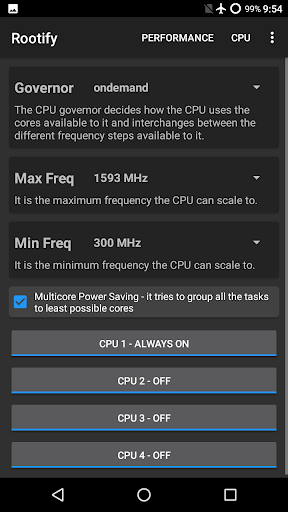
CPU tab
1. Governor - select the governor which governs the way the CPU is used
2. Max Frequency - select the maximum frequency which the CPU can use
3. Min Frequency - select the minimum frequency which the CPU can use
4. Multicore Power Saving - conserve battery by grouping all the tasks to least possible cores
5. Cores Online - select the cores which will perform all the device work and disable them to save battery
6. Cores Offline - select the cores which will sleep while other cores are working
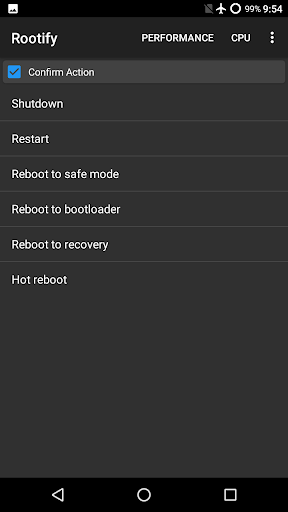
POWER MENU tab
1. Shutdown - power off the device on one click
2. Restart - power off and the start again on one click
3. Reboot to safe mode - power off and go to safe mode on start
4. Reboot to bootloader - power off and go to bootloader on start
5. Reboot to recovery - power off and go to recovery on start
6. Hot Reboot - perform a speed reboot
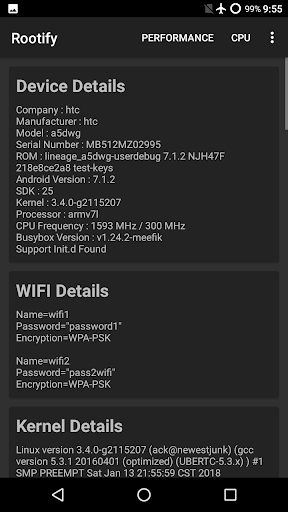
SYSTEM DETAILS tab
1. Device Details - details of your device
2. WiFi Passwords - view all the saved password of your setting
3. Kernel Details - get all the kernel related information
4. Memory Details - information about your memory
5. VM Details - get all the information about your Virtual Machine
build.prop - /system/build.prop viewer
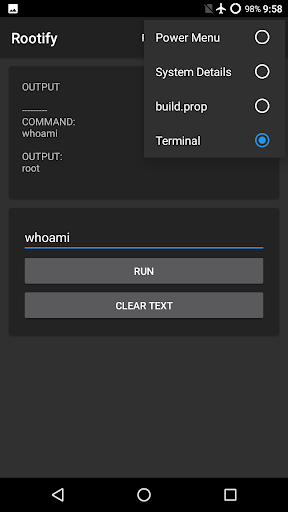
Terminal - simplified version
1. run your commands with root privileges
2. run your scripts easily
3. get the output in a simple format
Developer is not responsible for any problem created by this application. You use the application at your own risk.
v 2.1.9
Fix app crash
v 2.1.6
Fix System Details tab - CPU and Serial Number values
Optimize display of CPU stats
Improve performance
Reduce CPU usage
v 2.1.5
Fix WiFi details issue
Fix application crashes
Make CPU related operations more stable
Show storage lag fix stats whenever possible
Changes for better bug reporting
v 2.1.3
App startup optimizations
Empty folder 2nd option bug fix
CPU core toggling crash fix










9Apps 4.9














