
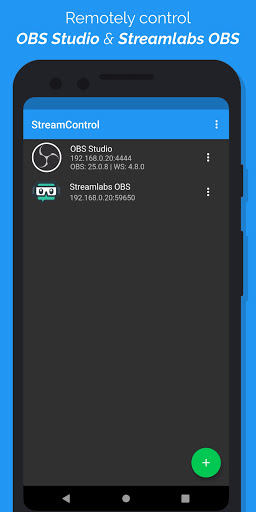
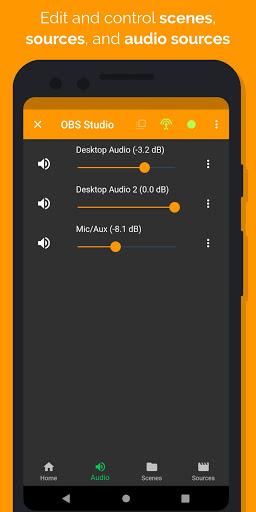
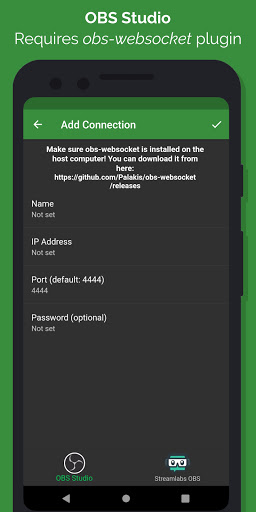
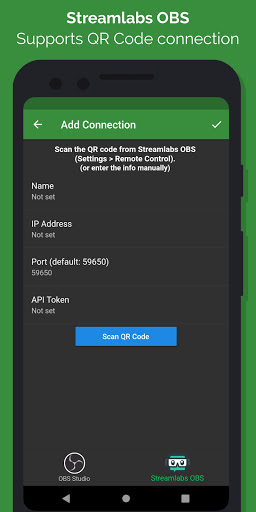
This app allows you to remotely control OBS Studio and Streamlabs OBS from your phone or tablet.
OBS Studio: This app requires OBS Studio version 25.0 or above and the obs-websocket plugin version 4.8.0 or above to be installed on the computer you want to control. (Both are free, open source, and support Windows, Mac, and Linux!)
• Download OBS Studio: https://obsproject.com
• Download obs-websocket: https://github.com/Palakis/obs-websocket/releases
• Need to find your IP address? Follow this guide on your computer: https://www.whatismybrowser.com/detect/what-is-my-local-ip-address
Streamlabs OBS: This app requires camera permission to scan the QR code in Streamlabs OBS.
Features:
• Support for OBS Studio and Streamlabs OBS
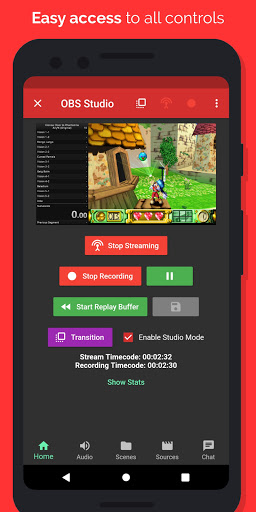
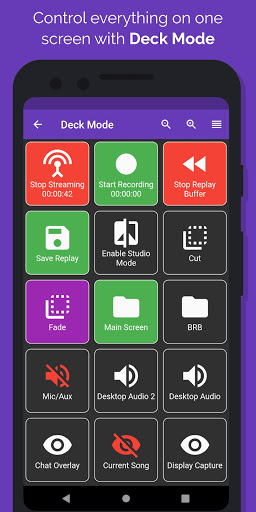
• Start/stop streaming and recording
• Control replay buffer and save replays to computer's disk
• Change volume and toggle mute of audio sources
• Switch between scenes
• Adjust transition and transition duration between scenes
• Switch scene collections
• Remove sources and change visibility of sources in a scene
• View screenshot of scenes and sources (OBS only)
• Switch settings profiles
• View various stats about your stream (ex. FPS, dropped frames, etc)
• Send custom message to all connected clients (OBS only)
• Edit text of a text source (OBS only)
• Edit URL of a browser source (OBS only)
• Studio Mode support
• Realtime updates
This app is purely a remote control app for OBS Studio and Streamlabs OBS. It will NOT allow you to stream/record from your phone or tablet.
DISCLAIMER: This app is an unofficial remote for OBS Studio. The obs-websocket plugin is used to communicate with OBS Studio on the host computer. Open Broadcaster Software and its logo, as well as obs-websocket, are licensed under GPLv2 (see https://github.com/obsproject/obs-studio/blob/master/COPYING and https://github.com/Palakis/obs-websocket/blob/4.x-current/LICENSE for more info). I do not own any rights to the Streamlabs OBS logo.
- OBS: Fixed video preview after updating to OBS 26.1.0 (note: may be slower until there's a proper fix)
- Fixed banner ad blocking certain UI elements
- Fixed ads sometimes still showing when user purchased addon
- Minor UI changes









9Apps 4.9













