Reicast - Dreamcast emulator icon

Reicast - Dreamcast emulator

r20.04 for Android
2.9 | 1,000,000+ Installs | Reviews

Reicast Team

Description of Reicast - Dreamcast emulator

Play your Dreamcast games on the go & in HD.
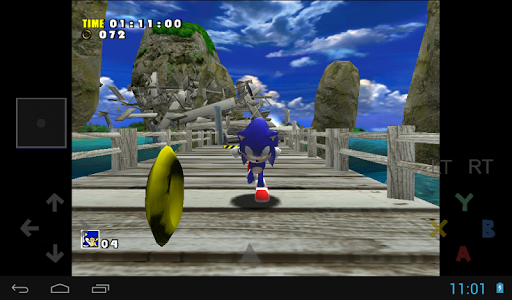
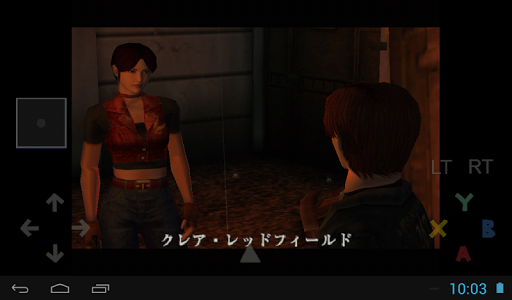
Reicast the only Dreamcast emulator for Android. It is not perfect yet, but can already run many games.
No games or bios are included with this download, as this would be illegal. You have to dump the bios and games from your own dreamcast.
**Permissions**
- "Photos/Media/Files" -> to read game images and bios
- "Camera/Microphone" -> for dreamcast microphone emulation
- "Device & app history" -> to read emulator crash logs. You can submit the logs via the included menu to help us solve issues.
**Setup**
- Create a folder named "reicast", and then a folder named "data" inside it. Put the bios (dc_boot.bin & dc_flash.bin) inside the data folder. Windows sometimes hides the file extention, so the filename might look like "dc_boot" on the windows explorer.
- Create a folder anywhere you want, and put the Dreamcast games in there. Reicast currently supports .gdi, .chd (v4), and .cdi disc formats, but .cdi is discouraged due to problematic compatibility.
- Open reicast and selet the "reicast" folder you created as system path.
- In order to save your game-play progress you will first need to format the memory cards. In order to do this you need to start the program, select the "boot bios" option, go to the "file" option, select the memory cards and then select the "delete all" option.
- Finally use the game navigator to locate your games. You can also setup a game path if you want to default to a specific folder.
- For further support & general questions, ask in http://forums.reicast.com/index.php?board=1.0
**Recommended specs**
- Cpu: Cortex-A9, Dualcore, 1.2ghz
- Gpu: Adreno, Tegra K1 or Mali400 gpus
- At least 512mb ram

What's New with Reicast - Dreamcast emulator r20.04

It's better, they say

Information

  • Category:
    Entertainment
  • Latest Version:
    r20.04
  • Updated:
    2020-04-19
  • File size:
    3.7MB
  • Requirements:
    Android 4.1 or later
  • Developer:
    Reicast Team
  • ID:
    com.reicast.emulator
  • Available on:
Reviews
  • avatar
    It plays roms, & supports physical controller (i use a ps4 controller), it may not be perfect but I appreciate developers of emulators! If could make better & more user friendly it would be worth a purchase, it is now for that matter! Keep up the great work! Also I wanted to add i hate all these stupid games/apps that run off "in-app purchases"! Put out console type games & if u want to add in as a mode whatever but don't force it. Thats y this emulator rocks! Just play old school dreamcast game
    2020-10-20 10:59
  • avatar
    Great app overall but I'm having an issue on the j7, It keeps crashing when I load the Rom list I downloaded the r8.1 version apk because that version is way better the only loadable option I have is the BIOS.
    2020-10-12 06:43
  • avatar
    I like it but there's an issue with the memory card, I unlocked a couple of characters in soul calibur but when I went to play the game again it shows that I had no profile even though I made one.
    2020-10-05 08:49
  • avatar
    I cant even use the app without a keyboard and button mapper as it doesnt register touch at all! And even then it crashes when trying to save settings
    2020-10-03 05:19
  • avatar
    It's very much worth learning to use. It makes Dreamcast games possible on older and or lower end Android devices. If the mainline version doesn't work for you try the ci builds. This is an app worth the small investment of time to learn.
    2020-09-19 10:40
  • avatar
    I can't see the buttons when I'm playing Sonic adventure and when I reopen the app again the app resets itself! Please fix these errors!
    2020-09-12 03:36