




Ramadan Sticker for WhatsApp|Sticker for WhatsApp
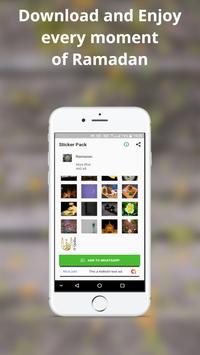
Ramadan Sticker for WhatsApp Contains Ramadan Stickers
How to Use Ramadam Sticker?
* Open application
* Press on Add to Whatsapp Button.
* After When Stickers Added To WhatsApp Successfully then go to WhatsApp Press on Emoji Icon At Bottom
*There You Will See 3 Options at Bottom, There Press On the Third Option Which is Of Stickers There You Will see All the Stickers you included from our application.
Tags:-
Stickers For Whatsapp, Whatsapp Stickers, Stickers, Ramadan Sticker For Whatsapp, Ramadan Sticker,
Download The Ramadan Sticker for WhatsApp and Share Your Friend
Ramadan Sticker for WhatsApp|Sticker for WhatsApp





9Apps 4.9















