ROG Gaming Center icon

ROG Gaming Center

1.0.13 for Android
4.2 | 100,000+ Installs | Reviews

ASUSTeK COMPUTER INC.

Description of ROG Gaming Center

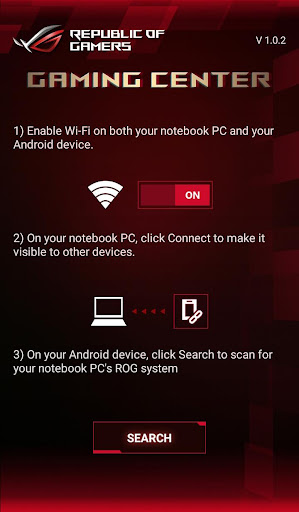
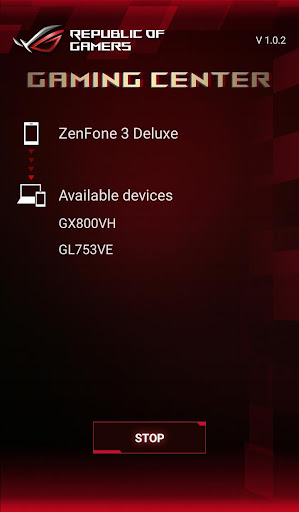
ROG Gaming Center for Android
- Connect via Wi-Fi Direct
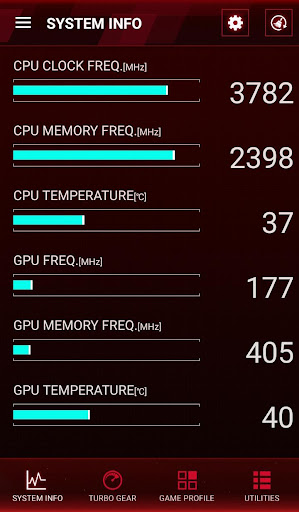
- Real-time display of system information such as CPU/ GPU frequency, voltage, temperature, and others.
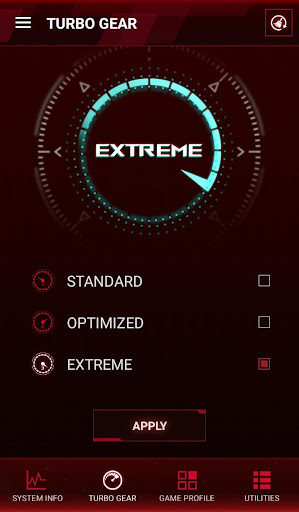
- Turbo Gear: Lets you change to different overclocking modes to meet your performance requirement instantly.
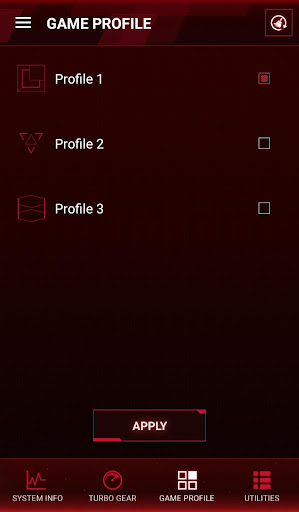
- Game Profile: Apply all related ROG app settings by one click before game launching.
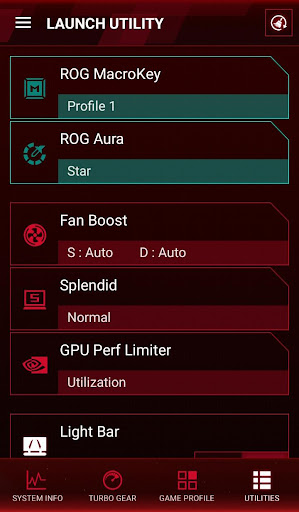
- Utilities: Quickly access and adjust all system settings such as fan speed, LED, and others.
Unable to connect with your ROG laptop? Please refer to the troubleshooting guide (PDF file).
Download PDF file
NOTE:
1. Use this app with ROG Gaming Center v2.0.0 or later version on your PC.
2. Supports Intel 6th Generation (Skylake) / 7th Generation (Kaby Lake) CPU and NVIDIA GeForce 9 (Maxwell) / GeForce 10 (Pascal) GPU

What's New with ROG Gaming Center 1.0.13

Supports connecting with PC's ROG Gaming center v2.5.x via Wi-Fi Direct or Bluetooth.

Information

  • Category:
    Tools
  • Latest Version:
    1.0.13
  • Updated:
    2018-09-18
  • File size:
    11.9MB
  • Requirements:
    Android 4.4 or later
  • Developer:
    ASUSTeK COMPUTER INC.
  • ID:
    com.asus.roggamingcenter
  • Available on:
Reviews
  • avatar
    Uninstalled never connected ever. No settings can be changed on the laptop.
    2020-09-09 12:05
  • avatar
    Attention! I need help! I bought a rog laptop. It came with this ROG GAMING CENTER application. I used it and happy with it. I resetted my computer (restore to factory default setting) 2 weeks ago. I cannot find this application anymore on desktop. I came here to download it but FAIL. the tool tip says this application is compatible with your device. the green button on this website appeared as [installed] when I first open it. I searched (C:) and (D:) but cannot find INSTALLER or INSTALLED files for this rog application. what is wrong?
    2020-08-03 11:56
  • avatar
    Garbage app from garbage company. My laptop fan speeds are at 100% all the time and I wanted to check which fan it was with this app but this doesn't even work.
    2020-07-13 11:48
  • avatar
    It never works. It fails on "Connecting to ROG Gaming Center Service" every single time no matter what I do.
    2020-07-02 12:03
  • avatar
    Please improve this app, it is not working. We need it a lot.
    2020-05-21 06:13
  • avatar
    Doesn't connect. App on laptop has QR code but app doesn't have camera to scan it. Bluetooth doesn't detect rog app on laptop. Useless app.
    2020-05-06 05:32