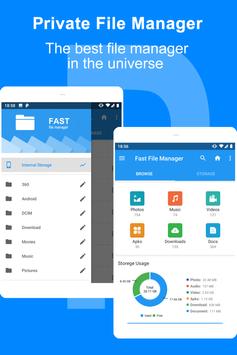
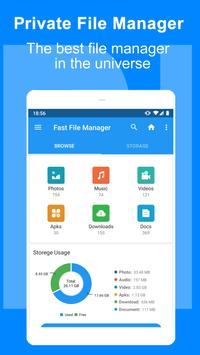
Private File Manager is a
powerful Android file manager
. Clear classification allows you to
quickly find files, videos, music, documents, installation packages, compressed files, etc.,
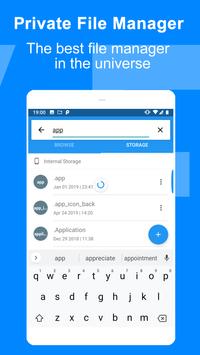
while supporting global search for mobile phone memory and SD card. Delete, create, copy, cut, rename, share and other file operations functions. In addition, we also provide convenient garbage cleanup function, which
makes it easy to clean up redundant files, folders and application cache on your phone.
Function description:
💗 File classification, speed scanning -- quickly scan files on Android devices, sorting by image, music, video, document, installation package, compression package, etc., at a glance, easy to find.
💗 New file identification, easy to find new files -- add "NEW" logo to new photos and other files, easy to find new photos such as photo photos, videos, recordings, Bluetooth transmission, download files.
💗 Clean up the files and let the junk files have nowhere to hide -- scan the application cache, residual installation packages and other junk files, and have the convenience of finding large files.
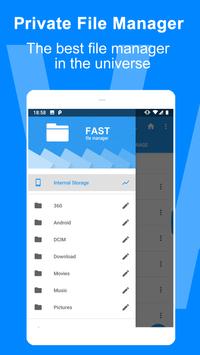
💗 Folder Name ID -- Identifies the name of the application that created the folder. The folder usage is clear at a glance, and the useless folder can be safely deleted.
💗 Preview the number of files -- you can know the number of files inside without opening the folder, saving a lot of trouble.
💗 Built-in ZIP support -- enables you to browse, compress, decompress, etc. ZIP archives
💗 Built-in image and text viewers -- direct view of images and text files
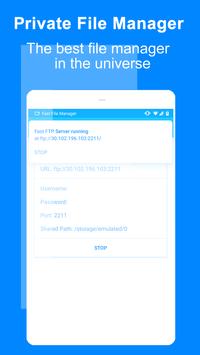
💗 Support file transfer, friend sharing -- You can share the files in your Android device to your friends via Bluetooth, social applications, WiFi, etc., or you can access your Android device through remote management.
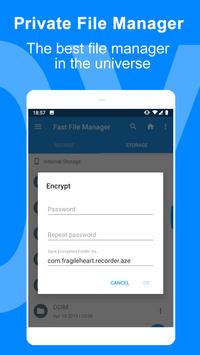
💗 Privacy files, hidden files -- you can hide the files in your Android device through our application encryption, only our application can open the file directory, protect your important files from being stolen by others.
💗 More advanced features -- the phone menu button also hides a lot of advanced features, a better experience to help you manage files
Common problem:
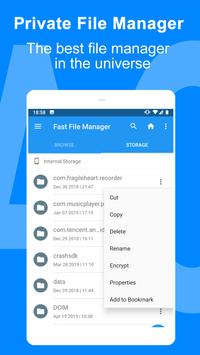
👌 1. When you can't find how to select a file, you can press and hold the file to activate the edit mode.
👌 2. When you can't find the function you want, try the Menu button on your phone or swipe to the left to see more advanced features hidden.
👌 3. When you find that there are a lot of duplicate file records in the classification file, do not delete the duplicate records. Please uninstall the 360 file management master and reinstall.
Please download the genuine version from Google Play or the official website to ensure no ads, no interruptions.
If you encounter any problems during use, please send us an email feedback.
Fast, free, and easy to use this file manager app

9Apps 4.9