
NOT FOR SAMSUNG GEAR S2/S3 – NO TIZEN COMPATIBILITY
Not compatible on Sony Smartwatch 3
✭✭✭ NEW UPDATE! ✭✭✭
Please follow these steps in that order to fix the synchronization problems.
1 ) From phone
- Uninstall and reinstall Primary on your phone
- Open the app and login to your Google Fit account (grant all permission)
2) From Smartwatch
- Update Primary on your Smartwatch
- Login to fit account (If already logged in, log out and log in again)
✭✭✭ Primary watch face. A clean, graphic and interactive app. ✭✭✭
✭✭✭ A significant modification of the User Interface (UI) and design has been made. Let us detail below the reason of this change.
The previous version used to display the number of missed calls and SMS. A new Google Policy now prohibits the access to these information. For this reason, we have modified the UI to comply with the new restrictions while keeping a top quality design.
Let us stress that though the system used to allow developers to access the number of missed messages and calls, it never let anyone gain access to the /content/ of these personal data. ✭✭✭
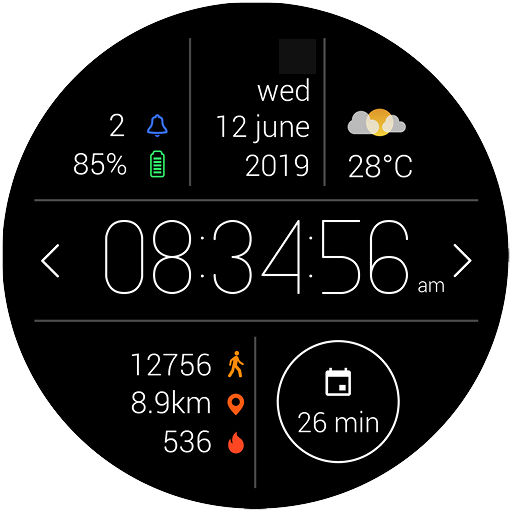
Our first fully digital watch face, thought to look at all the informations you need at a glance.
This watch face focuses on readability and essential features.
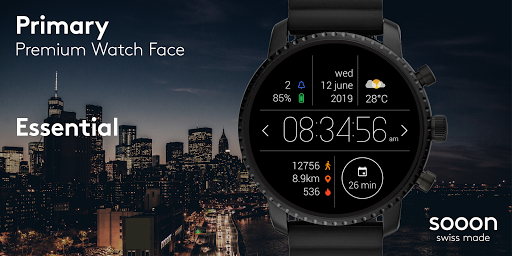
Primary watch face, your best daily partner !
Make your smartwatch look awseome with this minimal swiss design.
Swiss made watch faces created by experienced watch designers.
Check http://www.white-group.com/
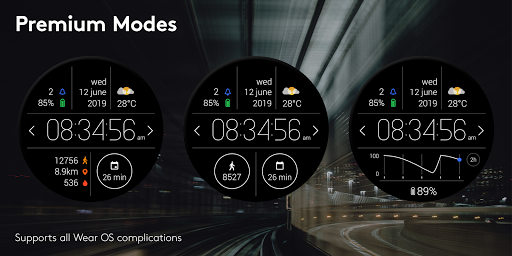
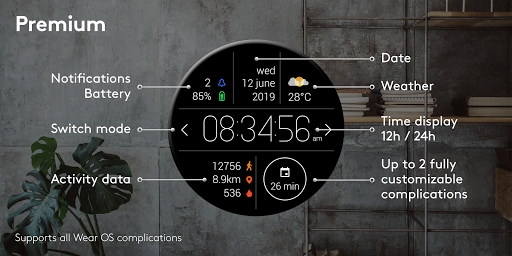
Premium features and settings
• Missed notifications
• WearOS complications
• Battery consumption graph
• Activity tracker
• Additional modes
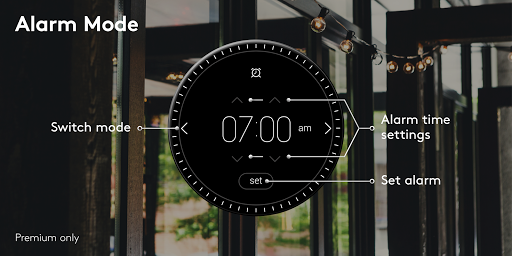
o Alarm
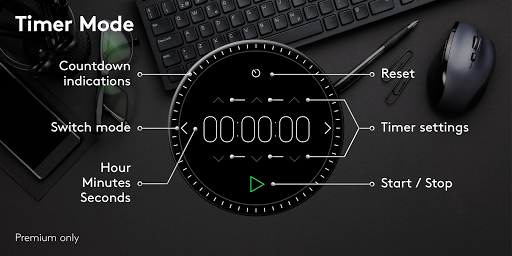
o Timer
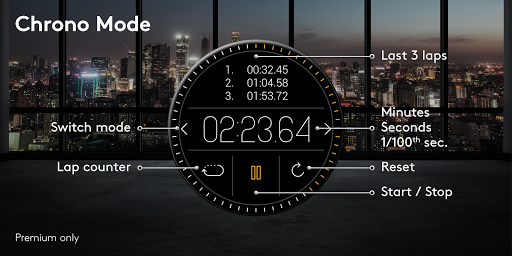
o Chronograph
Free features and settings
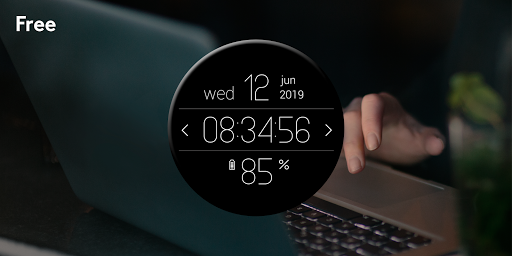
• Time (Hours Minutes Seconds)
• Battery Level
• Date
• Day of the week
• Adjustable display time – may increase battery consumption
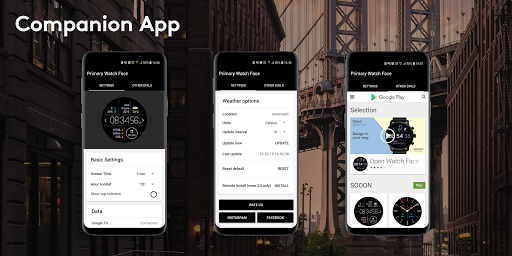
Companion app
Our dedicated companion app lets you fully operate your smartwatch from your phone. Change the aspect and the function of your device to match your very needs.
• Settings
o Display
o Weather
o Google fit
Specifications
• Optimized for low battery consumption
• Developed for Wear 2.0
• NOT FOR SAMSUNG GEAR S2/S3 – NO TIZEN COMPATIBILITY
• No ads
Installation
Primary Watch Face needs to be installed on both watch and phone in order to have access to all complications.
Wear OS 2.0 – from your smartwatch
1. Open the playstore app via your wear device
2. Download and install the watch face
3. Long press and swipe right to « add more watch faces »
4. Select your new watch face
5. Be super connected
Tip 1 - How to unlock premium version
Enter the settings menu. Navigate down the very end of the list. You’ll find the option “buy premium”.
Wear 1.x & 2.0 – from your phone
1. Open the playstore app via your phone
2. Make sure phone is connected to your wear device
3. Download and install the watch face on your phone
4. Within seconds/minutes the watch face will appear on your wear device
5. Welcome to the future
Tip 2 - Companion app
Once downloaded on the phone, open the app and grant the required permissions. Make sure you have Google Fit installed on both phone and watch.
Should you experience any problem please contact us instead of smashing us.
We will get in touch with you asap.
Improve battery life and stability








9Apps 4.9














