Polaroid icon

Polaroid

1.12.2.100083968 for Android
4.5 | 500,000+ Installs | Reviews

Polaroid International

⚠️ You need 9Apps App to install .XAPK File. How to install XAPK?

Description of Polaroid

Get more out of your analog instant photography with the free Polaroid app.
Connect to create.
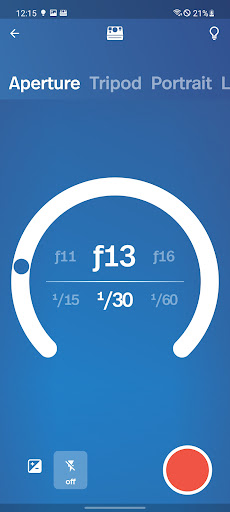
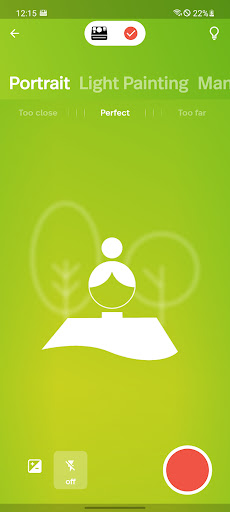
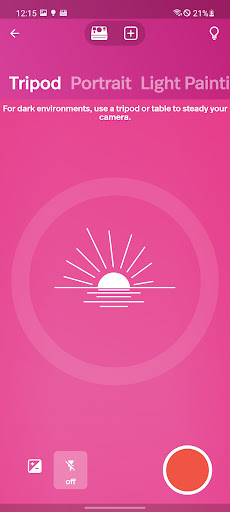
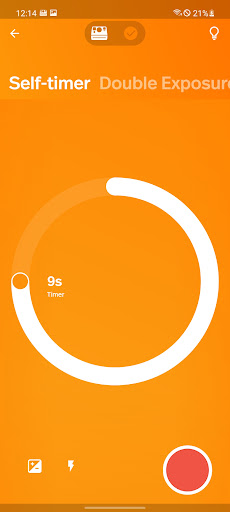
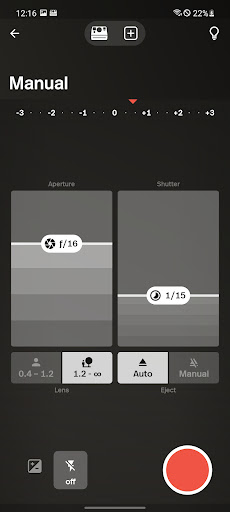
Unlock extra creative tools for your Polaroid Now or OneStep camera, such as:
• Portrait Mode
• Double Exposure
• Self Timer
• Aperture Priority
• Tripod Mode
• Light Painting
• Manual Mode
• Noise Trigger
Take Pictures. Make Pictures.
Create real Polaroid photos using the Polaroid Lab:
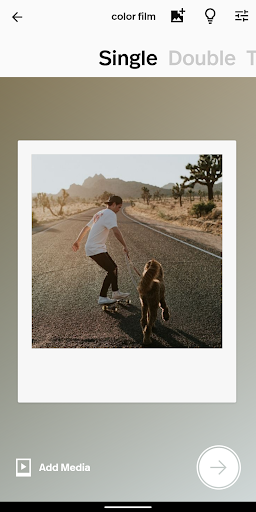
• Turn a digital photo on your phone into a single Polaroid picture.
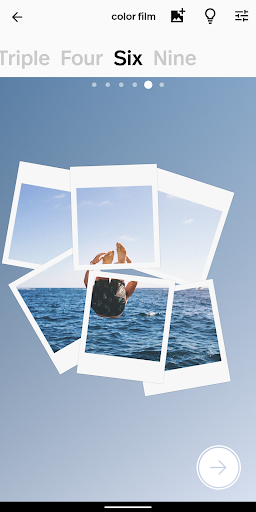
• Create a collage of two, three, four, six, or nine frames.
• Embed a video or second image into your Polaroid picture using our AR feature.
• View your AR photos to watch your memories (or your friend’s) come to life.
Scan & Share
Use our in-built scanner to store high quality digital copies of your Polaroid pictures. Works for i-Type, 600, SX-70, and Spectra film.

What's New with Polaroid 1.12.2.100083968

This version adds support for the Polaroid I-2.
Designed for craft, it's our first analog instant camera with built-in manual controls, and comes with the sharpest-ever Polaroid lens. Made for the Imperfectionists.

Information

  • Category:
    Photography
  • Latest Version:
    1.12.2.100083968
  • Updated:
    2023-11-13
  • File size:
    91.6MB
  • Requirements:
    Android 7.0 or later
  • Developer:
    Polaroid International
  • ID:
    com.polaroidoriginals.po1
  • Available on:
Reviews
  • avatar
    worse than just taking it with your own camera,, it doesnt take the glare out or do anything special, and it lags a lot
    2020-09-01 01:38
  • avatar
    Good until now. I bought the Polaroid one-step plus camera back in March. I had no trouble connecting the camera to my phone. All of a sudden the camera won't connect. I uninstalled the app and reinstalled it that did not help. I use a Samsung phone into phone did ever recent update so I have no idea if that has anything to do with it. My phone is a Samsung Galaxy A10 e
    2020-08-28 11:58
  • avatar
    Having the same issue as everyone else with my Galaxy 10e. Hopefully this is fixed as I am really wanting to like this camera.
    2020-08-25 04:11
  • avatar
    Can't you fix the Bluetooth issue? Ridiculous
    2020-08-22 05:43
  • avatar
    I can only connect this to older phone models. trying to connect it to my galaxy note 10 or galaxy s10 was completely fruitless despite all the fixes described on the polaroid website. the app connects fine to my galaxy note 9 and the app functions are as described but the inability to connect to newer devices is frankly a pain in the ass.
    2020-08-22 11:34
  • avatar
    The camera itself works fine making very good poleroids but i unpaired my phone (huawei 10 matte pro) to repair with it because i was having some connection issues and now im unable to repair with it even after reinstalling the app and reading online. I have the poleroid one step + and whenever i try to go to my "user account" it says "this device is not supported for the use of AR pictures." Help would be much appreciated. Edit: after emailing the support team they fixed my problem. Thank you!
    2020-08-19 05:34