
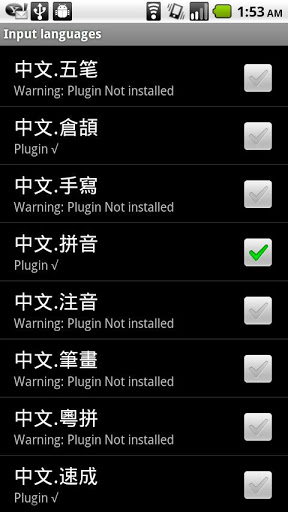
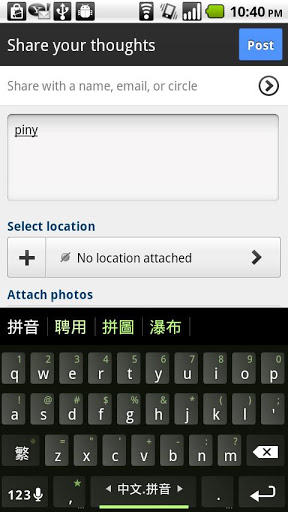
Pinyin IME plugin icon

Pinyin IME plugin

1.1.2 for Android
3.7 | 100,000+ Installs | Reviews

Honso

Description of Pinyin IME plugin

Attention: This plugin is now replaced by HanWriting plugin.
https://play.google.com/store/apps/details?id=klye.hanwriting
For MultiLing Keyboard
★Use shift key to toggle between simplified/traditional
★use compound word to get character huil→汇率→汇.
★Install HanWriting if you want more words.
Please send feedback via email

What's New with Pinyin IME plugin 1.1.2

icon removed

Information

  • Category:
    Productivity
  • Latest Version:
    1.1.2
  • Updated:
    2012-10-31
  • File size:
    568.1KB
  • Requirements:
    Android 4 or later
  • Developer:
    Honso
  • ID:
    klye.plugin.zh_py
  • Available on:
Reviews
  • avatar
    I can't find easily the characters in the sugestion place like 这 just doesn't appear or traditionals characters are mixed with the simplified, like 來 and 帶 (I typed using this plugin)
    2014-11-24 02:44
  • avatar
    This plugin can be used for ㄅㄆㄇㄈ which is good since I do not need to download an extra plugin. However, when I want to input just one character, many 詞彙 start popping up instead. For example, when I type ㄕㄨ, it comes out like this: 書、食物、數、事物、十五、事務、事無、失誤 and many more 詞彙. If I wanted to input the 詞彙, I would use tone marks. Please fix this so that when I type, single characters will come out instead.
    2014-07-28 12:09