


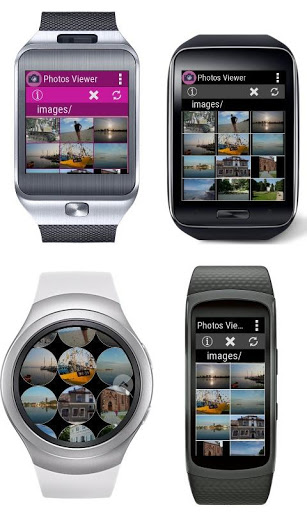

This is companion app for Photos Viewer installed on Samsung Gear smartwatches.
Photos Viewer Companion plugin for Android allows to send image files from a phone to a smartwatch.
Photos Viewer provides all common functions for photo viewers like slideshow, fullscreen, zoom, changing photo orientation etc.
How to transfer pictures from a phone to my watch?
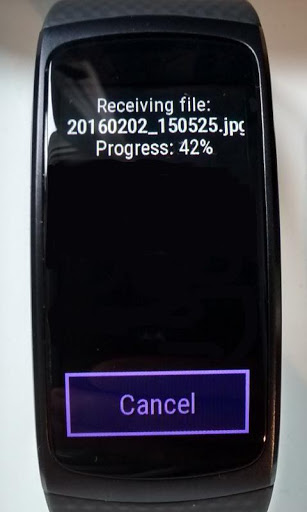
Enable Bluetooth connection for your phone and watch. Open Photos Viewer on your watch. On the phone side select picture files like JPG, PNG etc, choose an option 'Share via', from the list of application choose Photos Viewer Companion. On the watch side you will see the transfer progress dialogue.
To check whether your phone is connected to your watch please open Photos Viewer on your watch, click an app logo icon or title area at top screen and find line 'Connected to phone'. Should be 'Yes'. If 'No' enable Bluetooth connection for the phone and the watch.
Added missing ForegroundService permission. Thrown an exception on Android 9 .









9Apps 4.9














