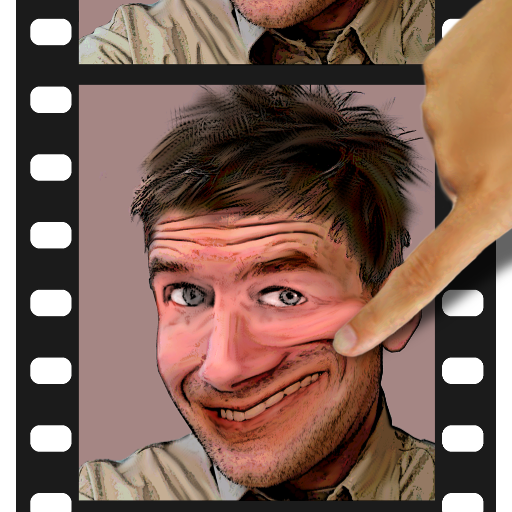
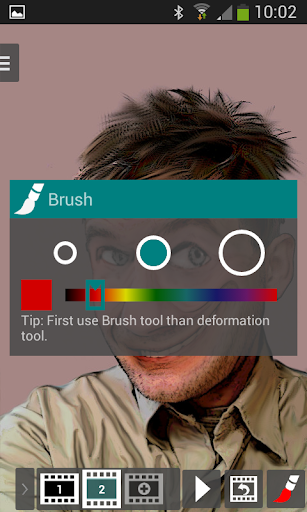
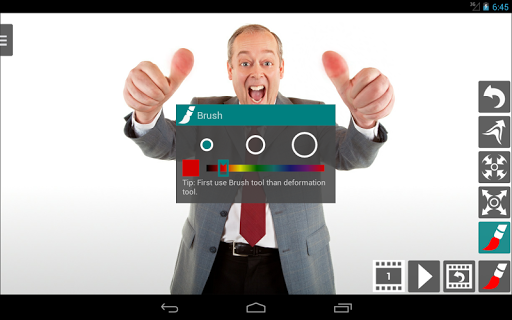
Distort photos to create animation. Creating animations has never been so easy.
You can distort photo in such a way that the character on it will start dancing!
Turn your photo into an animated GIF simply by distorting face on your image so
that it starts winking or smiling at you!
Save your animation to an animated GIF and share it with your friends. Let your creative juices flow, warp pictures, create animation and make GIFs that are funny, expressive and interesting.
With provided warp tools, by making photo distortion you can also create caricature
or make so called plastic surgery.
With Photo Bender you can create GIF Animation with transparent background. These feature, for example, allows to create animated stickers for WhatsApp. Just load transparent image in GIF or PNG format, warp the picture and save it as an Animated GIF. To make transparent photo just use any background remover app available on Google Play.
Therms of Use: http://www.bycro.com/photobender/eula
Privacy Policy: http://www.bycro.com/privacypolicy
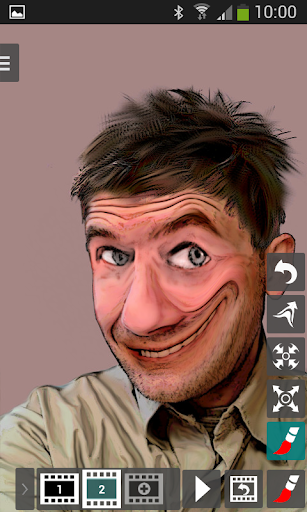
KEY FEATURES:
-photo distortion and color change,
-creating animation and watching changes after each move of finger,
-adding frames,
-setting duration of a frame,
-high resolution images,
-transparent photo and Animated GIF,
-exporting result to Animated GIF, JPEG, PNG, MP4.
Version 1.4.5
-GIF image crop,
-design optimizations,
-integrated support,
-languages: Russian, Spanish,
-bugfixs.
Version 1.4.1
-build-in image crop,
-improved design,
-faster image load,
-transparent image support,
-improved output image quality,
-customizable MP4 format,
-bugfix: taking photo on Nougat.



9Apps 4.9