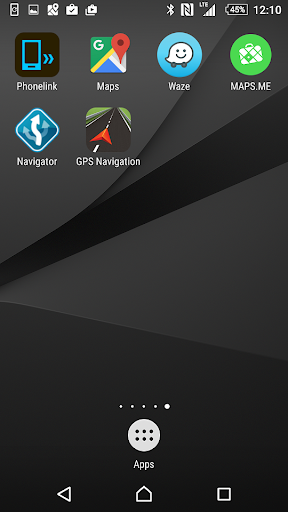
PhoneLink icon

PhoneLink

1.7.8 for Android
3.0 | 500,000+ Installs | Reviews

DENSO TEN Limited

Description of PhoneLink

This application is for HDMI connection. You may project your Android smartphone’s screen onto the car multi-media system by HDMI connection and use this application for bi-directional control via touch screen of car multi-media.
1. Please check your smartphone which is supported the MHL output on the following URL.
http://www.mhltech.org/devices.aspx
2. You have to prepare the MHL-HDMI adaptor for the smartphone.
3. Please connect the Bluetooth(HID, SPP) with the car multi-media.
4. Please connect the HDMI cable with the car multi media.
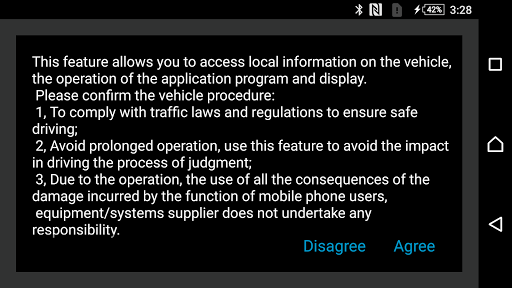
5. Please confirm the caution message on the smartphone screen, and please select the Yes/No button.

Information

  • Category:
    Maps & Navigation
  • Latest Version:
    1.7.8
  • Updated:
    2017-01-07
  • File size:
    48.6KB
  • Requirements:
    Android 4.0 or later
  • Developer:
    DENSO TEN Limited
  • ID:
    com.ftrt.phonelink
  • Available on:
Reviews
  • avatar
    Do not download this app when you click agree it kicks you out every time download it 10 minutes ago tried it about 30 times take me out every time Absolute garbage
    2020-08-27 03:22
  • avatar
    For the price you can not expect bigger. 1. You must connect your phone to the head unit with a cable(USB port). 2. If you previously connect the Bluetooth unpair it. 3. Download phonelink(you will stuck on agree or desagree) don't worry we all experience this. 4. Allow your phone to intall unknown source app to download Hp-link. 5. Restart both your phone and your radio. 6. Pair your Bluetooth and you will link your phone to the radio. GPS will work but not on full screen unfortunately.
    2020-08-20 10:54
  • avatar
    Failed, tried to link my phone, no can do, just closes after you agree!!
    2020-08-05 10:06
  • avatar
    Japanese technology at its best. True to the spirit of Japanese:- why make it simple when you can make it complicated? Hahah. No wonder these Jap chaps will always be behind those Korean or Chinese counterparts. Simply say, if user cannot figure out how to use your system within first few minutes of using then definitely there is something wrong with your design of everything. Stop living in denial and starts listening to your PAID customers. UNINSTALL IMMEDIATELY.
    2020-06-02 03:51
  • avatar
    READ WHAT THE DESC. SAYS: The app works if you use the cable like it says. You who are simply trying to connect up w/ Bluetooth it will not work because that's not how its designed to work😐. YOU NEED A CABLE, AS IT SAYS. The cables and adapters are purchasable online. You will need a (connector for your phone) to HDMI and then an HDMI regular or for some car stereos, HDMI to USB. I will try these my self and if it still will not work I will remove this review.
    2020-04-17 11:36
  • avatar
    Used to work with my lenovo vibe p1m. Now upgraded to realme x2. Not working. Error message on rsa key window
    2020-03-24 10:41