

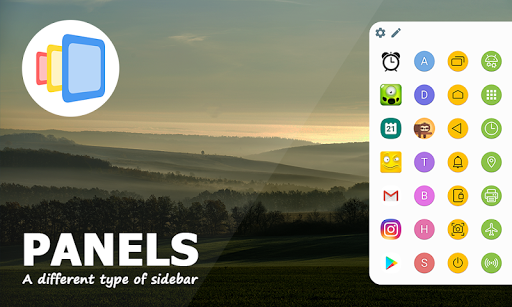
Search no more - your next favorite edge screen and the most customizable multitasking sidebar on the market is here!
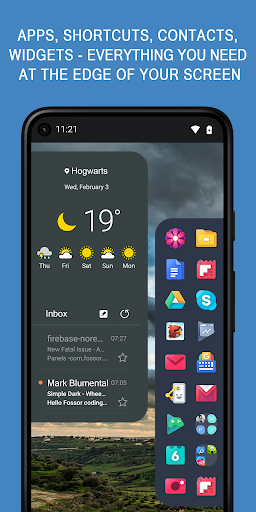
Panels is a side launcher on the edge of your screen. Our tool provides a quick access to your favorite applications, shortcuts, contacts, widgets and the app drawer. No more scrolling through launcher pages, contacts and settings, simply swipe the edge screen. Boost your multitasking and increase productivity!
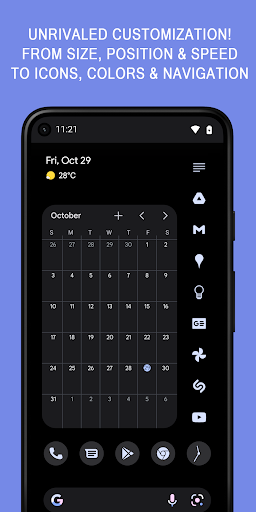
And the many ways to multitask is not all. Unlike other sidebar apps our edge screen has many features for you to customize. You can alter sidebar's row and column counts and make the edge screen as big or small as you like. You can also customize colors and position of each and every panel, change icon and text sizes, set individual gestures for any app, contact, panel or tool.
Panels Features
• Multitasking and productivity booster
• Works with any launcher
• One hand operation
• Always-on-top launcher on the edge of your screen
• Quick access to apps and shortcuts
• Edge screen gestures
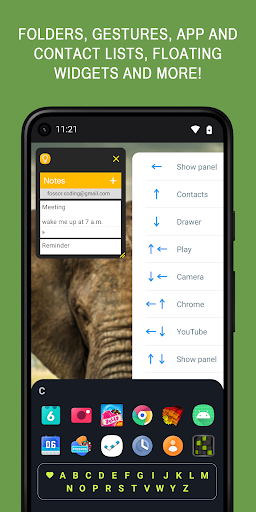
• Folders
• Website shortcuts
• Widgets on the edge of your screen
• Floating widgets
• A-Z app drawer
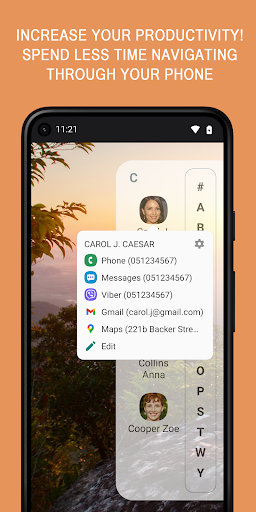
• Contacts
• Notification badges
• Accessibility shortcuts
• System settings shortcuts
• Adjustable item count
• Custom colors
• Position - Left, Right, Bottom
• Icon pack support
• Auto-start on boot
• Blacklist
• Backup locally or using Drive
• Automation apps support
• Dark theme support
Apps and shortcuts - long press and add any apps or your favorite games to fast access and launch them from any other application and without navigating through your home launcher. Boost your multitasking!
Widgets - from google calendar to calculators, add any widgets to the sidebar and launch them with a single edge swipe
Floating widgets - Launch widgets in a separate window on top of other apps, minimize the widget to icon size while browsing your device
Gestures - use gestures to trigger individual items. Or set a gesture to call any panel
Folders - group similar apps using built-in folders
A to Z App Drawer - with only a single tap, A to Z app drawer is the quickest way to launch installed apps
Contacts - add your favorite contacts to the sidebar and access phone, sms, email apps, Whatsapp and Viber
Position - place any sidebar panel on the Left, Right or at the Bottom edge of your screen
Accessibility shortcuts - this includes Home, Back, Recent, Power(Android L ), Screenshot(Android P ), Lock screen(Android P ) and more
Notification badges - long press any app icon to preview available notifications
Icon Packs - download any Icon Pack from the Play Store and apply all icons with one click or customize individual icons. You can also turn any photo from your gallery into an icon
System settings shortcuts - access often used system preferences with one click and without searching through the settings
Adjustable item count - change the position, item rows and columns counts and make Panels look and feel as you wish.
Color schemes - you can customize each and every panel individually or all at once. Ability to load and save sidebar color presets.
Other customization options - you can customize icon and panel size, hide labels, haptic feedback and more
One hand operation - place your sidebars wherever you like, adjust the size and navigate with a single hand
Automation and third party apps support - You can launch individual panels using the shortcut from any third party tool
Due to the series of unfair reviews by MIUI users caused by the ridiculous permissions required by this OEM, I am forced to give up the support for MIUI devices. Sorry!
Use this site if you have issues with the app not staying alive:
https://dontkillmyapp.com/?app=Panels
Don't forget to check the tutorial videos!
Go to Settings - FAQ to find out solutions for some common problems









9Apps 4.9














