
Otixo: Multi-Cloud File Manager icon

Otixo: Multi-Cloud File Manager

4.5.21 for Android
3.3 | 10,000+ Installs | Reviews

Otixo, Inc.

Description of Otixo: Multi-Cloud File Manager

Otixo File Manager is your single place to access and transfer documents and photos across 30 cloud services.
If you have files and photos spread across many clouds and need a better way to find or unify them, try Otixo File Manager. It’s like your Mac Finder or Windows File Explorer for all your cloud services. It’s simple to use, easy to set up and surprisingly powerful.
Otixo File Manager lets you:
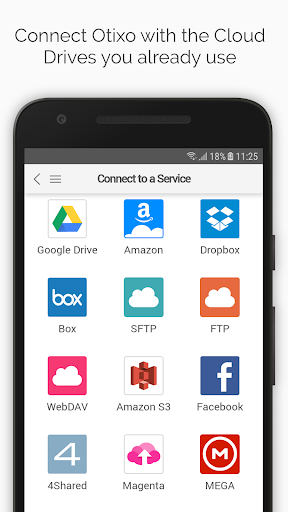
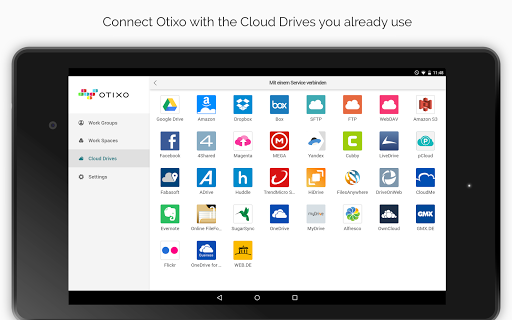
Access files from more than 30 Cloud Drives, such as Google Drive, Box, Dropbox, OneDrive, S3, FTP, etc.
Transfer files from cloud-to-cloud
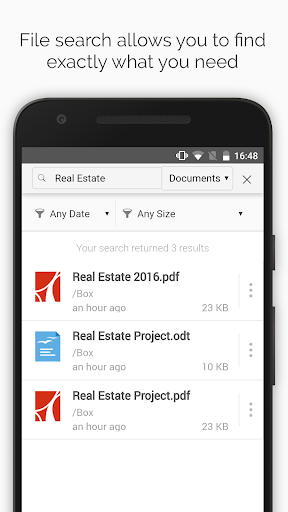
Search for files across all connected services
Upload images from your phone into any attached cloud.

Information

  • Category:
    Business
  • Latest Version:
    4.5.21
  • Updated:
    2020-01-17
  • File size:
    26.9MB
  • Requirements:
    Android 4.1 or later
  • Developer:
    Otixo, Inc.
  • ID:
    com.otixo.otixo
Reviews
  • avatar
    It is not transfering files between cloud services showing the transfer is not allowed.
    2020-09-30 12:08
  • avatar
    Doesn't tell you until after you've installed it, and tried to use it, that you need an Otixo account. Why?! I want to manage my multi-cloud files...as its name suggests it does. Why do I need an Otixo account? Uninstalled without ever seeing the actual app; couldn't get past the sign in/create account page.
    2020-06-29 09:31
  • avatar
    Good app. Big cloud size free 25 gb. And integration with all common cloud services. Works good as cloud hub of my device. Dependable performance. No glitches ever.
    2020-05-27 05:08
  • avatar
    Good app 👍👍👍
    2020-02-20 02:43
  • avatar
    It is wasting my freaking time I've tried to open a Google Drive 45 times but it doesn't show me where it's at it keeps sending me back to add a drive page
    2020-02-02 04:53
  • avatar
    Will not load from Amazon photos, cannot find documents I transferred, seems to just work with Google photos. I don't need a separate app just to manage Google photos
    2019-11-16 10:04















