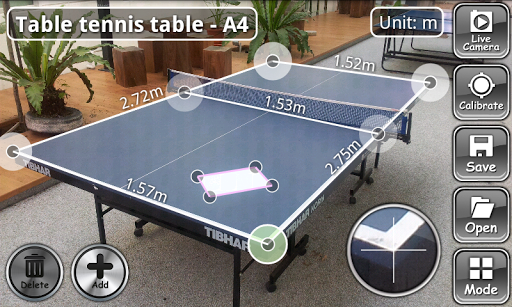
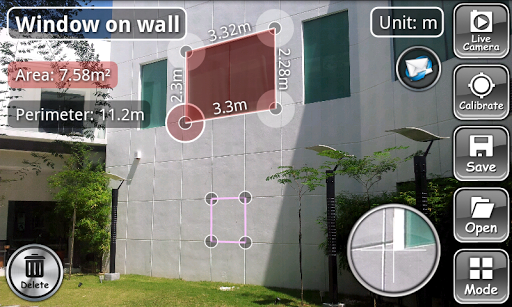
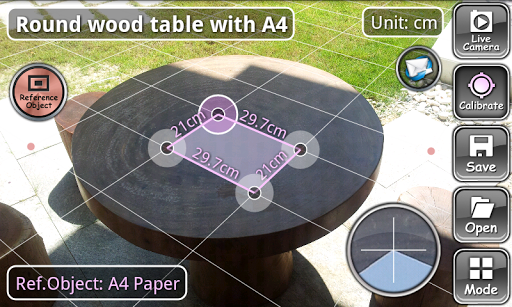
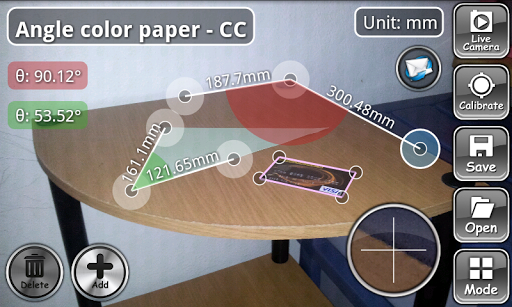
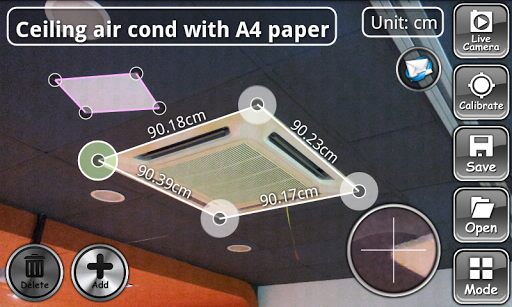
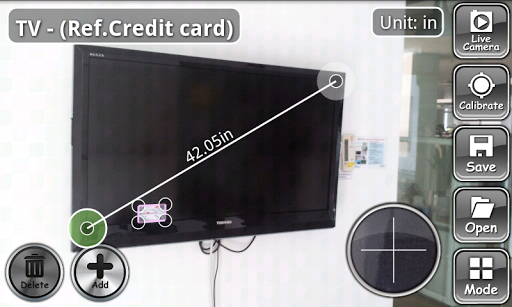
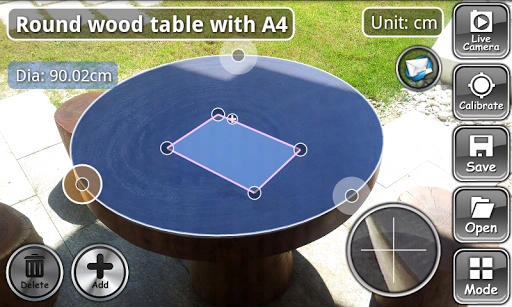
ON 3D-CameraMeasure is a powerful and advance remote measuring tool on android. It performs measurements in any direction and plane in 3D space.
There are no constrains on the camera direction or position relative to the measured object. Unlike 2D-CameraMeasure, the reference object/measured object plane not necessary to be parallel to the camera plane. This make ON 3D more powerful and flexible to measure anything at anywhere. It can be used as or even replace ruler and measuring tape in many situation where the traditional measuring method is not enough or difficult to apply.
ON 3D-CameraMeasure is extra useful especially if you want to measure
1) Large object where simple ruler and measuring tape are not enough or difficult to apply. For example, angle of roof, area of a swimming pool, diameter of a roundabout, dimension of a football field, height of a wall, dimension of a room, distance from one side to another, etc.
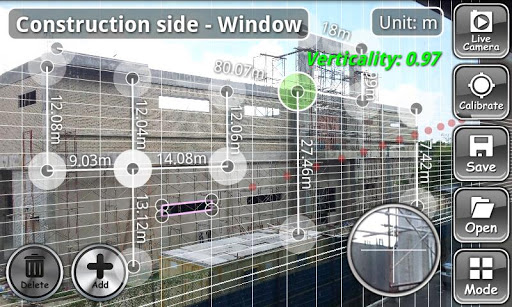
2) Objects that are difficult or impossible to access. For example, outer dimension of a building, windows on a high wall, screen size in a cinema, object mounted on ceiling, area of solar panel on a roof, etc.
It lets you measure anything in the fastest and easiest way as long as there is any rectangular object as reference.
ON 3D-CameraMeasure performs non-contact measurement by using the device's camera and any rectangular object with known size as reference. You can use the predefined common objects such as credit card, A3 paper and A4 paper which is included in the application, or use your own custom object as reference.
Using ON-3D is very intuitive and easy, as the operational step below:
Place the reference object on the same plane as measured object --> Capture picture with camera --> Calibrate --> Measure in different modes
For more details information about how to use the app, please refer User Guide in this app.
KEY FEATURES:
★ Measurements Modes: Length, Angle, Area, Diameter
★ Measure objects in any direction or plane in 3D space without the restriction to hold camera parallel to the plane
★ Length value assigned to all the ruler lines in all modes
★ Camera snapshot, auto-focus and flash light
★ Show 3D grid in calibration
★ Customizable line width, point size, text size,
★ 3 predefined reference object(Credit card, A4 paper and A3 paper)
★ Show verticality and tilt angle of device when camera is on.
★ Keep Screen Awake
★ Add/Delete measurements
★ 6 Measurement Units: m, cm, mm, in, yd, ft
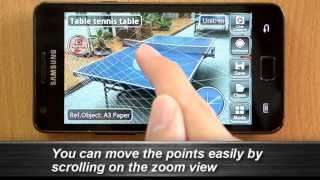
★ 10x Zoom View
It helps you align the points on object boundaries accurately.
★ Customizable Picture Resolution
It detect all your camera supported picture size and lets you select your best picture resolution among them. Calibration and measuring will become easier.
★ Save Measurement
It lets you save your current measurement in SD card.
★ Open Measurement
It lets you open the previously saved measurements for review or continue edit.
★ Import Image from Gallery
It lets you work with any photo or images in the gallery.
★ Instant Share & Send Measurement Snapshot
Share or send your current measurements with your friends via Email, Facebook, Bluetooth, Instagram, Whatsapp, Messanger, etc.
ACCURACY:
The accuracy of this apps is highly depends on how well the user move the points to aligned with object boundaries when doing calibration or measuring. Please be noted that small error in calibration might causes large inaccurate in measurements. In order to achieve high accuracy, please try to use largest possible reference object. For example, please do not use A4 paper as reference object if you have A3 paper. From so many experiment we have done so far, the average accuracy is lie between (+)(-)2.5%.
ON 3D-CameraMeasure is free with full features on android. We hope that this instrument can help you to save time and simplify your measuring works. If you have any comments, suggestions or questions, please feel free to contact us at potatotree.soft@gmail.com. Thank you!!
Updates: 7.0
- Code optimization
- User interface improved
- Add permission request dialog




9Apps 4.9