




Notifications for Fire TV icon

Notifications for Fire TV

5.2.1 for Android
4.1 | 10,000+ Installs | Reviews

Christian Fees

Description of Notifications for Fire TV

Forward notifications from your mobile device(s) immediately to your TV screen using Amazon Fire TV.
Including application logo and images contained in the notification.
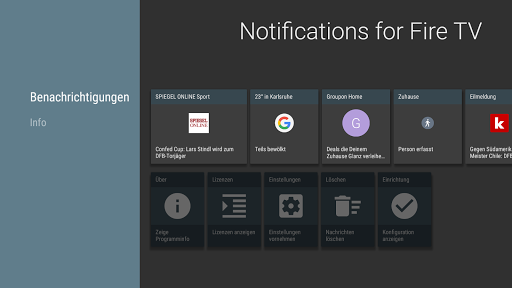
Scroll through every notified message on the Amazon Fire TV in fullscreen mode. You can change the settings individually for each application.
Best working with these apps, but unlimited to every app which displays notifications:
- Messenger apps: WhatsApp, SMS, Gmail
- News apps: Spiegel Online, SWR3
Also shows incoming and outgoing phone calls.
Important: You need to install the app 'Notifications for Fire TV' on your Amazon Fire TV or Fire TV stick:
- Go to apps and select category 'Productivity' to find it on the Fire TV, then install and start the app
or
- Open the Amazon website and search for the app 'Notifications for Fire TV', get the app, on the Fire TV choose settings, my account and synchronize. Then the app should appear within your favorite apps. Install and start the app to continue.
• Immediate forwarding of your notifications to your Amazon Fire TV or Fire TV stick
• Browse through notification details on the TV screen including application logo and notification images
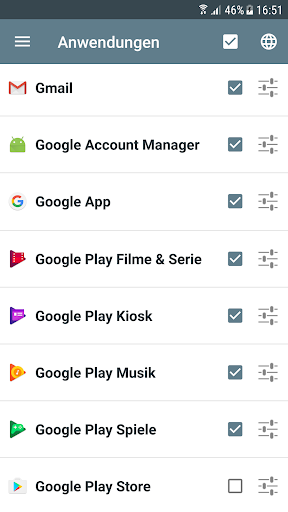
• App specific settings including privacy mode

What's New with Notifications for Fire TV 5.2.1

Some new features and improvements

Information

  • Category:
    Communication
  • Latest Version:
    5.2.1
  • Updated:
    2023-08-23
  • File size:
    3.4MB
  • Requirements:
    Android 5.0 or later
  • Developer:
    Christian Fees
  • ID:
    de.cyberdream.firenotifications.google
  • Available on:
Reviews
  • avatar
    Updated review: FAQ instructions work perfectly to fix the null caller issue. Works as expected. I am using this app with my father who has hearing problems, so he can see when someone calls or texts. As far as ads in the app, I do get that the author wants us to purchase the app, but it was hard to dismiss all the ad popups to even use the app and that may put off some people. Maybe give a short trial period. I am purchasing the app as it works for my purposes. Thank you much!
    2020-07-20 07:33
  • avatar
    Ttttt
    2020-05-01 12:47
  • avatar
    Actually I have not used it in years! As I recall it was the only one that worked! I don't have all the details yet. However you will get the rest of it in...
    2020-04-20 05:31
  • avatar
    Great App does what it's supposed to, and it very customizable,you can change the color of the Notification Box, plus the size of the font. It's really nice connected to phone for caller ID, reminds me of my old DTV days and an RCA Box that had caller ID right on my TV.
    2020-04-10 03:06
  • avatar
    I bought this on the Amazon App Store but this app is absolutely amazing and saves me from picking up my phone in the middle of a Netflix binge
    2020-03-06 12:39
  • avatar
    App is working but when a call comes through its not giving me the caller's id, it says null, this by the way is when all apps are ticked to allow notification and also in the paid version. I don't want all apps to send notifications but when I stop all apps I no longer receive text messages, which apps\app do I choose for text messages and calls only and is it possible to get the caller's id? Thanks
    2019-12-22 09:27