
My Route Directions icon

My Route Directions

3.1.3 for Android
3.6 | 10,000+ Installs | Reviews

Soufiane Sakhi

Description of My Route Directions

This app provides a multi-step itinerary management solution with an unlimited number of stops.
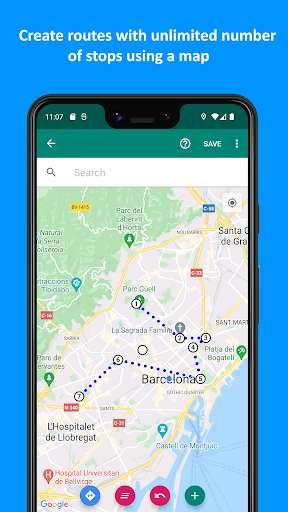
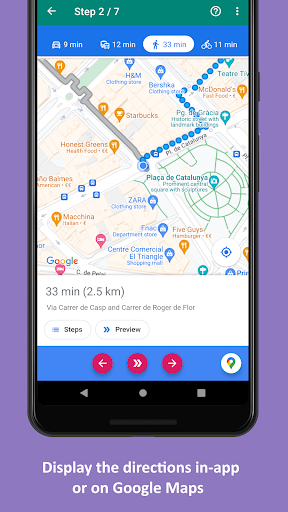
You can create routes with the help of a map, and set your travel mode for each route.
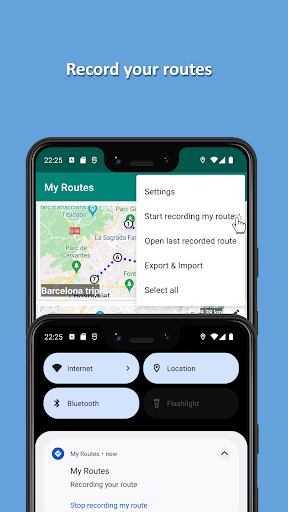
You can also record your actual routes (as breadcrumbs).
Supported travel modes include:
- Walking
- Driving
- Bicycling
- Transit (bus, subway, ...)
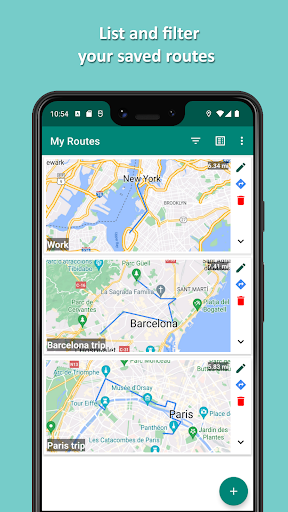
You can search your saved routes by using the filter function.
You can also export all your saved routes and import them later on another device.

What's New with My Route Directions 3.1.3

Pause and resume recording routes

Information

  • Category:
    Maps & Navigation
  • Latest Version:
    3.1.3
  • Updated:
    2023-07-21
  • File size:
    5.0MB
  • Requirements:
    Android 5.0 or later
  • Developer:
    Soufiane Sakhi
  • ID:
    eu.soufiane.android.routeplanner
  • Available on:
Reviews
  • avatar
    Does not optimize your route, whatever you could do on this app you could do on google maps much better and easier
    2020-03-15 01:22
  • avatar
    it's joke it's waste of time
    2020-02-15 10:40
  • avatar
    Simple planner for routes you save to reuse. Not the best for quick and dirty or one-off planning -- it take a little effort to set up and save each stop, but not as much ed=ffort as Google Maps. Does what it says.
    2019-11-23 04:53
  • avatar
    I need to alter the route to use the directions I set. Doesn't seem like this is even an option, which to me, basically makes this app useless. & even if I wanted to set each stop marker as a turn, I can't because this app is limited to eleven stops. Such a disappointing app. One star is generous imo. Edit: Seems like the developer doesn't like the truth. 🤷‍♂️ Well say what you want, but it won't negate the fact that this app is pointless without the option to set an individualized route.
    2019-11-17 06:30
  • avatar
    Does nothing more than mapquest. Downloaded for the 11 route point feature, nice that you can click points on map. When generating route, redirected to mapquest site and only supports 3 route points. Can do the same direct on mapquest.
    2019-11-08 12:02
  • avatar
    I LIKE IT! Been looking for easy to use, free app to plot scenic trips, especially in rural areas. Mapqxxxt, Mxxme & others either won't follow the route I pick or don't show the detail I need. This is Intuitive and easy. Drops your route right into Googlemaps. May have to add points to force GMaps to follow your route. Go to settings first & pick mode, ie car, walk, bike. Changes route if you set up in bike (default)& later change to car, which makes sense. So far I really like this app!!!
    2019-09-21 04:48