Wifi refresh and recovery with wifi signal strength.
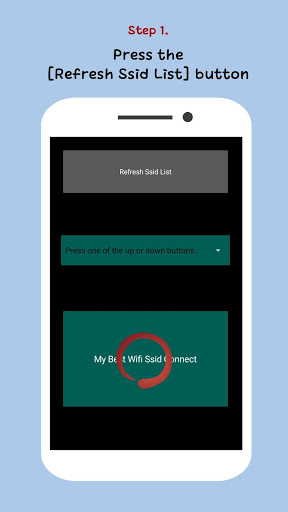
Step 1. Press the [Refresh Ssid List] Button.
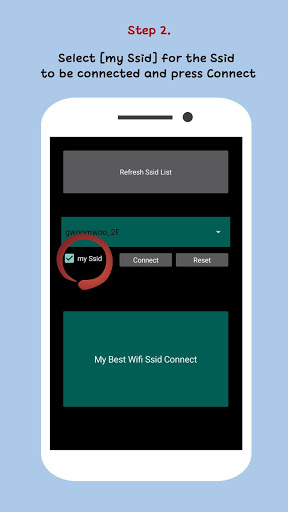
Step 2. Select [my Ssid] for the Ssid to be connected and press Connect.
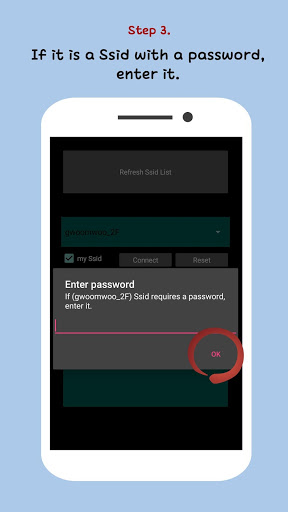
Step 3. If it is a Ssid with a password, enter it.
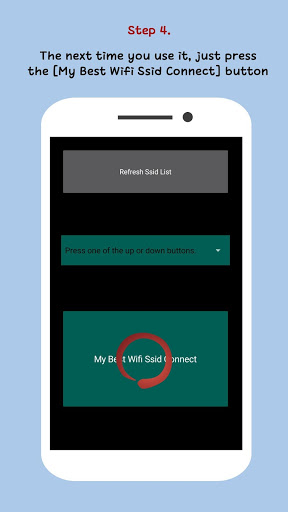
Step 4. The next time you use it, just press the [My Best Wifi Ssid Connect] button.
Pressing the [My Best Wifi Ssid Connect] button will automatically connect you to the wifi with the best reception rate at your current location.
bug fix


9Apps 4.9