Micro-measurements icon

Micro-measurements

1.0 for Android
3.9 | 50,000+ Installs | Reviews

Fometescu Octavian

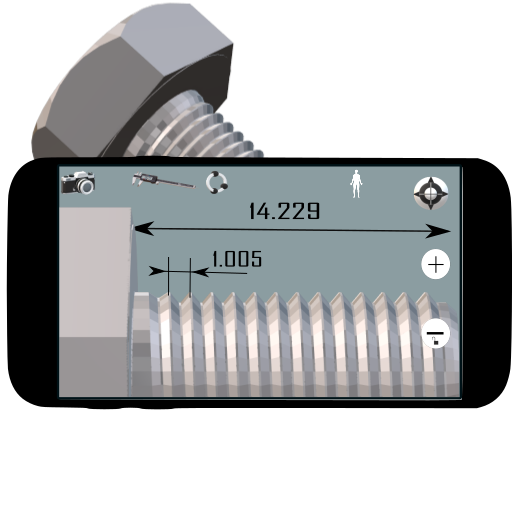
Description of Micro-measurements

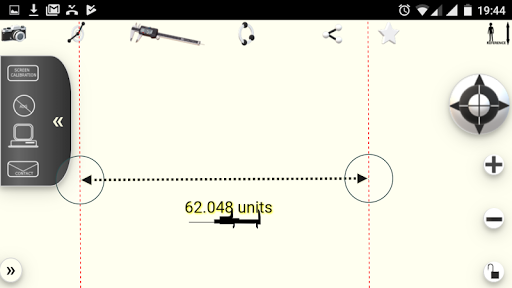
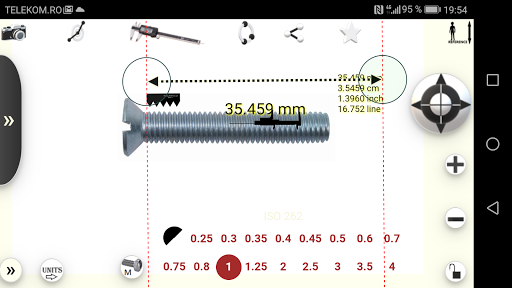
1. Inserts / captures the image
2. Press / - to zoom in / out
3. Drag the image to fit the measurement area on the phone screen
4. Press the caliper to make the measuring tool active.
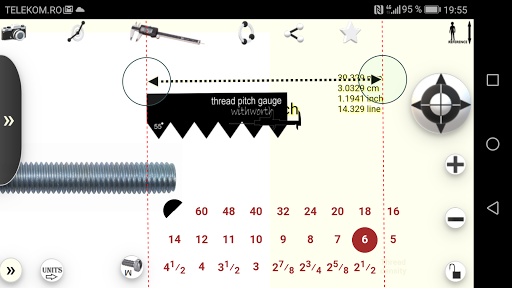
5. Align the measuring instrument with the reference object
6. Press the top right button to enter the length of the reference object.
7. Now you can zoom in / out and make any measurements you want.
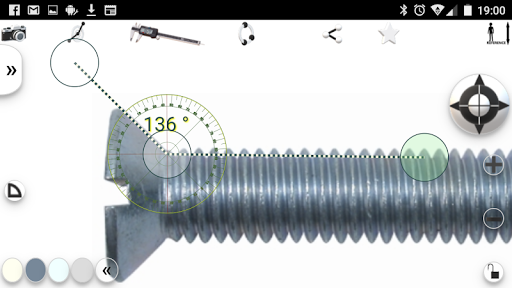
8.Change the instrument with the protractor to measure angles
9. capture the screen image (with dedicated phone software) to save the measurements

What's New with Micro-measurements 1.0

Api level 28. Replacing some libraries

Information

  • Category:
    Tools
  • Latest Version:
    1.0
  • Updated:
    2019-10-11
  • File size:
    2.4MB
  • Requirements:
    Android 4.0 or later
  • Developer:
    Fometescu Octavian
  • ID:
    com.micro.measurements
  • Available on:
Reviews
  • avatar
    Awful! Will not calibrate or keep its calibration a Big waste of my time!!!
    2020-09-15 04:52
  • avatar
    This is a good 2D photo measurement app. It allows you to set a reference point and then measure the rest of the image, exactly as I want.
    2020-08-03 09:20
  • avatar
    Good
    2020-05-07 05:22
  • avatar
    Amazing App!! Just install it!
    2019-12-27 01:53
  • avatar
    very intuitive and useful.
    2019-07-26 08:25
  • avatar
    has viruses like malware be careful
    2019-07-24 03:44